
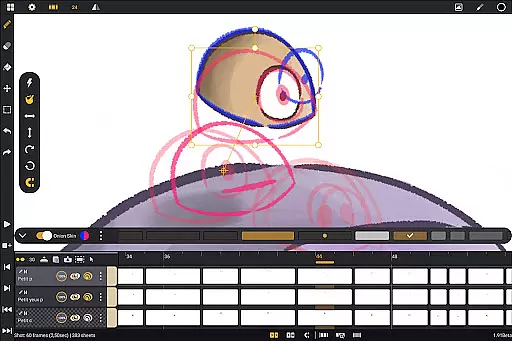
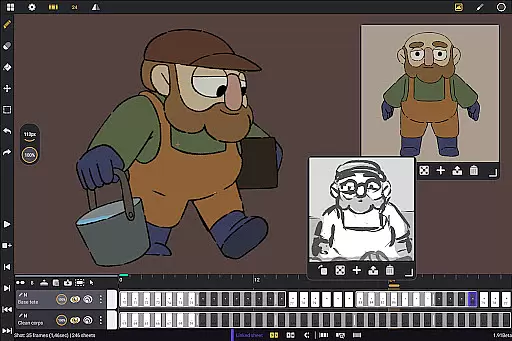
Callipeg is a professional-grade 2D hand-drawn animation application tailored for both professional animators and beginners. It provides all the essential tools of a full-featured animation studio directly on your Android device, making it possible to create frame-by-frame or keyframe animations, develop storyboards, and produce complete shots with ease.
The app is optimized for Android tablets and supports stylus input, ensuring a natural drawing experience. With no subscription model and all updates included, Callipeg offers an accessible entry point into the world of digital animation. Its comprehensive feature set includes adjustable frame rates, large canvas support up to 4K, unlimited layers, and robust drawing tools that cater to various animation needs.
Whether you are working on professional-quality animations or simple sketches, Callipeg's intuitive interface and flexible import/export options make it a versatile choice for creatives who need a reliable animation solution on the go.
Callipeg stands out with its studio-like organization features, allowing users to arrange shots by dragging and dropping them into scenes and folders. The app also supports color tags and filters to manage assets effectively, while the integrated search function helps quickly locate specific shots.
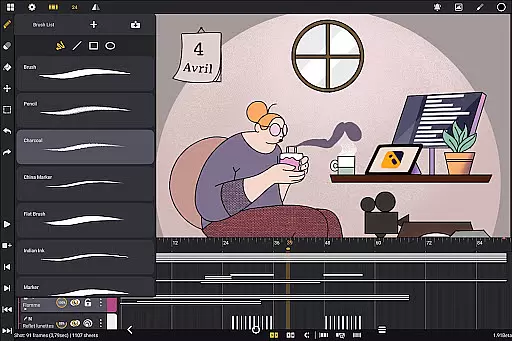
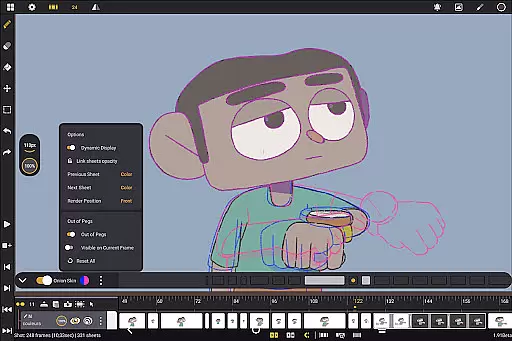
One of the app's core strengths is its comprehensive drawing tools. Users can access a versatile brush set including pencil, charcoal, ink, and more. These brushes are customizable in terms of smoothing, tip shape, and texture, providing artists with the flexibility to achieve their desired effects. Additionally, onion skinning allows displaying up to eight frames before and after the current frame, streamlining the animation process.
Callipeg also excels in offering flexible import and export options. Animations can be exported in multiple formats such as .mp4, .gif, .png, .tga, .psd, and .peg. Project files can be imported and exported in industry-standard formats like .json, .xdts, and .oca, maintaining timing and layer structure across different software platforms.
In the realm of 2D animation, having access to a comprehensive suite of creative tools is essential for producing high-quality work. Callipeg rises to the occasion by offering an extensive array of features that cater to both professional animators and beginners alike. The app includes studio-like organization capabilities, allowing users to arrange shots, organize them into scenes, and manage assets with color tags and filters.
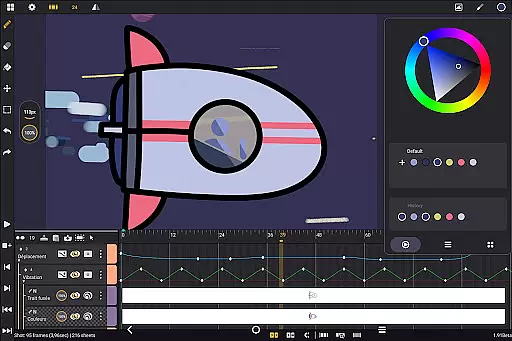
Callipeg also provides adjustable frame rates and supports canvas sizes up to 4K, ensuring that animations meet professional standards. With unlimited layer support, animators can add as many layers of different types, including drawing, video, transformation, audio, or group layers, which enhances the depth and complexity of their projects.
The drawing tools available in Callipeg are particularly noteworthy. Users have access to a versatile brush set that includes options like pencil, charcoal, and ink, each customizable in terms of smoothing, tip shape, and texture. This flexibility empowers creators to fine-tune their artistic expression and optimize their coloring process through advanced color management features.
Flexibility in canvas and format options is crucial for animators who need to adapt their work to various project requirements and industry standards. Callipeg addresses this need by providing a large canvas size of up to 4K resolution, accommodating detailed and expansive animations suitable for professional use. Animators can adjust frame rates to their preference, choosing from settings such as 12, 24, 25, 30, or 60 frames per second, thus tailoring the fluidity and style of their animations.
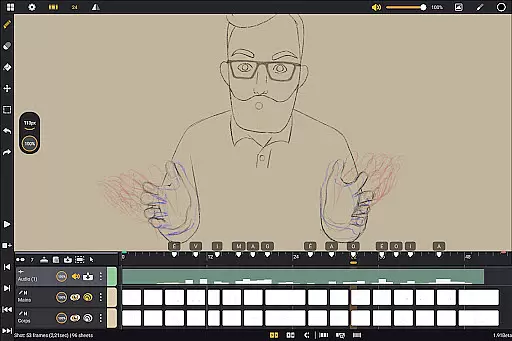
Moreover, Callipeg excels in format compatibility, enabling users to import images, video clips, and audio files for techniques like draw-over, rotoscopy, or lip-syncing. This versatility ensures that creators can incorporate diverse media into their projects seamlessly. The ability to export animations in multiple formatsu2014including .mp4, .gif, .png, .tga, .psd, and .pegu2014further expands the app's utility, allowing finished works to be shared and integrated across different platforms and software ecosystems.
Additionally, Callipeg offers customizable workspace settings, empowering users to tailor their interface for optimal productivity. Whether switching between right- and left-handed modes, repositioning sidebars, or importing reference images, animators can configure their environment to suit individual workflows and preferences. This level of personalization enhances usability and helps maintain creative momentum.
Professional-grade tools
No subscription required
Optimized for stylus use
Flexible export options
Active community support
Limited to Android devices
Steeper learning curve
Fewer advanced features
Occasional performance issues
Interface may feel cluttered

Download now for a stylish and functional timepiece
 4.5
4.5
Create sweet, cool and unique couple avatars easily, in just a few steps!
3.40
Sketch, trace and master AR drawing with awesome anime art!
3.30
Sketch, plan, take notes and illustrate on an infinite canvas.
4.20
Meet the magic aı 3d photo generator and smart AI video generator app.
3.20
Digital illustration drawing & painting pad app to paint Anime and Manga art
4.50
Create stunning art with AI.
4.80
Turn your drawings into flipbook-style animations with simple creative tools
4.60
Resize photos and print photos in exact size with our powerful photo printer!
3.80
Draw glowing spinners, relax, and spin your creative art
4.60
The ultimate tool for creating animations
4.60
The perfect place to start sketching! Use Sketchbook to draw and paint sketches.
4.50
Share the joy of painting with ibis Paint! Drawing anime and manga art.
4.50
Everything you need to create hand drawn animation, anywhere you go!
4.40
Customizable Outlined Fonts. Watch Face Format. Battery friendly Digital Clock.
4.20
Custom Character Creator & PFP Maker!
4.20
Powerful home decoration & house design that allows you to design dream home.
3.80
Art of Combination Wear OS Watch faces (for Wear OS 5+ devices)
3.00
Your Essential Color Theory Guide: Red, Yellow, Blue (RYB)
4.5


User Reviews