

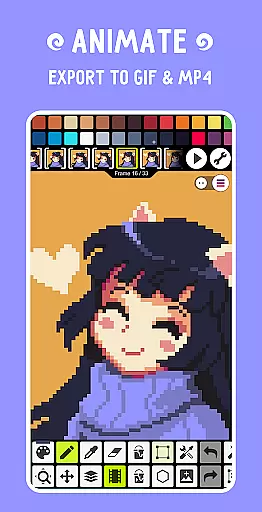
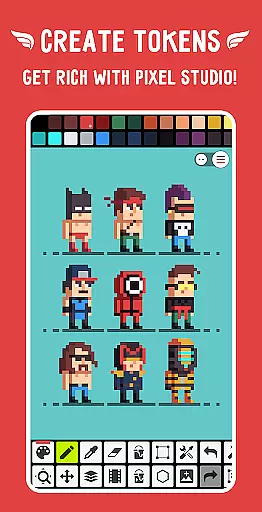
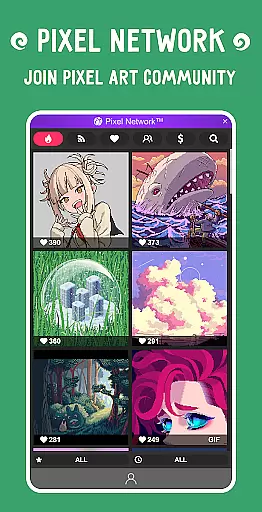
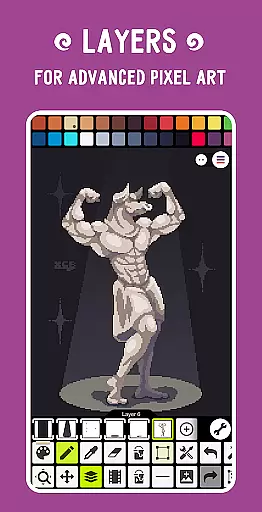
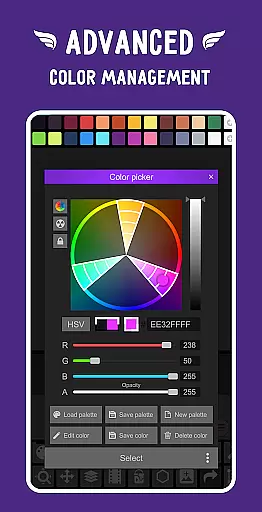
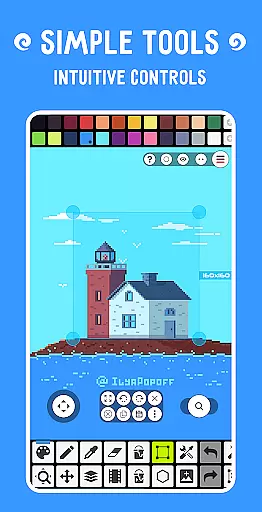
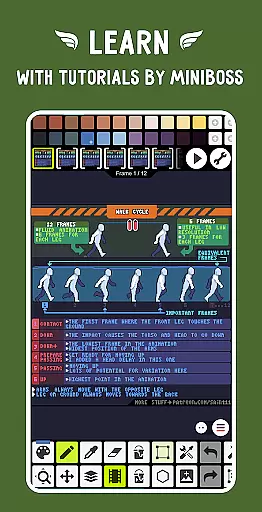
Pixel Studio PRO is a premium pixel art editor tailored for both artists and game developers. This special edition comes without ads or in-app purchases, offering all PRO features unlocked. With over 5,000,000 downloads globally and support for more than 25 languages, it stands as a versatile tool for creating pixel art anywhere. The app supports advanced features like layers, animations, music integration, and MP4 video export.
The application provides a comprehensive suite of tools that cater to both beginners and professionals. Users can sync their work across devices using Google Drive and engage with the Pixel Network™ community. With support for various formats including PNG, JPG, GIF, BMP, TGA, PSP, PSD, and EXR, Pixel Studio PRO ensures compatibility and convenience. Its intuitive interface, customizable settings, and support for hardware like Samsung S-Pen make it an indispensable tool for pixel art enthusiasts.
Pixel Studio PRO boasts an extensive array of features designed to enhance the pixel art creation process. The app supports layers and frame-by-frame animations, allowing users to create complex artworks and animations. Advanced tools such as the Shape Tool, Gradient Tool, and custom brushes provide flexibility and precision. Users can also apply music to animations and export them as MP4 files, adding another dimension to their creations.
Additional functionalities include symmetry drawing, text tools with different fonts, and dithering pens for shadows and flares. The app supports advanced algorithms for pixel art rotation and scaling, ensuring high-quality results. Features like onion skin, palette application, and image pattern libraries further enrich the user experience. With unlimited canvas size, customizable grids, and multithreaded image processing, Pixel Studio PRO offers a robust platform for pixel art projects.
Pixel Studio PRO offers an extensive suite of creative tools that cater to both beginners and professional artists. The application supports layers, animations, and a variety of useful instruments necessary for creating cool pixel art projects.
Among its features are the Shape Tool for primitives, Gradient Tool, built-in and custom brushes, and a Text Tool with different fonts. These tools allow users to experiment with various artistic techniques and styles, providing everything needed to produce detailed and complex artwork.
Additionally, Pixel Studio PRO enables users to save animations in multiple formats such as GIF or sprite sheets and extend these with music, exporting videos to MP4. This versatility ensures that artists can fully realize their vision without being hindered by format limitations.
The canvas and format flexibility in Pixel Studio PRO is designed to meet the needs of diverse projects. Users have access to an unlimited canvas size, allowing them to work on projects of any scale without restriction.
Pixel Studio PRO supports all popular file formats including PNG, JPG, GIF, BMP, TGA, PSP, PSD, EXR, and even extends to formats like AI, EPS, HEIC, PDF, SVG, WEBP for cloud operations. This comprehensive format support ensures compatibility across different platforms and uses.
Moreover, the customizable toolbar and settings, alongside features like canvas resizing and rotation, provide users with the ability to tailor their workspace to their specific needs. This adaptability enhances the creative process, making it more efficient and personalized.
User-friendly interface
Extensive format support
Advanced animation tools
Active community engagement
Seamless cross-device sync
High system requirements
No iOS version available
Limited free features
Occasional bugs reported
Steep learning curve

Design your dream room with AI. Get decor ideas & plan home interiors
 3.90
3.90
Draw anime & manga drawing, art with templates to create stunning picture!
4.50
Create stylish invitation cards using templates for weddings, birthdays & RSVP.
4.20
Create color palette from Image, RGB & RYB Color wheel harmonies, Color Scheme
4.50
Photo editor for art, avatars, filters & fun transformations.
4.60
Powerful home decoration & house design that allows you to design dream home.
3.80
Image resizer to resize, crop, rotate, flip, change dpi photo or picture in bulk
4.60
Beauty Camera - Selfie Camera is the ultimate beauty camera and selfie app
4.30
An intuitive, high-performance painting app that lets you focus on creating
4.40
Learn how to draw with step-by-step tutorials, fun lessons & multiplayer drawing
4.70
Draw on screen: FP sDraw is a simple and lightweight drawing app
4.70
Photo stitcher for automatically screenshot stitching into a long screenshot
4.70
Discover Cartoon Dream : Unleash Your Creativity with CuttingEdge AI
4.50
Share the joy of painting with ibis Paint! Drawing anime and manga art.
4.50
Video AI: Revolutionize Your Content Creation with Advanced Video Generation
4.50
Nano Banana AI Image Generator, Anime Filter, AI Portrait, AI Photo Generator
4.30
Sketch and paint on your device with the feel and freedom of drawing on paper
4.00
Turning simple sketches into captivating tales filled with life and motion
3.90
Download now for a stylish and functional timepiece
4.5


User Reviews