
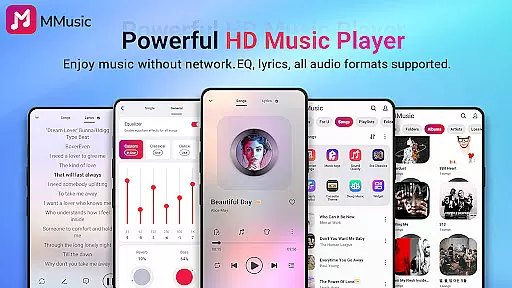
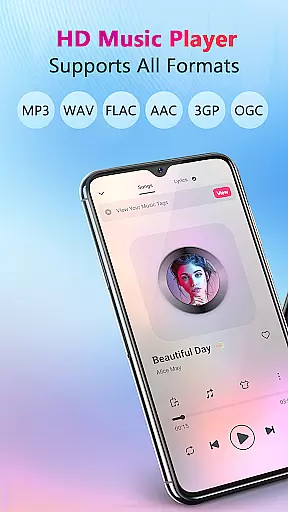
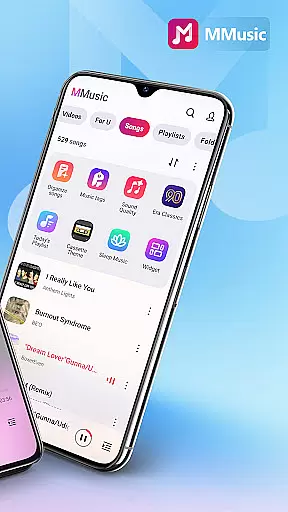


MMusic is a feature-rich offline music player for Android, offering high-definition sound quality and full format compatibility. This versatile app supports MP3, FLAC, WAV, MIDI, AAC, APE, and more, ensuring every song sounds its best. With an intuitive interface featuring retro tape and vinyl record styles, it provides an immersive music experience without requiring Wi-Fi.
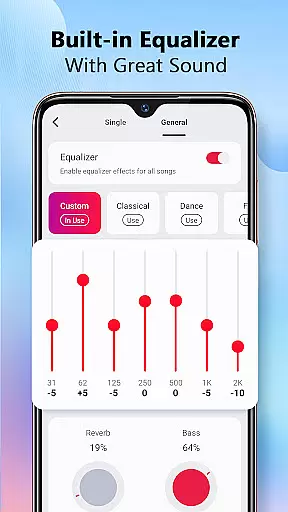
The app includes a powerful equalizer with presets for various music genres, allowing users to customize their listening experience. It also offers intelligent music management, automatic library scanning, and diverse theme options. Whether you're managing playlists or enjoying lyrics display, MMusic delivers a seamless blend of functionality and aesthetics.
Perfect for audiophiles who value both sound quality and visual appeal, MMusic transforms the way you enjoy music on your Android device.
MMusic stands out with its comprehensive audio capabilities and user-friendly design. The app's support for all mainstream audio formats ensures unlimited playback possibilities. Its advanced equalizer comes with specialized presets for classical, rock, dance, and other genres, while offering bass boost and reverb effects for customized sound enhancement.
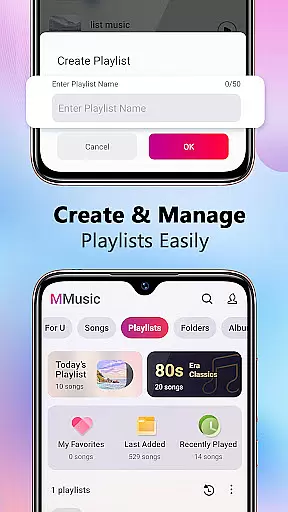
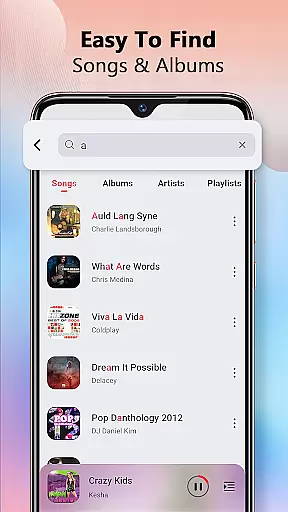
The app's intelligent management system automatically scans and organizes music libraries by artists, albums, and folders. Users can create custom playlists and access smart auto-playlists like Most Played and Recently Added. The retro-inspired themes, including tape and vinyl modes, provide a unique visual experience that complements the audio journey.
Additional features include background playback, Bluetooth compatibility, and lyrics synchronization. These elements combine to create a sophisticated music player that caters to both casual listeners and audio enthusiasts seeking advanced control over their music experience.
MMusic offers an extensive music library that supports all mainstream audio formats including MP3, FLAC, WAV, MIDI, AAC, and APE. This ensures comprehensive compatibility, allowing every song to be presented in its best state.
The app's deep scan feature automatically refreshes and categorizes your music library, making it easy to manage playlists, albums, and artists. With such a vast array of supported formats, MMusic truly achieves an unlimited music experience for users who demand high-quality sound.
Regarding copyright authenticity, MMusic respects user-loaded content while ensuring that its equalizer presets and playback features do not infringe on any intellectual property rights. Users can enjoy their personal collections with peace of mind.
Equipped with advanced audio technology, MMusic elevates the listening experience through its built-in equalizer featuring presets for various music genres like classical, dance, folk, and rock. This allows users to tailor their sound experience according to their preferences.
Every track is delivered in high-definition sound quality, providing an immersive experience. The equalizer enhances music with bass boosting, reverb effects, and a virtualizer, ensuring each listening session is as unique as the listener's taste.
Additionally, MMusic supports offline playback with no loss in audio fidelity, meaning you can enjoy exceptional sound whether you're connected or not. This flexibility caters to audiophiles who seek pristine audio quality in any environment.
Full format support
Advanced equalizer
Intuitive interface
Offline playback
Smart management
No cloud integration
Limited social features
Android only
Heavy storage use
Complex settings

Your HD audio recorder on the go for music, meetings, ambience, animal sounds…
 4.30
4.30
Full-featured, High-Quality Groovebox Workstation, perfect for Live Performance!
4.80
Background pads for your band
3.80
Network/Cloud Streaming, Visualization, Graphic Equalizer and Sound Effects.
4.20
Advanced 10-Band Audio Graphic Equalizer Sound Booster Pro
4.30
Music, News & Sports Radio Tuner App. Tune in Live FM & AM Radio Stations.
4.80
Play KORG’s revolutionary touch-based instrument on a variety of devices.
4.40
Responsive piano with great sounds, graphics, and songs
4.80
Uninterrupted Tunes, Unmatched Vibes
3.90
Gorgeous UI, Powerful music Search and Equalizer, the great choice for you!
4.70
Reverse your voice & songs instantly! Fun singing challenge with cool effects.
4.60
Guzheng Master supports many playing techniques as an acoustic Guzheng
4.50
Formerly known as Spotistats! View your top tracks, artists, albums and more!
4.40
Learn and play 2M+ music tabs & chords on guitar, ukulele, bass, and more
4.30
A High-Precision Audio Spectrum Analysis App
4.20
The alternative folder based music player.
4.20
A sleek, no-frills player designed for true music lovers.
4.20
Permanently backup Now Playing. Maps, filters & listening stats.
4.00
Turn your phone into a musical instrument from the future!
3.90


User Reviews