
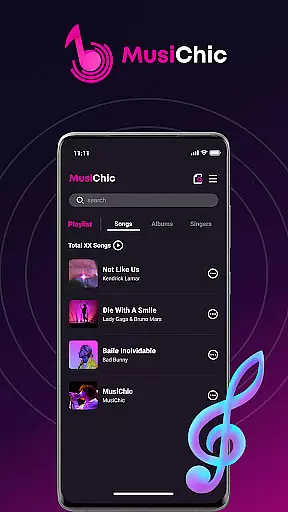
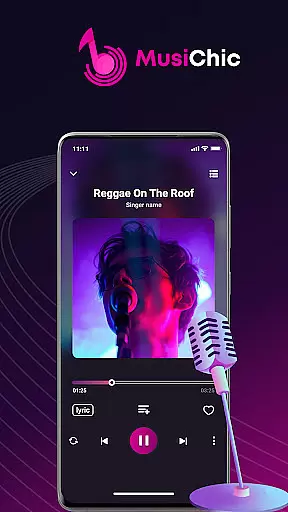
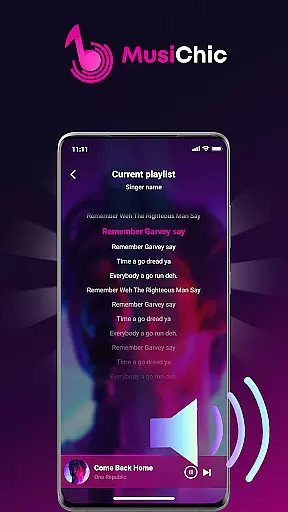
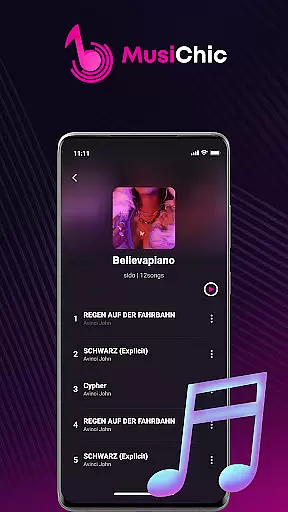
MusiChic is a premium offline music player designed for discerning music enthusiasts who demand the highest audio quality. This sophisticated app transforms your mobile device into a personal concert hall, delivering lossless audio playback for all major formats. The application's intelligent scanning system builds your local music library instantly while organizing tracks by album, artist, and genre.
What sets MusiChic apart is its elegant approach to music management. Users can create unlimited custom playlists and enjoy advanced collection features that make music discovery both intuitive and delightful. Whether you're commuting or relaxing at home, MusiChic ensures your favorite tracks sound better than ever before. Its smart curation tools and lightning-fast search make finding and enjoying your music collection effortless and enjoyable.
MusiChic distinguishes itself through innovative features that enhance the listening experience. The app's intelligent scanning engine automatically detects and organizes audio files with remarkable speed and accuracy. It supports all major lossless audio formats, ensuring audiophile-grade sound quality without compromise. The smart organization system creates a well-structured library that's easy to navigate.
Advanced customization options allow users to tailor their listening experience precisely as they wish. The app's proprietary technology delivers crystal-clear sound reproduction while maintaining efficient resource usage. With its sophisticated playlist management and collection tools, MusiChic empowers users to curate their perfect music library. These features combine to create an unparalleled offline listening experience that satisfies even the most demanding music aficionados.
When it comes to digital music players, the size and authenticity of the music library are crucial factors. MusiChic offers an impressive local music library that is instantly accessible through its smart scanning feature.
The application supports a wide array of audio formats, allowing users to enjoy an extensive collection of tracks without worrying about compatibility issues. This ensures that your music library remains comprehensive and true to the original recordings.
Moreover, MusiChic emphasizes the importance of copyright authenticity by enabling users to manage their legally acquired music files efficiently. The app does not provide or promote unauthorized content, aligning with legal standards and respecting artists' rights.
With MusiChic's offline playback capability, users can be confident in enjoying a vast, authentic music library anytime, anywhere, without the need for an internet connection.
For audiophiles and casual listeners alike, audio quality is paramount. MusiChic takes this into account by offering lossless audio playback, ensuring that every note and harmony is reproduced with precision.
The app supports various high-quality audio formats, which means that whether you're listening to classical symphonies or modern electronic beats, the sound fidelity remains uncompromised.
Additionally, MusiChic provides users with customizable audio settings, allowing for a personalized listening experience tailored to individual preferences. This flexibility in audio options caters to a wide range of auditory tastes and equipment capabilities.
Experience music as the artists intended, with MusiChic's commitment to delivering top-notch audio quality across all your devices.
Lossless audio quality
Intelligent library scanning
Advanced organization tools
Custom playlist creation
Efficient resource usage
No streaming services
Limited social features
Premium price point
Complex interface
Offline only

The Skullcandy App Experience
 3.20
3.20
Over 100 million tracks available for high quality streaming and download
4.60
The Cubase remote control app
3.60
Listen to live FM radio stations, sports, music and news on global radios online
4.70
USB audio recording and playback finally possible on Android 3.1 or higher!
3.90
Super Sound Editor, Song Maker & Mixer, Vocal Remover, Voice Recorder & Changer!
4.60
No wifi music app. Mp3 offline. Tuner radio, young radio music. Music downloader
4.20
Offline Music Player & MP3 Player.Powerful equalizer, Lyrics, Themes, Tag Editor
4.80
The original SP-1200 experience on your iPad
4.20
24,000 free audio books and no ads!
4.90
JBL PartyBox APP works with 110/310/710/120/320/520/Encore/Encore 2/Encore Ess 2
4.80
Listen radio AM / FM Stations. Live AM / FM Radio App Station. Radio Com.
4.70
Offline Music Player&MP3 Player with themes, equalizer, lyrics, music play mode
4.60
Enjoy singing any song, no matter how high or low it is
4.30
VB-AUDIO Software / VBAN-Receptor allows listening to any VBAN Streams
4.10
Versatile MP3 recorder with auto-backup to Dropbox and Google Drive
4.10
Permanently backup Now Playing. Maps, filters & listening stats.
4.00
Simply convert wav to mp3. Clear. Reliable. Safe.
4.2
Remove ads permanently from Music Visualizer
4.3


User Reviews