
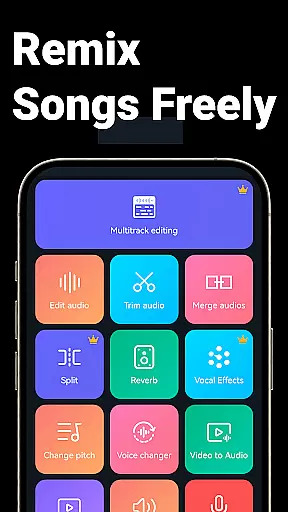
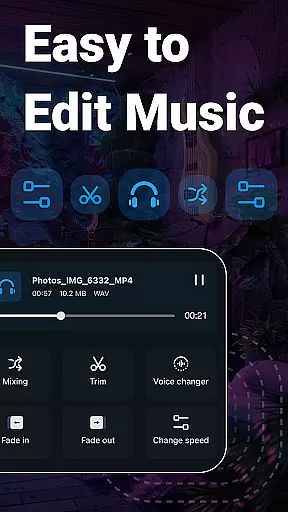
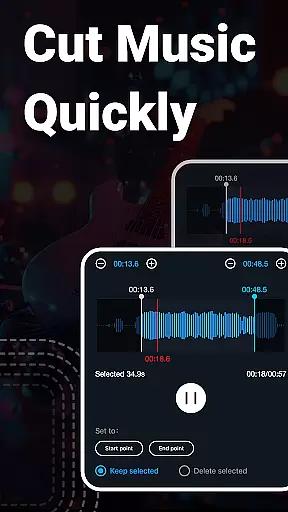
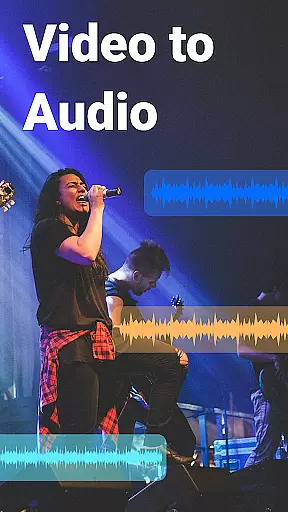
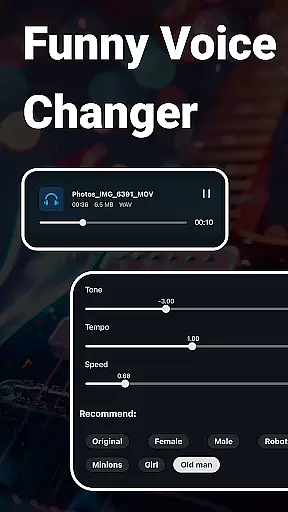
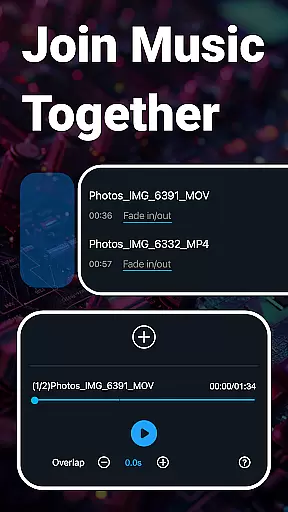
Music Audio Editor, MP3 Cutter is a comprehensive audio editing tool designed for both casual users and professionals on Android. This app allows you to cut, splice, mix, and convert audio files with precision and ease. With additional features like voice changing, vocal removal, and video-to-audio conversion, it caters to a wide range of audio editing needs.
The application supports various audio formats including MP3, AAC, WAV, and FLAC, making it versatile for different project requirements. Whether you're creating custom ringtones, adjusting sound levels, or experimenting with music tones and tempos, this app provides the tools necessary to produce high-quality audio content.
Perfect for musicians, podcasters, and content creators, Music Audio Editor, MP3 Cutter enhances productivity by combining essential audio editing functions into one powerful platform. Its intuitive interface ensures that even beginners can achieve professional results without extensive technical knowledge.
One of the standout features of Music Audio Editor, MP3 Cutter is its ability to perform precise audio cuts in milliseconds, allowing for accurate edits. The app also offers rich audio editing capabilities such as fading in and out, changing volume, tempo, and pitch, which add depth and creativity to your projects.
In addition to basic editing, the app includes advanced functionalities like multitrack editing, audio mixing, and batch processing. These features enable users to work on complex audio compositions, add background music, and efficiently manage multiple files. The inclusion of a voice changer and vocal remover further expands its utility for creative projects.
Furthermore, the app facilitates video editing by allowing users to add audio to videos, apply fade effects, and modify sound pitches. With support for royalty-free music downloads and customizable equalizer settings, Music Audio Editor, MP3 Cutter empowers users to explore new dimensions in audio production while maintaining ease of use.
When it comes to music editing applications, the size and authenticity of the music library are crucial factors. Super Sound provides a vast collection of royalty-free music tracks, boasting over 2000 options for users to download and incorporate into their projects. This extensive library ensures that creators have a diverse range of sounds at their disposal.
The app guarantees copyright authenticity by offering only legally usable audio files. Users can confidently utilize these tracks in their work without worrying about copyright infringement issues. The developers have taken care to include a variety of genres and styles, catering to different tastes and project requirements.
Moreover, Super Sound supports multiple audio formats such as MP3, AAC, WAV, FLAC, M4A, and AMR. This versatility allows users to work with their preferred file types and ensures compatibility across various devices and platforms. Whether you're creating a simple ringtone or a complex multitrack composition, the app's comprehensive format support has got you covered.
Audio quality is paramount when editing sound files, and Super Sound excels in providing top-notch audio quality options. The application allows users to adjust various parameters to achieve the desired output quality. You can modify the sound channel, sample rate, and bit rate to fine-tune your audio files according to specific needs.
In addition to basic editing features, Super Sound offers advanced tools like an equalizer with numerous presets. These presets enable users to tweak the audio's tonal balance, enhancing certain frequencies while attenuating others. Such precise control over the sound spectrum ensures professional-grade results every time you edit.
The app also includes a vocal remover function, which strips away vocals from songs, leaving behind high-quality instrumental tracks. Furthermore, its ability to convert mono audio into multi-channel formats adds depth and richness to your creations. With these robust audio quality options, Super Sound empowers users to produce polished and refined audio content effortlessly.
User-friendly interface
Extensive format support
Advanced editing tools
Voice changing feature
Batch processing capability
Limited iOS availability
Occasional bugs reported
Ads in free version
Complex for beginners
Large file size

DJ Music Mixer Pro is a real DJ controllers and DJ Music Studio to remix DJ.
 4.40
4.40
Background pads for your band
3.80
Listen to live FM radio stations, sports, music and news on global radios online
4.70
Simple & Intuitive Metronome
4.70
Music Streaming suite for Ampache, Nextcloud Music and compatible backends.
4.1
Learn to play the piano using falling notes!
3.80
Enjoy singing any song, no matter how high or low it is
4.30
Learn the notes on the guitar fretboard fast with this easy and fun app
4.60
Reverse your voice & songs instantly! Fun singing challenge with cool effects.
4.60
24,000 free audio books and no ads!
4.90
Your song collections with lyrics and chords on Android smartphones and tablets.
4.80
Recording studio w/ 10k beats, pro vocal FX and a network of 20M rappers & fans!
4.60
Offline Music Player&MP3 Player with themes, equalizer, lyrics, music play mode
4.60
DJ Music Mixer - DJ Remix: remix songs, make beat music & record mix of DJ.
4.40
Ringtone Maker is free app create ringtone from music files or your recording.
4.40
The official Sonos app
4.10
USB audio recording and playback finally possible on Android 3.1 or higher!
3.90
Control your MIDI USB or Bluetooth devices in app and avoid some trampling
3.30
The Skullcandy App Experience
3.20


User Reviews