
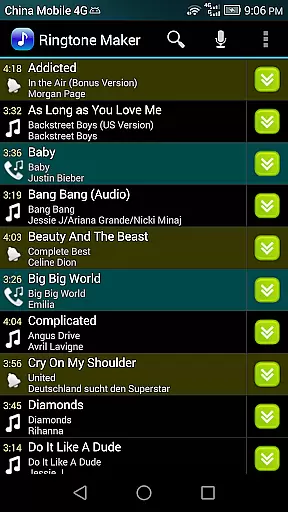
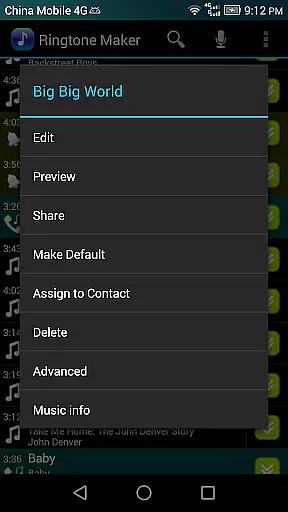
Ringtone Maker Pro is a versatile audio editing tool designed specifically for creating personalized ringtones, alarms, and notifications. This powerful app supports multiple audio formats including MP3, WAV, AAC/MP4, and 3GPP/AMR files, making it compatible with various music libraries.
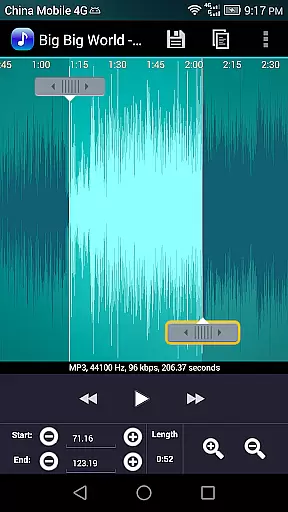
The application's intuitive timeline interface allows users to precisely set start and end points for their audio clips. Users can employ different methods such as sliding arrows, pressing start/end buttons, or manually entering timestamps to define these points. Additionally, the app provides professional-grade editing features like fade in/out effects, volume adjustment, and waveform visualization at five zoom levels.
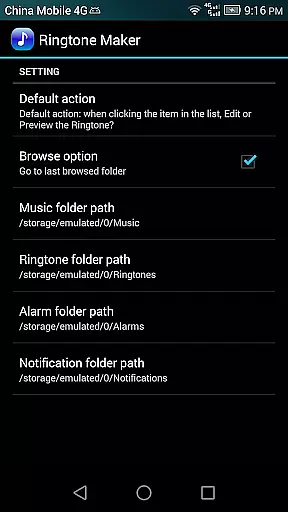
One of the standout features is its ability to preview edited ringtone files before assigning them to specific contacts. The app also maintains an organized file structure by saving different types of audio files in designated folders on the SD card. Whether you're looking to create unique ringtones or manage your audio library, Ringtone Maker Pro offers a comprehensive solution for all your audio customization needs.
Ringtone Maker Pro distinguishes itself through its extensive feature set that caters to both casual users and audio enthusiasts. The app's core functionality revolves around its robust audio editing capabilities, which include copy, cut, and paste functions similar to professional audio software. These features enable users to create seamless transitions between audio segments while maintaining high-quality sound output.
A particularly innovative aspect is the app's multi-level zoom waveform display, which allows for precise editing at five different magnification levels. This feature, combined with the touch-based interface for setting clip boundaries, provides users with exceptional control over their edits. The fade in/out effect for MP3 files and volume adjustment options further enhance the professional quality of the final audio product.
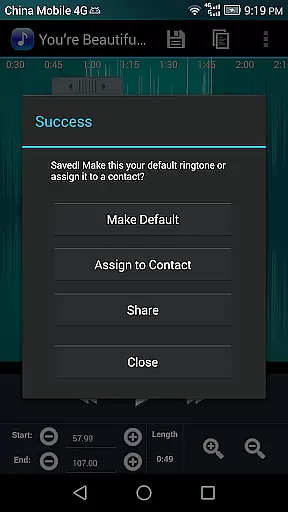
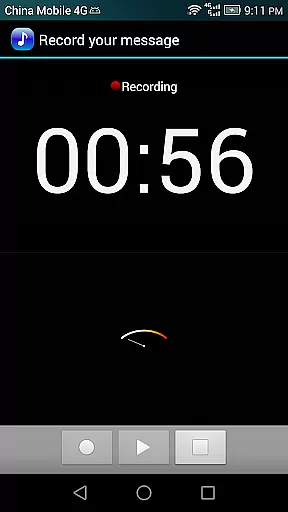
The app's integration with device contacts sets it apart from basic audio editors. Users can directly assign created ringtones to specific contacts and manage these assignments through the app's interface. Additional features like audio recording capability, file sorting by tracks/artists/albums, and comprehensive permission management demonstrate the app's commitment to providing a complete audio solution within a single platform.
Ringtone Maker Pro offers an extensive music library that allows users to create ringtones, alarms, and notifications from a variety of audio file formats including MP3, WAV, AAC/MP4, and 3GPP/AMR. This vast compatibility ensures that users can work with their preferred file types, making the process both flexible and convenient.
The app's commitment to copyright authenticity is evident in its adherence to legal standards and licensing requirements. Users can be confident that the ringtones they create do not infringe on any copyrights, as the source material is either user-provided or obtained through legitimate means. This respect for intellectual property adds a layer of trust and reliability to the ringtone creation process.
Furthermore, Ringtone Maker Pro provides features such as waveform representation at multiple zoom levels, precise editing tools, and the ability to preview and assign ringtones to contacts. These capabilities ensure that users have a comprehensive set of tools to craft personalized audio content while maintaining the integrity of the original works.
One of the standout features of Ringtone Maker Pro is its array of audio quality options. The app supports high-quality audio formats and provides users with the ability to adjust various parameters such as volume and fade effects. This ensures that the final output meets the highest standards of audio fidelity, catering to audiophiles and casual users alike.
In addition to basic editing functions like copy, cut, and paste, Ringtone Maker Pro includes advanced features such as fade in/out for MP3 files and volume adjustments. These tools allow users to fine-tune their audio clips, resulting in professional-sounding ringtones and notifications that enhance the overall listening experience.
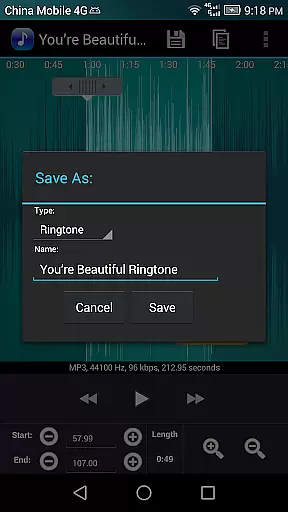
Moreover, the app enables users to save their creations in different categories such as Music, Ringtone, Alarm, or Notification, each with specific quality settings. By offering these diverse audio quality options, Ringtone Maker Pro empowers users to customize their sound files to suit their individual preferences and device capabilities, ensuring optimal performance and satisfaction.
User-friendly interface
Multiple audio format support
Precise editing tools
Professional audio effects
Direct contact assignment
Requires storage permission
Contact access needed
Pro version costs money
Learning curve for beginners
Ads in free version

10-Band Audio Equalizer, Sound / Bass Booster for Spotify Users & Music Players
 4.40
4.40
Performance-Synthesizer & Multi-Track-Sequencer, polyphonic + multi timbral!
4.70
Save hundreds of dollars for a physical strobe tuner and instead use this app.
4.50
Guzheng Master supports many playing techniques as an acoustic Guzheng
4.50
The alternative folder based music player.
4.20
Listen radio AM / FM Stations. Live AM / FM Radio App Station. Radio Com.
4.70
Simple mp3 and mp4 player with advanced features.
3.40
Learn the notes on the guitar fretboard fast with this easy and fun app
4.60
Sing, record, and create music together — enhanced by smart voice tools.
4.00
Brian Eno and Peter Chilvers’ acclaimed music app Bloom, radically reinvented.
4.80
Unleash your creativity! Turn simple prompts into full fledged songs.
4.70
SqueezePlayer turns your Android phone or tablet into a SqueezeBox on its own!
4.60
AI Music Maker: Generate And Compose AI Tunes & AI Songs & AI Music & AI Melody!
4.60
Manage your Sonos system directly from your home-screen!
4.40
Advanced 10-Band Audio Graphic Equalizer Sound Booster Pro
4.30
Bass Booster Pro takes auto-equalizing to the next level!
4.30
The ultimate media player for Android devices
3.90
Powerful beat maker & DJ mixer to remix tracks, make music, & perform DJ mix
3.70
The iconic iOS metronome app is now on Android.
3.70


User Reviews