
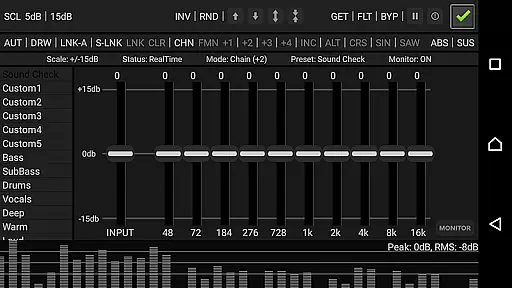
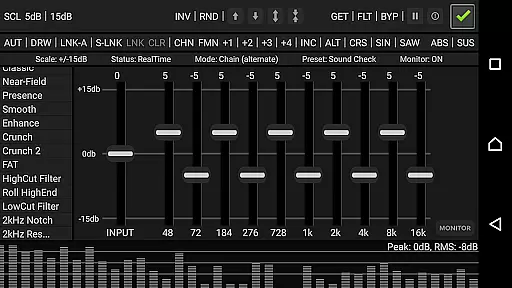
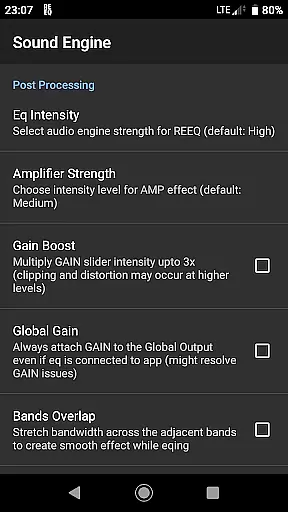
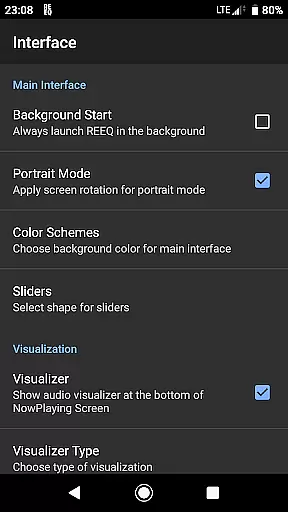
RE Equalizer FX is a sophisticated audio equalization tool designed for both casual listeners and professional audio engineers. Developed by WiseSchematics, this application brings the power of studio-grade equalizers to mobile devices. The app's core functionality lies in its ability to provide users with precise control over their audio experience through advanced features like the Shunt Audio Engine and Smart Interface technologies.
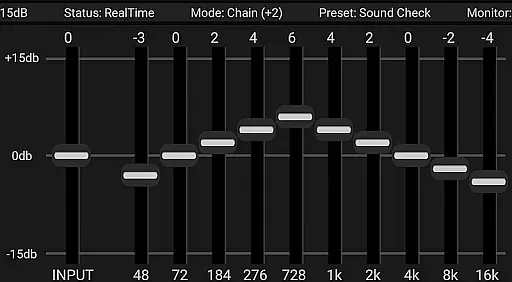
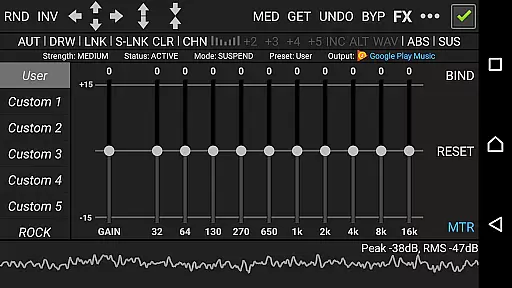
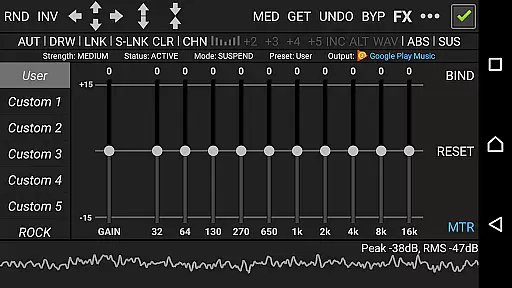
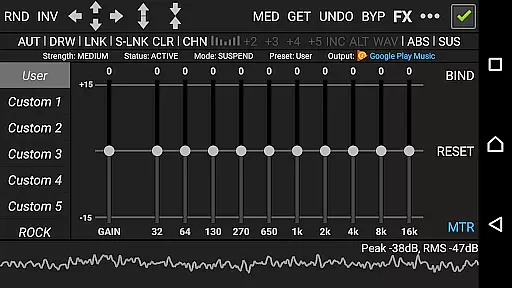
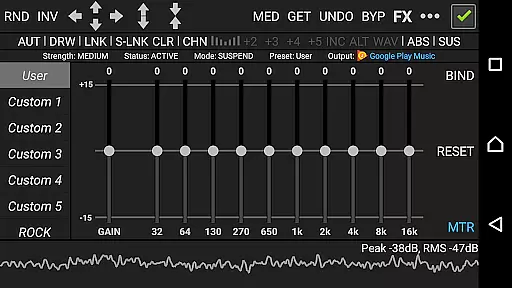
The application offers an impressive array of tools including 10 ISO faders, proportional Q filters, and various effects such as amplifier, compressor, and balance adjustments. These features allow users to shape their sound with remarkable accuracy. Whether you're looking to fine-tune your music library or need robust tools for audio production, RE Equalizer FX delivers a comprehensive solution that caters to all your equalization needs.
One notable use case is its application in mobile music production. With 20 built-in presets and additional custom options, users can quickly achieve desired audio effects without extensive setup times. This makes it particularly valuable for musicians and producers who require reliable and flexible equalization tools on the go.
RE Equalizer FX distinguishes itself through its rich feature set designed to provide unparalleled control over audio processing. At its heart is the innovative Shunt Audio Engine, which works in tandem with the Smart Interface to eliminate common audio artifacts and deliver pristine sound quality. The app's proportional Q filters and 10 ISO faders offer surgical precision in equalization, allowing users to make detailed adjustments across different frequency bands.
A key aspect of the application is its versatile workflow options. Users can choose from multiple operational modes, including standalone functionality or integration with the Resound Methods audio player. The real-time analyzer provides immediate visual feedback, enabling precise monitoring of audio changes. Additionally, the app's morphing and automation capabilities allow for complex effect transitions and dynamic parameter adjustments.
These features collectively enhance the user's ability to craft professional-quality audio. The inclusion of 20 pre-engineered presets alongside customizable options ensures that both beginners and experts can achieve their desired sound efficiently. Furthermore, the app's compatibility with various Android devices and its offline functionality make it a reliable choice for mobile audio processing.
RE Equalizer FX offers a comprehensive suite of audio tools that cater to both casual listeners and professional audio engineers. With its 20 built-in pre-engineered presets and 10 custom presets, the app provides a wide array of options for users to shape their sound. These presets are crafted with precision, ensuring that each setting is optimized for different genres and listening preferences.
The app's dedication to copyright authenticity is evident in its detailed tutorial and user guide, which are designed to educate users on the proper use of equalization techniques. This educational component not only enhances the user experience but also ensures that creators' rights are respected when using specific audio effects or settings.
Furthermore, RE Equalizer FX's standalone and plugged versions, including integration with 'Resound Methods', an offline audio player, expand its music library capabilities. Users can apply the app's powerful equalization to any audio file, making it a versatile tool for managing and enhancing personal music collections.
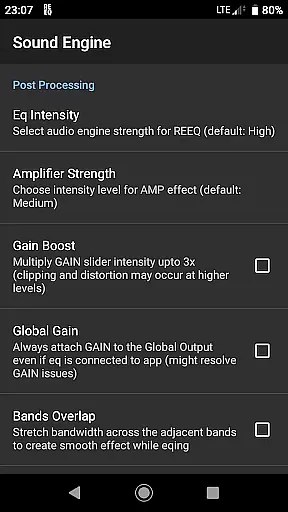
Audio quality is at the forefront of RE Equalizer FX's design philosophy. The app features a studio-grade workflow with advanced technologies like the Shunt Audio Engine and Smart Interface, which work together to eliminate artifacts, noise, and distortion. This results in pristine audio quality that allows users to hear every detail in their music with clarity.
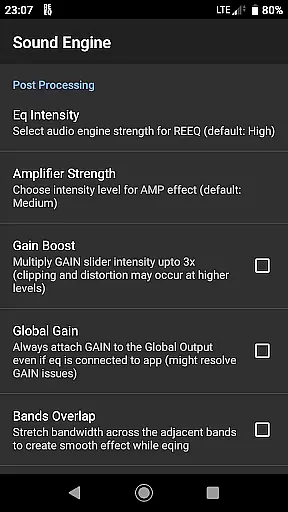
With proportional 'Q' filters and gain scaling options, users have precise control over the frequency spectrum. This level of detail enables audiophiles to fine-tune their listening experience, adjusting the dynamic range with a compressor effect and balancing the left/right channels for an optimal stereo field.
Moreover, RE Equalizer FX supports various modes for drawing multiple shapes and curve formations, providing artists and producers with the tools needed to create unique soundscapes. Whether you're looking to make broad tonal adjustments or intricate sound design changes, this app delivers the high-quality audio options necessary for achieving professional-sounding results.
Professional-grade equalization
Real-time audio analysis
Wide range of presets
Advanced filter technology
Offline functionality
Complex for beginners
High system requirements
Limited free version
Occasional interface lag
No iOS support

Time Guru will strengthen your internal sense of musical time via random muting.
 4.30
4.30
10-Band Audio Equalizer, Sound / Bass Booster for Spotify Users & Music Players
4.40
Full-featured, High-Quality Groovebox Workstation, perfect for Live Performance!
4.80
The best music and audio player, with beautiful UI, music search and equalizer.
4.60
Offline Music Player & MP3 Player.Powerful equalizer, Lyrics, Themes, Tag Editor
4.80
Powerful 10-Band equalizer pro with sound booster improves Android audio quality
4.30
MilkDrop for Android TV
3.00
Customize Your Favorite Songs and Videos with booster.
4.70
Play your music offline without limits
4.80
JBL PartyBox APP works with 110/310/710/120/320/520/Encore/Encore 2/Encore Ess 2
4.80
Music, News & Sports Radio Tuner App. Tune in Live FM & AM Radio Stations.
4.80
Listen to live FM radio stations, sports, music and news on global radios online
4.70
Pay Once, no monthly payment
4.60
Visualize the guitar fretboard, master scales & play through changes like a pro!
4.50
No wifi music app. Mp3 offline. Tuner radio, young radio music. Music downloader
4.20
Sing, record, and create music together — enhanced by smart voice tools.
4.00
Sheet music reader, piano & music note player. Play music score & learn to read.
3.90
Background pads for your band
3.80
Simply convert wav to mp3. Clear. Reliable. Safe.
4.1


User Reviews