

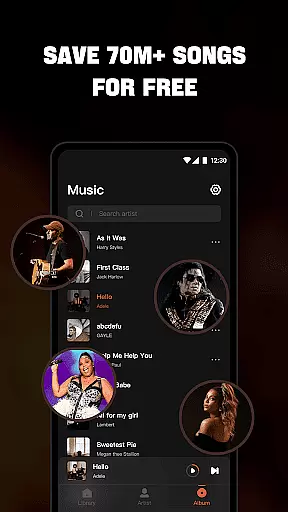

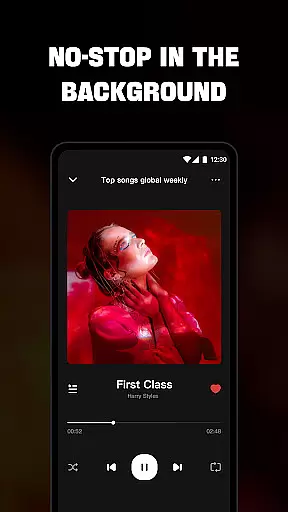
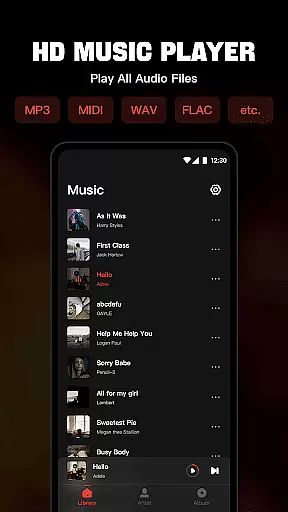
Mixtube is a versatile offline music player that allows you to enjoy all your favorite songs anytime, anywhere without an internet connection. The app supports a wide range of audio formats including MP3, MIDI, WAV, FLAC, AAC, and APE, ensuring high-quality playback for all your music files.
With its built-in top-quality equalizer, Mixtube elevates your listening experience to the next level. You can organize and access your music by songs, artists, albums, folders, or playlists. Additional features like background play, lock screen controls, notification bar playback, and widget support make this app a comprehensive solution for managing and enjoying your music library.
Whether you're at home, commuting, or traveling, Mixtube ensures uninterrupted music enjoyment. Its user-friendly interface and customizable options provide a seamless experience for both casual listeners and audiophiles alike.
Mixtube stands out with its comprehensive feature set tailored for music enthusiasts. The app's ability to handle all major audio formats makes it a universal solution for playing your music collection. Its advanced equalizer provides precise sound customization, allowing users to fine-tune their listening experience according to personal preferences.
The application offers robust organizational tools, enabling users to sort music by various categories and create custom playlists. Background playback functionality ensures continuous music while multitasking, whether you're working, studying, or doing household chores. The lock screen controls and notification bar playback add convenience to your daily music routine.
Additional features include widget support for quick access and playback control directly from your home screen. While Mixtube doesn't support online streaming or downloading, its focus on offline playback ensures stable performance and privacy. The premium version removes ads, providing an uninterrupted listening experience across all devices.
Offline Music Player offers an extensive music library that allows users to import and manage all their audio files effortlessly. The app supports a wide range of formats including MP3, MIDI, WAV, FLAC, AAC, and APE, ensuring that no matter the file type, it can be played seamlessly within the app.
Regarding copyright authenticity, Mixtube respects user's personal music collections and does not provide or promote unauthorized content. Users are encouraged to use their legally acquired music with the app, which ensures a high-quality listening experience without legal concerns.
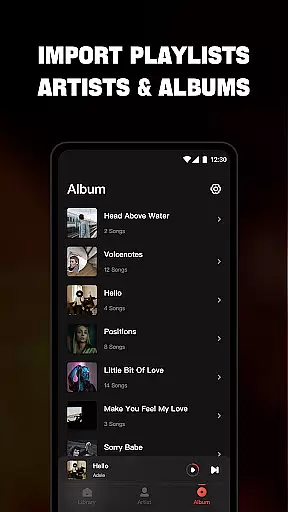
The ability to organize music by songs, artists, albums, folders, and playlists enhances the user's control over their vast music collection. This feature not only makes navigation intuitive but also enriches the overall music management experience.
Mixtube stands out in its category by offering superior audio quality options through its built-in equalizer. This feature elevates the sound listening experience to the next level, allowing users to customize audio output according to their preferences.
Whether you're using the app for casual listening or critical audio work, the equalizer provides settings that cater to different genres and moods. From bass-heavy tracks to crisp classical pieces, every note is delivered with precision and clarity.
Additionally, the app supports high-quality playback for all supported formats, ensuring that the audio integrity is maintained regardless of the source file. This commitment to quality means users can enjoy their music exactly as the artist intended, making every listening session a delightful experience.
User-friendly interface
Wide format compatibility
Advanced equalizer settings
Background playback support
Comprehensive organizational tools
No online streaming service
Premium version costs
Limited free trial options
Subscription auto-renews
Occasional UI glitches

Time Trainer: accurate metronome w tools to help you develop your internal time!
 4.20
4.20
Enhance the sound quality of your devices, listen to what you want
4.50
Network/Cloud Streaming, Visualization, Graphic Equalizer and Sound Effects.
4.20
Guzheng Master supports many playing techniques as an acoustic Guzheng
4.50
A sleek, no-frills player designed for true music lovers.
4.20
Help you quickly get started with Shokz headphones
4.40
Sheet music reader, piano & music note player. Play music score & learn to read.
3.90
Responsive piano with great sounds, graphics, and songs
4.80
Uninterrupted Tunes, Unmatched Vibes
3.90
JBL PartyBox APP works with 110/310/710/120/320/520/Encore/Encore 2/Encore Ess 2
4.80
Most Advanced AI Song Generator and Music Creator. Rap, Pop, Rock, Gospel & more
4.70
SqueezePlayer turns your Android phone or tablet into a SqueezeBox on its own!
4.60
Over 100 million tracks available for high quality streaming and download
4.60
A synth that really lets you shape your sounds!
4.50
Let your Android device with the sound effects you want
4.50
Powerful 10-Band equalizer pro with sound booster improves Android audio quality
4.30
Master Salsa Rhythm quickly and with a lot of fun!
4.30
Powerful beat maker & DJ mixer to remix tracks, make music, & perform DJ mix
3.70
The Skullcandy App Experience
3.20


User Reviews