
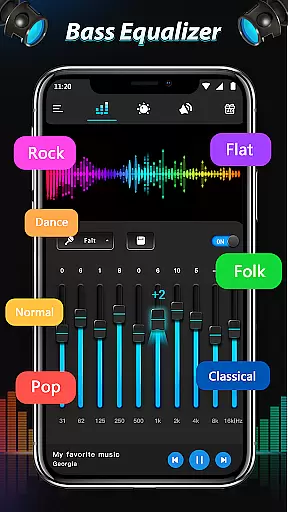
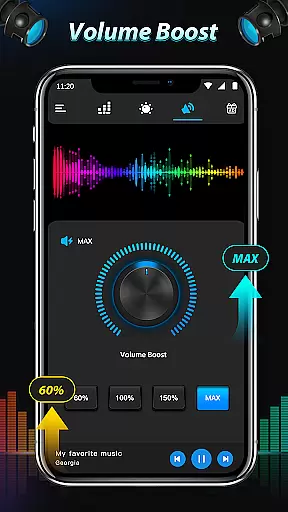
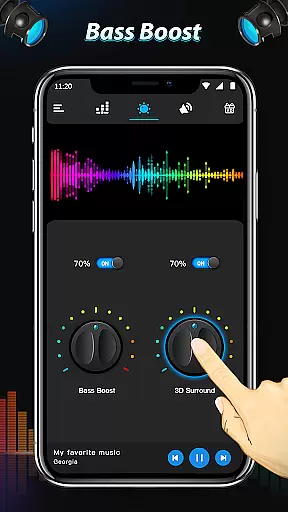
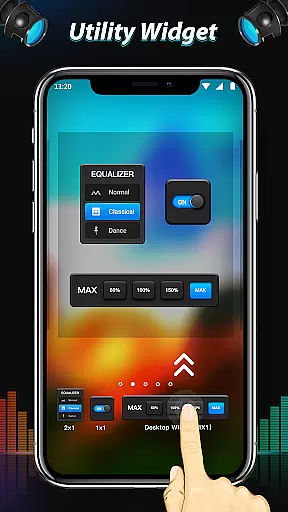
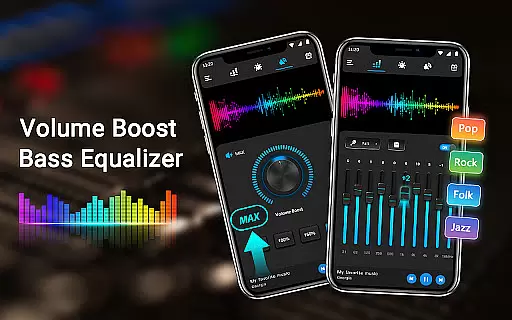
Equalizer & Bass Booster Pro is a premium audio enhancement application designed to elevate the sound quality of Android devices. This app offers a comprehensive suite of audio tools including a five-band equalizer, bass boost, and virtualizer effects that work together to deliver an unparalleled audio experience.
The application allows users to fine-tune their audio output with precision. It features 22 customizable equalizer presets, media volume control, and a stereo LED VU meter for visual feedback on audio levels. Whether listening to music, watching videos, or using the FM radio, this app ensures optimal sound performance tailored to individual preferences.
Ideal for audiophiles and casual listeners alike, Equalizer & Bass Booster Pro enhances the overall audio experience when used with headphones. Its intuitive interface and seamless integration with most music and video players make it an essential tool for anyone looking to improve their device's sound quality.
Equalizer & Bass Booster Pro stands out with its robust feature set designed to give users complete control over their audio experience. The app includes a sophisticated five-band equalizer that allows precise frequency adjustments, ensuring every track sounds exactly how you want it.
In addition to the equalizer, the app provides powerful bass boost and virtualizer effects. These features add depth and dimension to your audio, creating a richer, more immersive listening experience. With 22 built-in equalizer presets plus the ability to create and save custom settings, users can tailor their sound profile to match different genres or moods.
Practical features like media volume control, notification bar shortcuts, and music playback controls (play/stop, next/previous) enhance usability. The real-time stereo LED VU meter not only looks impressive but also helps in visually monitoring audio levels, making it easier to achieve perfect sound balance.
Equalizer & Bass Booster Pro offers an extensive range of sound adjustments that can be applied to your existing music library, ensuring each track sounds its best. Although the app doesn't provide a music library itself, it enhances your personal collection with professional-grade equalization and bass boosting.
The application respects copyright laws and doesn't offer any unauthorized music tracks or content. Instead, it focuses on providing tools that allow you to optimize the audio experience of the music you legally own. This ensures that all enhancements are made within legal boundaries, respecting both artists and users.
By offering 22 Equalizer presets alongside customizable options, the app caters to various genres and personal preferences without infringing on copyrights. Users can save their preferred settings as custom presets, which adds a layer of personalization while maintaining the integrity of original recordings.
One of the standout features of Equalizer & Bass Booster Pro is its ability to significantly enhance audio quality through advanced sound processing technologies. The five-band Equalizer, coupled with Bass Boost and Virtualizer effects, allows for precise control over sound frequencies, resulting in richer and more dynamic audio output.
Users have access to a variety of audio quality options, including different Equalizer presets designed for specific music genres. Whether you're listening to classical symphonies or modern electronic beats, these tailored settings ensure optimal sound reproduction across diverse audio landscapes.
In addition to preset options, the app provides manual adjustment capabilities for those who prefer fine-tuning their audio experience. These features collectively contribute to an immersive listening session, making every note and beat come alive with clarity and depth.
Comprehensive audio controls
Intuitive user interface
Wide range of presets
Real-time VU meter display
Seamless app integration
Premium price point
Advanced features may overwhelm beginners
Notification bar clutter
Limited video player support
Drains battery faster

Formerly known as Spotistats! View your top tracks, artists, albums and more!
 4.40
4.40
10-Band Audio Equalizer, Sound / Bass Booster for Spotify Users & Music Players
4.40
VB-AUDIO Software / VBAN-Receptor allows listening to any VBAN Streams
4.10
Advanced 10-Band Audio Graphic Equalizer Sound Booster Pro
4.30
Next generation modular control surface
4.10
Music Streaming suite for Ampache, Nextcloud Music and compatible backends.
4.1
A sleek, no-frills player designed for true music lovers.
4.20
Versatile MP3 recorder with auto-backup to Dropbox and Google Drive
4.10
Offline Tunes, Unlimited Vibes
3.90
Listen radio AM / FM Stations. Live AM / FM Radio App Station. Radio Com.
4.70
Unleash your creativity! Turn simple prompts into full fledged songs.
4.70
AI Music Maker: Generate And Compose AI Tunes & AI Songs & AI Music & AI Melody!
4.60
DJ Music Mixer - DJ Remix: remix songs, make beat music & record mix of DJ.
4.40
The Music Journey in Your Hands
4.30
Bass Booster Pro takes auto-equalizing to the next level!
4.30
Offline and always ad-free - stream in the highest quality available.
4.10
Sing, record, and create music together — enhanced by smart voice tools.
4.00
Control your MIDI USB or Bluetooth devices in app and avoid some trampling
3.30
Simply convert wav to mp3. Clear. Reliable. Safe.
4.4


User Reviews