
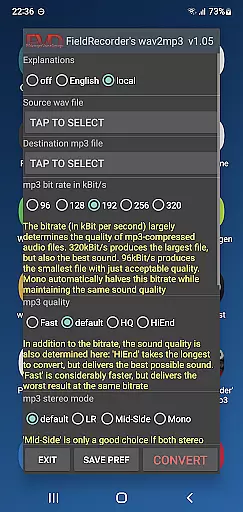
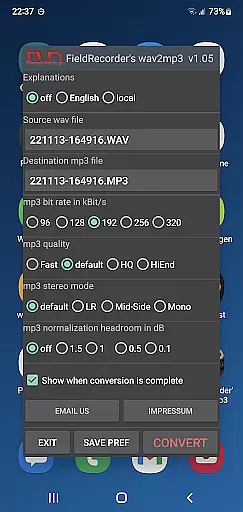
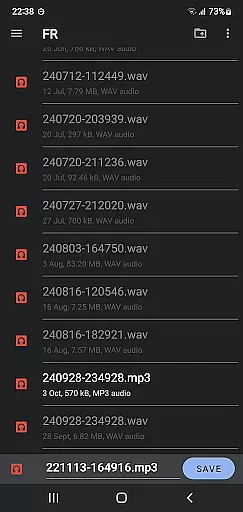
FieldRecorder's wav2mp3 is a specialized audio conversion tool designed for users who need to convert WAV files to MP3 format without any hassle. The app offers a streamlined, ad-free experience with no intrusive rating requests or unnecessary data collection. Its single-screen interface allows users to effortlessly select source and destination files and begin the conversion process with a simple tap.
The application stands out due to its minimal download size of under 1.3MB, achieved through efficient native code, making it significantly lighter than similar apps that average around 20MB. FieldRecorder's wav2mp3 provides clear error messages when issues arise and assures user privacy by not collecting data or engaging in spying activities. With a full refund policy and seamless integration capabilities with the professional audio recorder app 'Field Recorder', this app ensures both functionality and peace of mind.
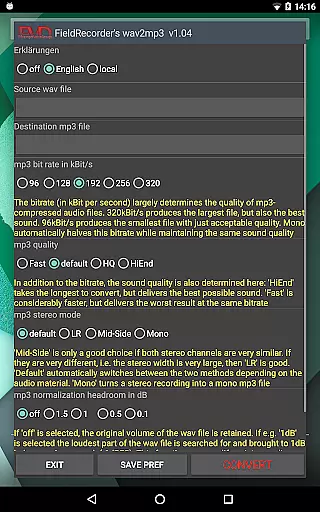
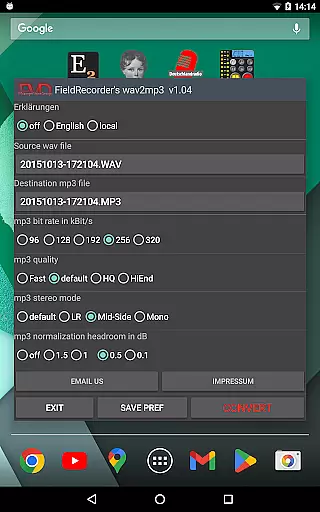
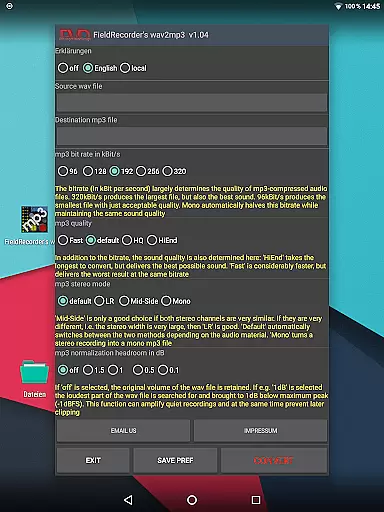
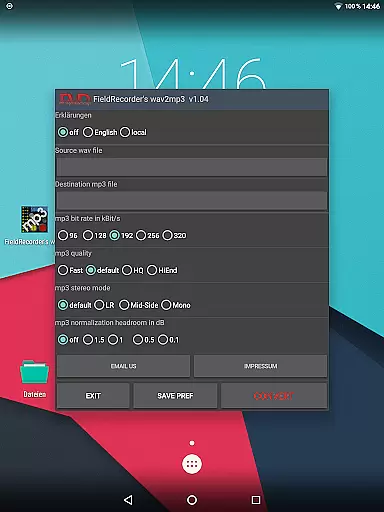
FieldRecorder's wav2mp3 offers several notable features that enhance the user experience. Firstly, the app includes sensible preset options which can be customized and saved for future use, allowing users to tailor settings such as language preferences, bitrate selections, and encoding complexity according to their needs.
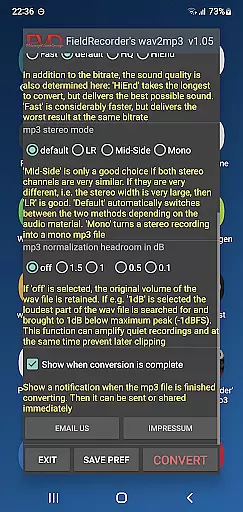
Additionally, users have control over various technical aspects of the MP3 creation process. They can choose stereo modes, adjust volume levels, and set decibel thresholds to avoid clipping during playback. Upon completion of the conversion, users receive notifications that enable immediate sharing or further processing of the MP3 file. These comprehensive yet straightforward features ensure high-quality output while maintaining ease of use.
Moreover, the developers are open to feedback and continuously look for ways to improve the app’s speed and functionality based on user input. This commitment to enhancement makes FieldRecorder's wav2mp3 not just a static tool but an evolving solution tailored to meet user demands effectively.
FieldRecorder's wav2mp3 may not boast an extensive music library, but it excels in providing a streamlined and focused experience for audio file conversion. The app allows users to convert WAV files to MP3 with ease, without the clutter of unnecessary features or content.
While primarily a conversion tool, the app ensures that all converted files maintain their quality and integrity, which indirectly supports copyright authenticity. Users can be confident that their audio files are being handled with care and precision.
The simplicity of the app is its strength; it does not collect data or inundate users with ads, thus respecting both the user's privacy and the integrity of the original audio content. This makes it a reliable choice for those who prioritize straightforwardness and authenticity in their audio tools.
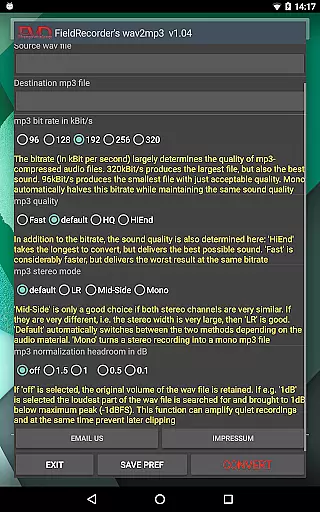
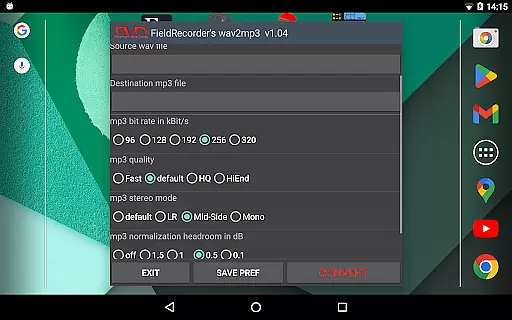
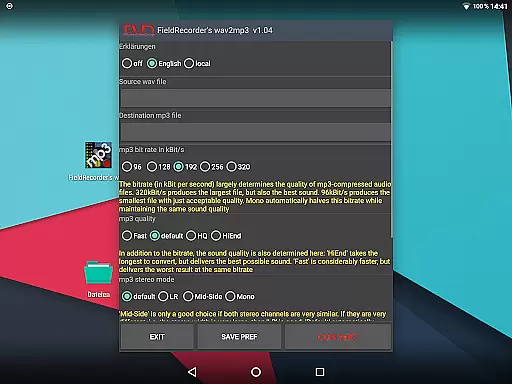
FieldRecorder's wav2mp3 offers several options to control the audio quality of the converted MP3 files. Users can choose from five common bit rates, ensuring they find the right balance between file size and sound quality for their needs.
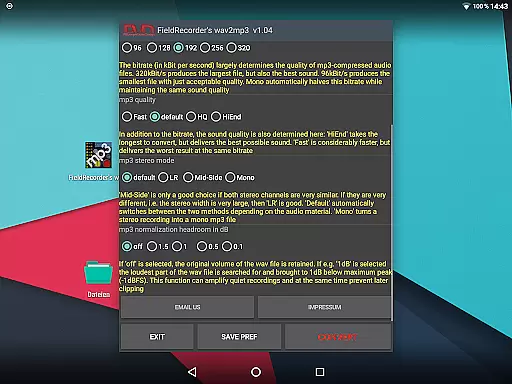
In addition to bit rate selection, the app provides advanced settings such as stereo mode encoding and volume normalization. These options allow users to fine-tune how complex the MP3 file should be created, potentially improving the sound result based on their preferences.
With FieldRecorder's wav2mp3, you have the power to decide whether the volume remains as in the original or is maximized, and by how many decibels below full level the result should remain to prevent clipping. Such detailed control over audio parameters ensures that the output meets professional standards and user expectations.
User-friendly interface
No ads or data collection
Lightweight application
Comprehensive customization options
Clear error messaging system
Limited to WAV to MP3 conversion
No advanced editing tools
Basic UI design
Requires manual updates
Dependent on external support

Pay Once, no monthly payment
 4.60
4.60
More downloads than any other metronome. Includes drum machine & tempo trainer.
4.80
Brian Eno and Peter Chilvers’ acclaimed music app Bloom, radically reinvented.
4.80
Music Streaming suite for Ampache, Nextcloud Music and compatible backends.
4.0
Music, News & Sports Radio Tuner App. Tune in Live FM & AM Radio Stations.
4.80
Make songs with AI! Any genre, custom lyric, song generator for music creation!
4.80
The Minimalistic Premium Music Player. Handmade with passion for music
2.20
Responsive piano with great sounds, graphics, and songs
4.80
Be a true music maker: create beats, mix and make music like a real DJ!
4.30
Walkout Song DJ is the most intuitive app to manage your sports music.
4.70
Bass Booster & Volume Equalizer Pro improves your music and video sound quality
4.60
Recording studio w/ 10k beats, pro vocal FX and a network of 20M rappers & fans!
4.60
Guzheng Master supports many playing techniques as an acoustic Guzheng
4.50
Your HD audio recorder on the go for music, meetings, ambience, animal sounds…
4.30
Enjoy singing any song, no matter how high or low it is
4.30
VB-AUDIO Software / VBAN-Receptor allows listening to any VBAN Streams
4.10
The only true audiophile music player with Hi-Fi audio rendering and DSP engine
3.90
Offline Tunes, Unlimited Vibes
3.90
Learn to play the piano using falling notes!
3.80


User Reviews