
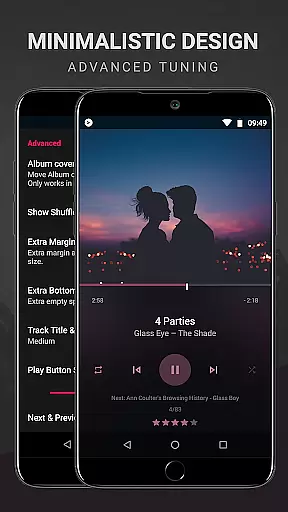
BlackPlayer EX is a premium music player designed for audiophiles who demand both quality and customization. This advanced application removes ads while offering an extensive suite of features to enhance the listening experience. Users can personalize their interface through various settings, choosing from multiple themes, fonts, and color accents.
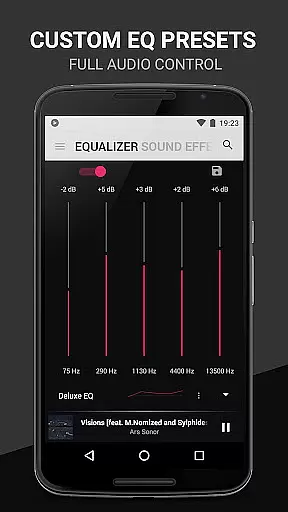
The app supports standard audio formats like MP3, FLAC, and WAV, and includes a built-in equalizer with bass boost and virtualizer options. With additional functionalities such as Chromecast support, customizable crossfading, and a variety of widget customizations, BlackPlayer EX delivers a comprehensive solution for managing and enjoying your music library. Whether you're at home or on the go, this app ensures an uninterrupted, high-quality playback experience.
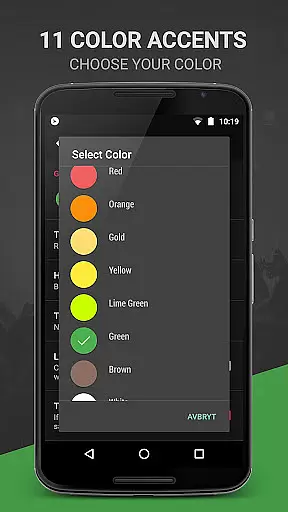
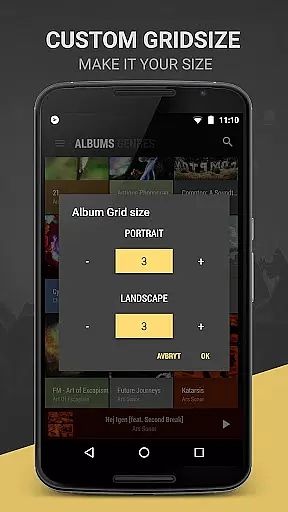
BlackPlayer EX stands out with its impressive array of premium features tailored for music enthusiasts. The app offers unique functionalities including Light and Dark themes, 6 extra fonts, and 11 color accents to truly make the interface your own. Music management is effortless with options to group tracks by year and composer, customize library pages, and manually search for artist images.
Advanced playback controls include customizable crossfading, gapless playback, and a smart 'Zap' function that plays random tracks for quick discovery. Visual enhancements such as a built-in visualizer, blur effects for lockscreen, and 2 extra text animations provide a dynamic user experience. Additionally, users can enjoy enhanced widget customizations, screen rotation lock, and developer support ensuring continuous improvement and feature updates.
BlackPlayer EX offers an extensive music library that supports various formats including MP3, FLAC, and WAV, ensuring users can access a wide range of audio content. The application focuses on copyright authenticity by allowing users to play locally stored music files, thus respecting the legal ownership of music.
The customization options within BlackPlayer EX extend to organizing and managing one's music collection. Users can group music by year and composers, blacklist folders and tracks, and manually search and set artist images, enhancing the personalization and authenticity of their music library.
This premium music player also provides features like Zap, which lets users discover their music fast with smart functionality that auto-plays random tracks for 5 seconds each, and the ability to track played tracks monthly instead of weekly, offering unique ways to explore and keep tabs on one's music collection.
With BlackPlayer EX, audio quality is taken seriously, providing users with a built-in Equalizer, BassBoost, Virtualizer, and Left/Right sound balance. These features ensure that listeners can fine-tune their audio experience to their preferences, achieving the best sound quality possible from their music files.
In addition to standard audio settings, BlackPlayer EX includes extra features such as gapless playback and a visualizer, which is customizable and currently in beta. These functionalities contribute to an uninterrupted and visually engaging listening session, further enhancing the perception of high-quality audio reproduction.
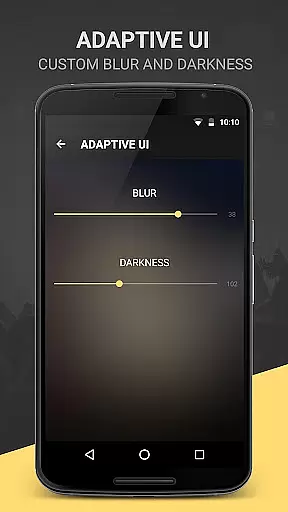
For those who appreciate aesthetic customizations, the app allows for changes in notification text color and background, widget transparency, and even adding blur effects to the lock screen or widget. These options not only affect the user interface but also indirectly influence the perceived audio quality by creating a more immersive environment tailored to individual tastes.
Highly customizable
Ad-free experience
Gapless playback
Chromecast support
Regular feature updates
Paid version only
No cloud integration
Limited social features
Complex for beginners
Heavy on system resources

DJ Music Mixer Pro is a real DJ controllers and DJ Music Studio to remix DJ.
 4.40
4.40
JBL PartyBox APP works with 110/310/710/120/320/520/Encore/Encore 2/Encore Ess 2
4.80
24,000 free audio books and no ads!
4.90
Make songs with AI! Any genre, custom lyric, song generator for music creation!
4.80
The original SP-1200 experience on your iPad
4.20
Simple mp3 and mp4 player with advanced features.
3.40
Powerful 10-Band equalizer pro with sound booster improves Android audio quality
4.30
The iconic iOS metronome app is now on Android.
3.70
Be a true music maker: create beats, mix and make music like a real DJ!
4.30
Tune in to the greatest hits on UK Radio | The home of Capital, Smooth & Heart.
4.90
Your song collections with lyrics and chords on Android smartphones and tablets.
4.80
Simple & Intuitive Metronome
4.70
Record, Mix & Master with all n-Track effects, 64-bit audio and Stem Separation.
4.70
Over 100 million tracks available for high quality streaming and download
4.60
No wifi music app. Mp3 offline. Tuner radio, young radio music. Music downloader
4.20
VB-AUDIO Software / VBAN-Receptor allows listening to any VBAN Streams
4.10
Turn your Android phone into a professional audio analyser with up to 120 bands.
4.00
The only true audiophile music player with Hi-Fi audio rendering and DSP engine
3.90
Control your MIDI USB or Bluetooth devices in app and avoid some trampling
3.30


User Reviews