
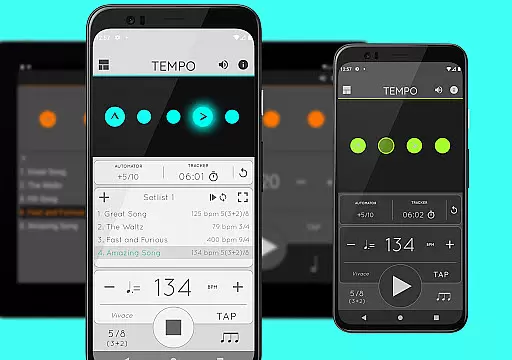
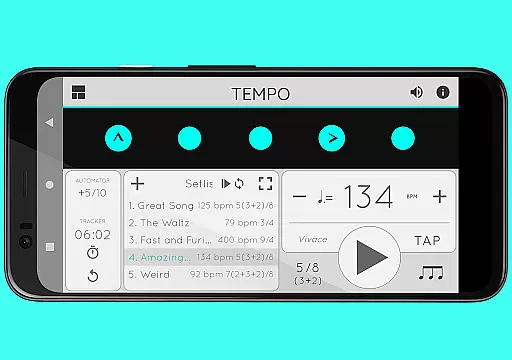
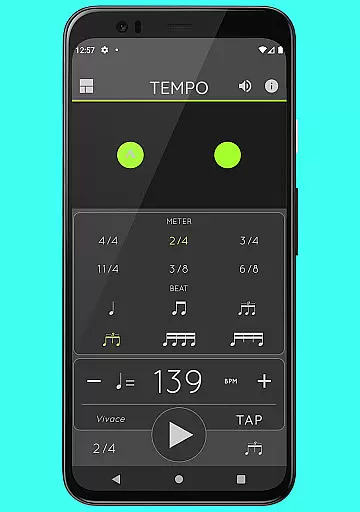
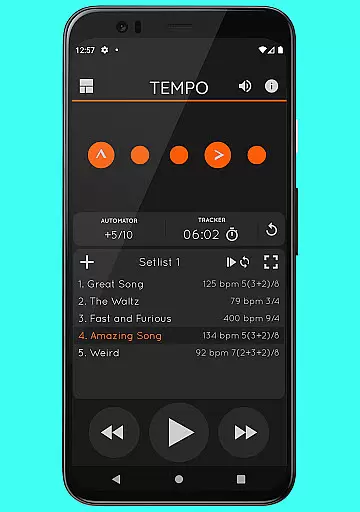
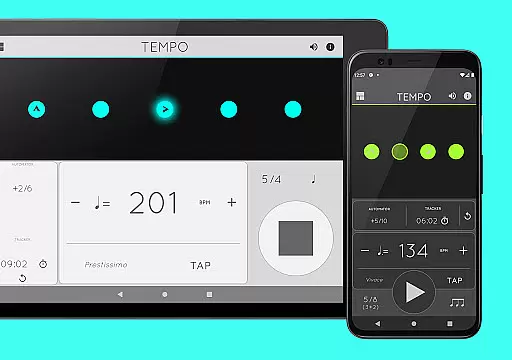
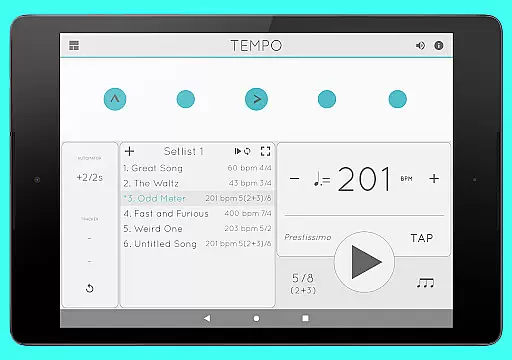
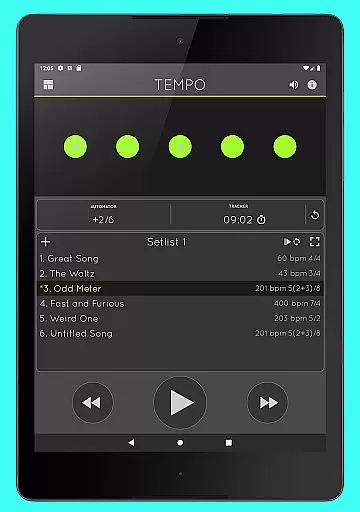
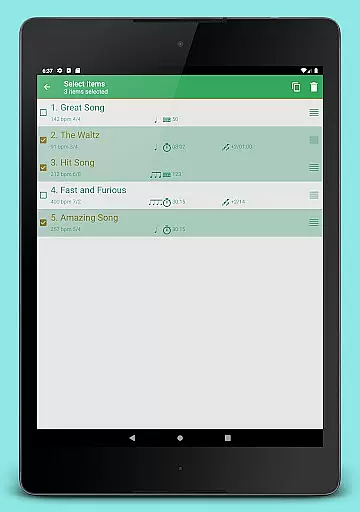
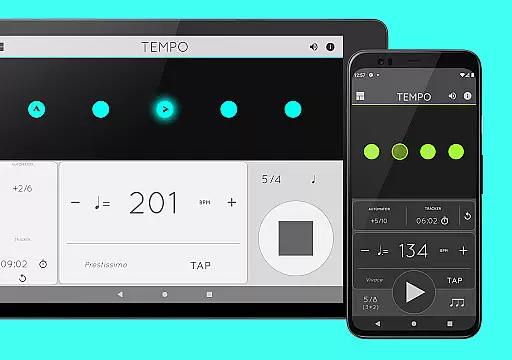
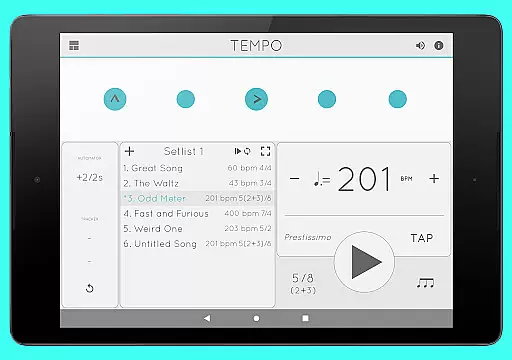
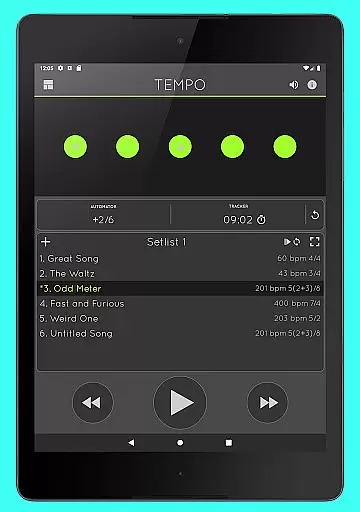
Tempo is a premier mobile metronome app designed for performing artists, teachers, students, and even athletes. It offers high accuracy and stability with an attractive single-screen interface. The app allows users to customize beats using flashing LEDs as buttons, save configurations as songs in setlists, and share them with friends. Its innovative interface morphs between five modes optimized for different tasks such as Basic, Preset, Setlist, Practice, and Gig.
With features like 30 different time signatures, rhythm patterns, tap tempo function, and visual feedback through pulsating LEDs, Tempo provides a comprehensive toolset for musicians. Additionally, it supports advanced setlist management, practice tracking, automatic tempo adjustment, and multi-tasking with playback continuing outside the app. Whether you're practicing, teaching, or performing, Tempo ensures precision and flexibility.
Tempo stands out with its powerful configuration options, offering 30 different time signatures and multiple rhythm patterns for both simple and compound meters. Users can customize accents or turn beats off to create complex rhythms, utilizing the tap tempo function with a range from 10 to 400 beats per minute. Visual feedback is provided through pulsating LEDs, enhancing the user experience during practice or performance sessions.
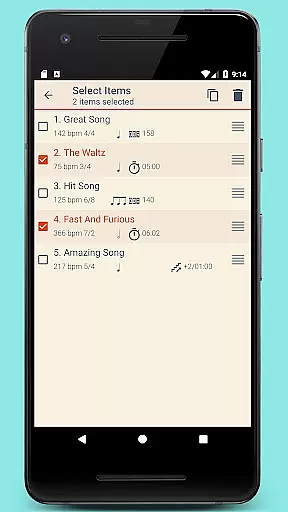
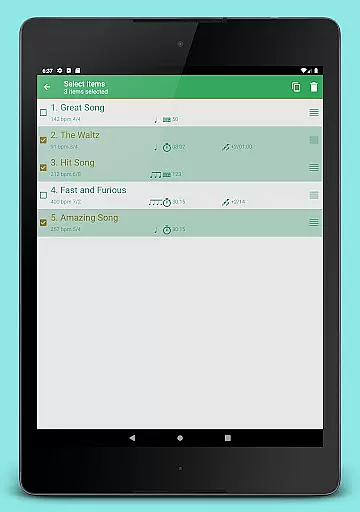
The app excels in setlist management, allowing users to store presets in multiple setlists with advanced features like search, overwriting, copying between setlists, and multi-deletion. Quick editing and sharing via email are supported, ensuring seamless collaboration. Furthermore, Tempo includes tracker and automator functionalities, sound customization with 12 sound sets, volume control, and compatibility with AirTurn Bluetooth controllers, making it versatile for various musical needs.
When it comes to music and audio applications, the size and authenticity of the music library are crucial factors. Tempo offers an impressive selection of 30 different time signatures and various rhythm patterns for both simple and compound meters. This extensive range allows musicians and performers to find the exact tempo and rhythm they need for their performances or practice sessions.
The app's dedication to copyright authenticity is evident in its sound sets. With 12 distinct sound sets available, including one specifically optimized for live drumming click tracks, users can be confident in the legitimacy and quality of the audio content provided. These sound sets not only enhance the user experience but also ensure that all audio materials are properly licensed and authorized for use.
Furthermore, Tempo's compatibility with iOS devices through setlist sharing demonstrates its commitment to providing a comprehensive and authentic music library. Users can share their meticulously crafted configurations as songs in setlists, promoting a community-driven approach to music creation and performance preparation.
Audio quality is paramount when selecting a metronome app, and Tempo excels in this area. The application provides high accuracy and stability thanks to its engine being written from the ground up. This ensures that every beat is precise and reliable, which is essential for musicians who depend on consistent tempos during their practice and performances.
In addition to precision, Tempo offers multiple sound sets and volume control, allowing users to customize their auditory experience. Whether performing in a quiet studio or a loud stage environment, players can adjust the volume to suit their needs without compromising the clarity and quality of the sound output.
Moreover, Tempo supports multi-tasking, meaning playback continues even when using other apps or when the device is locked. This seamless integration into a musician's daily routine enhances usability while maintaining top-notch audio quality throughout each session. Such reliability makes Tempo a trusted companion for artists across various disciplines.
Highly accurate timing
Intuitive single-screen UI
Customizable rhythm patterns
Advanced setlist management
Cross-platform sharing
Limited free features
Premium subscription required
Complex for beginners
Occasional sync issues
No MIDI support

Offline and always ad-free - stream in the highest quality available.
 4.10
4.10
Background pads for your band
3.80
Powerful beat maker & DJ mixer to remix tracks, make music, & perform DJ mix
3.70
Visualize the guitar fretboard, master scales & play through changes like a pro!
4.50
Music Streaming suite for Ampache, Nextcloud Music and compatible backends.
4.3
The best music and audio player, with beautiful UI, music search and equalizer.
4.60
Super Sound Editor, Song Maker & Mixer, Vocal Remover, Voice Recorder & Changer!
4.60
AI Music Maker: Generate And Compose AI Tunes & AI Songs & AI Music & AI Melody!
4.60
Offline Music Player&MP3 Player with themes, equalizer, lyrics, music play mode
4.60
Unleash your creativity! Turn simple prompts into full fledged songs.
4.70
DJ Music Mixer - DJ Remix: remix songs, make beat music & record mix of DJ.
4.40
Ringtone Maker is free app create ringtone from music files or your recording.
4.40
Time Trainer: accurate metronome w tools to help you develop your internal time!
4.20
The original SP-1200 experience on your iPad
4.20
Permanently backup Now Playing. Maps, filters & listening stats.
4.00
Turn your Android phone into a professional audio analyser with up to 120 bands.
4.00
Turn your phone into a musical instrument from the future!
3.90
The ultimate media player for Android devices
3.90
USB audio recording and playback finally possible on Android 3.1 or higher!
3.90


User Reviews