
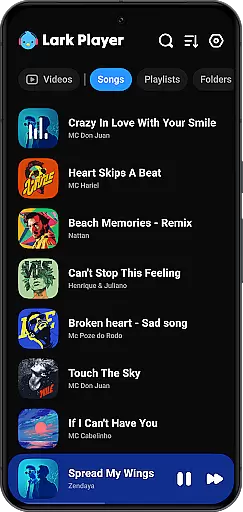
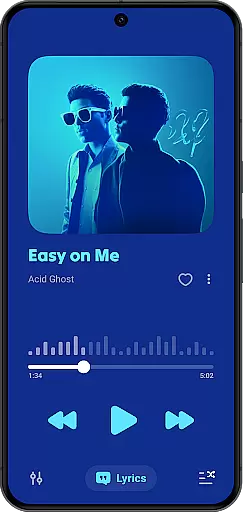
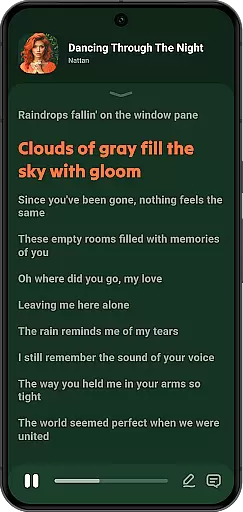
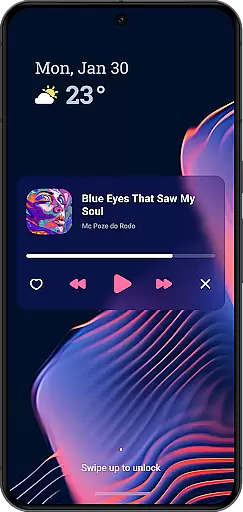
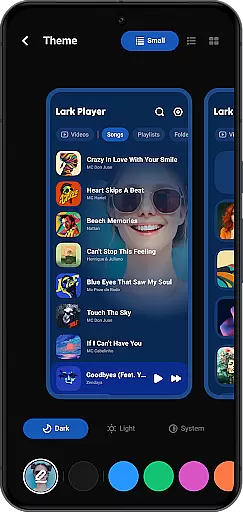
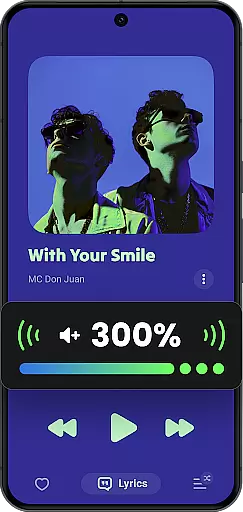
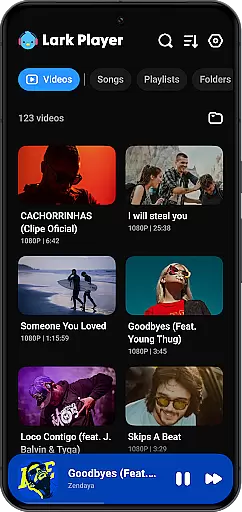
Lark Player is a versatile offline music and video player designed specifically for Android devices. This free application supports all major audio and video formats, making it an essential tool for media enthusiasts. With its powerful equalizer, customizable sound settings, and sleek user interface, Lark Player delivers an exceptional listening experience.
The app goes beyond basic playback functionality by offering advanced features like floating window support, file management capabilities, and automatic lyric matching. Whether you're organizing playlists, adjusting audio effects, or multitasking with resizable video windows, this player ensures seamless control over your media library. Its intuitive design and feature-rich toolkit make it a top choice for users seeking high-quality offline playback.
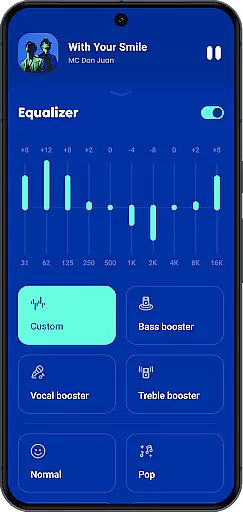
Lark Player distinguishes itself through its comprehensive feature set tailored to enhance the media playback experience. The app includes a robust equalizer with bass enhancement, reverb settings, and customizable sound fields, allowing users to fine-tune audio output to their preference. Dedicated preset modes for genres like classical, jazz, and rock ensure optimal sound quality across different music styles.
One of the standout features is its ability to handle both audio and video files in various formats, including MP3, WAV, FLAC, MP4, and MKV. The floating player functionality enables true multitasking, letting users adjust window size and position while performing other tasks. Additionally, the app provides practical tools such as playlist creation, file deletion, and ringtone setting, making it a complete solution for managing and enjoying your offline media collection.
Lark Player offers an extensive music library that supports all major audio formats including MP3, MIDI, WAV, FLAC, AC3, AAC, M4A, and ACC. This ensures users have the flexibility to play a wide variety of music files offline.
The application emphasizes copyright authenticity by allowing users to play their legally acquired music files. It does not provide a built-in music downloader, reinforcing its commitment to respecting copyright laws while offering a high-quality music experience.
With over 100 million users worldwide, Lark Player has proven its reliability as a platform for enjoying a diverse range of music genres. Users can create and manage playlists, browse music by song, artist, album, or genre, enhancing their interaction with their personal music collection.
One of the standout features of Lark Player is its powerful equalizer, which provides users with the ability to customize sound effects according to their preferences. With preset modes for various music genres such as Classical, Dance, Hip-hop, Jazz, Pop, and Rock, users can tailor their listening experience precisely.
In addition to the equalizer, Lark Player offers bass enhancement, reverb settings, and sound field adjustments. These audio quality options ensure that users enjoy the best possible sound output, making each listening session a delightful experience.
The app also supports high-quality music playback in the background and through the notification bar, maintaining consistent audio quality even when multitasking. Coupled with the ability to set sleep timers and play music in shuffle, order, or loop modes, Lark Player delivers both versatility and superior audio performance.
User-friendly interface
Extensive format support
Powerful equalizer options
Floating window functionality
Automatic lyric matching
No built-in music downloader
Occasional ads in free version
Limited cloud integration
Offline-only functionality
Notification bar clutter

Pay Once, no monthly payment
 4.60
4.60
Control your MIDI USB or Bluetooth devices in app and avoid some trampling
3.30
The ultimate media player for Android devices
3.90
The best music and audio player, with beautiful UI, music search and equalizer.
4.60
A sleek, no-frills player designed for true music lovers.
4.20
Offline Music Player & MP3 Player.Powerful equalizer, Lyrics, Themes, Tag Editor
4.80
Simple mp3 and mp4 player with advanced features.
3.40
Uninterrupted Tunes, Unmatched Vibes
3.90
Play your music offline without limits
4.80 4.70
4.70
Gorgeous UI, Powerful music Search and Equalizer, the great choice for you!
4.70
Over 100 million tracks available for high quality streaming and download
4.60
Fun & Easy Voice Changer – Record, Edit & Add Hilarious Effects!
4.50
Save hundreds of dollars for a physical strobe tuner and instead use this app.
4.50
DJ Music Mixer Pro is a real DJ controllers and DJ Music Studio to remix DJ.
4.40
Manage your Sonos system directly from your home-screen!
4.40
Enjoy singing any song, no matter how high or low it is
4.30
VB-AUDIO Software / VBAN-Receptor allows listening to any VBAN Streams
4.10
Versatile MP3 recorder with auto-backup to Dropbox and Google Drive
4.10


User Reviews