
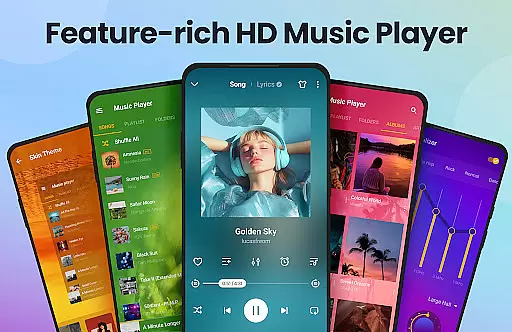
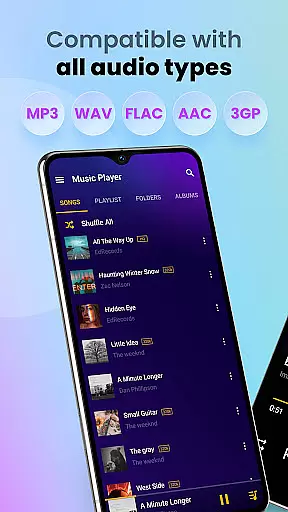
Music Player & MP3 Player is a feature-rich audio player designed for Android users who demand high-quality sound and versatile functionality. This app supports all major audio formats including MP3, MIDI, WAV, FLAC, AAC, and APE, ensuring compatibility with any music library. The built-in equalizer, complete with bass boost and reverb effects, delivers an enhanced listening experience that can be customized to suit individual preferences.
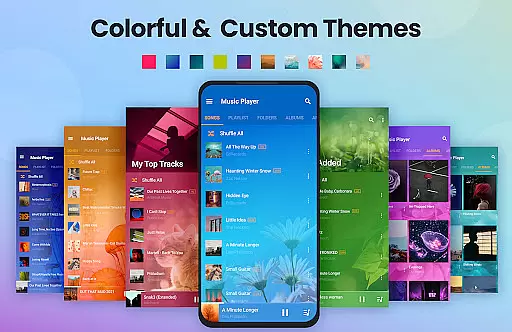
The application's sleek and modern user interface makes navigation intuitive while offering customizable themes to personalize the look and feel. Key features include offline playback capabilities, playlist management, and the ability to organize music by songs, artists, albums, and folders. With additional functionalities like sleep timer, lock screen controls, and widget support, Music Player & MP3 Player provides a comprehensive solution for managing and enjoying your music collection anytime, anywhere.
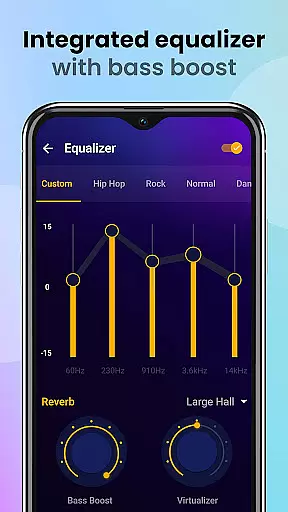
Music Player & MP3 Player stands out with its powerful equalizer that allows users to fine-tune their audio experience. The equalizer includes various presets and manual adjustment options, along with bass boost and reverb effects, providing an immersive sound quality that enhances every track. This level of audio control ensures that listeners can enjoy their music exactly how they prefer, whether they're audiophiles or casual listeners.
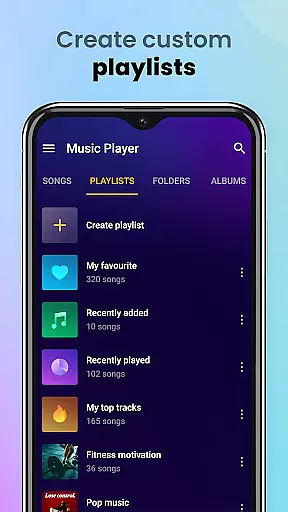
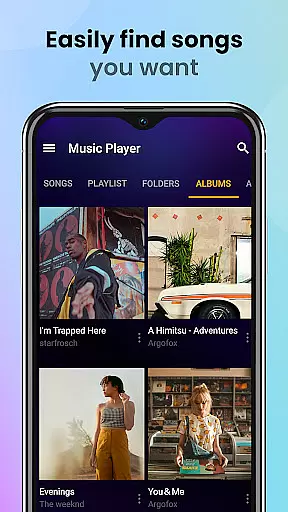
Beyond its core playback capabilities, this app offers extensive library management features. Users can browse their entire music collection through multiple organizational views such as artist, album, folder, and custom playlists. The automatic scanning feature keeps the library up-to-date, while the search function enables quick access to specific tracks. Additional notable features include the ability to set songs as ringtones, lock screen controls for convenient operation, and a sleep timer function perfect for bedtime listening sessions.
Music Player offers an extensive music library that supports all major audio formats including MP3, MIDI, WAV, FLAC, AAC, and APE. This ensures that users can enjoy a wide variety of music genres and sources without worrying about format compatibility.
The application focuses on playing local files, which means users have full control over their music collection's copyright authenticity. By managing and playing personally owned files, users adhere to copyright laws and personal ownership rights.
With the capability to scan and organize all audio files automatically, Music Player simplifies the management of large music libraries. Users can easily categorize their collection by songs, artists, albums, folders, or playlists.
Furthermore, the app allows for customization of playlists and easy searching of songs by keywords, enhancing the user's ability to navigate and personalize their music library experience.
Featuring a powerful equalizer with bass boost and reverb effects, Music Player enhances the audio quality of each track. Users can customize sound profiles to match their preferences or the genre of music they are listening to.
This MP3 player not only plays music in high quality but also provides a stylish user interface with various themes. Listeners can choose a color theme that suits their style, making the audio playback experience both enjoyable and visually appealing.
Playback options such as shuffle, order, or loop ensure that music is played according to the user's mood and occasion, optimizing the overall audio experience. Additionally, lock screen controls and notification bar play contribute to seamless control.
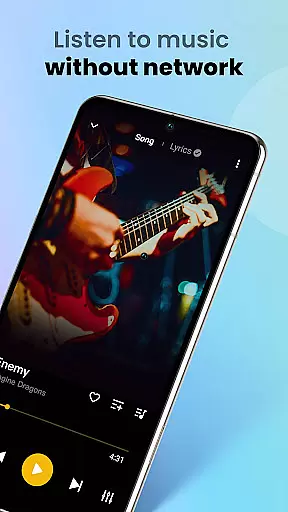
For those who wish to use music during specific times, like workouts or before sleep, features such as sleep timer and offline playback provide practical solutions without compromising on audio quality.
User-friendly interface
Extensive format support
Powerful equalizer
Offline playback
Customizable themes
No cloud integration
Limited social features
Basic sharing options
No lyrics display
Premium version required

The ultimate media player for Android devices
 3.90
3.90
Unleash your creativity! Turn simple prompts into full fledged songs.
4.70
Music, News & Sports Radio Tuner App. Tune in Live FM & AM Radio Stations.
4.80
Slow music down without changing pitch.
3.70
Powerful 10-Band equalizer pro with sound booster improves Android audio quality
4.30
One-tap booster for max volume - enjoy powerful sound with this audio booster
4.50
Listen to offline music and sounds from all categories
4.70
Customize Your Favorite Songs and Videos with booster.
4.70
Play your music offline without limits
4.80
More downloads than any other metronome. Includes drum machine & tempo trainer.
4.80
Pay Once, no monthly payment
4.60
Reverse your voice & songs instantly! Fun singing challenge with cool effects.
4.60
Visualize the guitar fretboard, master scales & play through changes like a pro!
4.50
Time Trainer: accurate metronome w tools to help you develop your internal time!
4.20
Turn your Android phone into a professional audio analyser with up to 120 bands.
4.00
The only true audiophile music player with Hi-Fi audio rendering and DSP engine
3.90
The Cubase remote control app
3.60
Control your MIDI USB or Bluetooth devices in app and avoid some trampling
3.30
The Skullcandy App Experience
3.20


User Reviews