
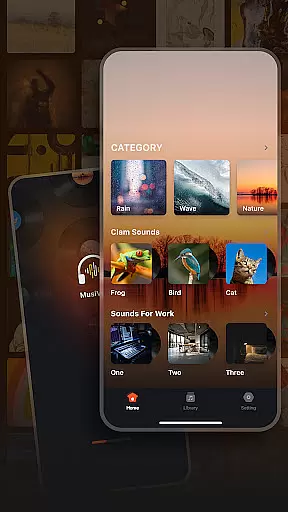
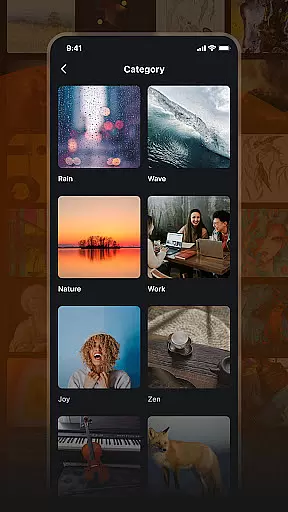

Musivibe is a feature-rich offline music player designed to enhance your listening experience through smart categorization and personalized features. The app organizes songs into intuitive sound categories such as Rain, Ocean Waves, Nature, and more, allowing users to easily find the perfect soundtrack for any moment. Whether you're working, relaxing, or need an energy boost, Musivibe provides a seamless way to enjoy high-quality audio anytime, anywhere.
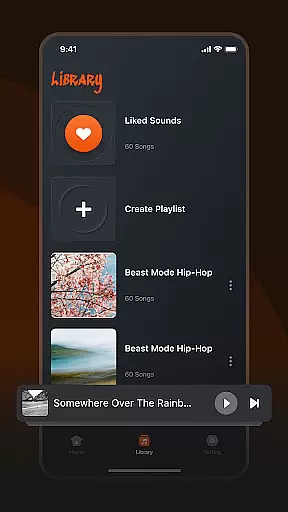
One of the standout features of Musivibe is its ability to let users create and manage custom playlists tailored to their mood or activity. With an intuitive user interface and advanced playback options, this app ensures that both casual listeners and audiophiles can enjoy a personalized and immersive music experience without requiring an internet connection.
Musivibe stands out with its diverse range of powerful features designed to cater to various listening preferences. The app offers eight distinct sound categories including Zen, Cheerful, Instruments, and Animals, each carefully curated to suit different moods and activities. This thoughtful organization helps users quickly locate the type of audio content they desire, whether it's soothing nature sounds or upbeat melodies.
In addition to its impressive library organization, Musivibe allows users to create, edit, and share custom playlists effortlessly. Its user-friendly UI design makes playlist management simple and enjoyable, while advanced streaming capabilities ensure smooth playback even in offline mode. These features combine to deliver a premium music experience that empowers users to curate their own unique auditory journey.
When it comes to music applications, the size and authenticity of the music library are crucial factors. Musivibe offers a vast collection of categorized songs and sounds, ranging from Rain, Ocean Waves to Instruments and Animals. This extensive variety ensures users have access to a wide range of music genres without any copyright infringement issues.
The app's dedication to providing an immersive experience is evident in its careful curation of content. Each track is verified for copyright authenticity, giving users peace of mind while enjoying their favorite tunes. The diverse selection allows for endless exploration, making it easy to find the perfect soundtrack for any occasion.
Moreover, Musivibe enables users to create and organize personalized playlists. This feature not only enhances user engagement but also ensures that listeners can tailor their music libraries to suit individual preferences and moods. With such a rich and authentic music library, Musivibe stands out as a top choice for discerning music enthusiasts.
Audio quality is paramount for an exceptional listening experience, and Musivibe excels in offering various audio quality options. Whether you're a casual listener or an audiophile, the app provides settings that cater to different preferences and devices, ensuring optimal sound performance.
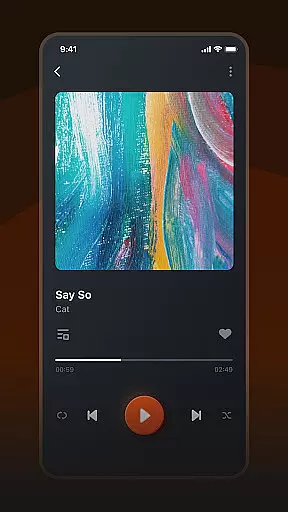
Musivibe's user-friendly in-app UI design makes it simple to adjust audio settings. Users can easily switch between standard and high-quality audio formats, depending on their connectivity and device capabilities. This flexibility guarantees that everyone can enjoy crystal-clear sound, regardless of their setup.
In addition to customizable audio options, Musivibe supports streaming and sharing of custom playlists. This means users can maintain consistent audio quality across multiple devices and platforms. By prioritizing both convenience and superior audio quality, Musivibe delivers a truly unparalleled music experience.
Offline playback
User-friendly UI
Customizable playlists
Diverse sound categories
Seamless sharing
Limited social features
No lyrics display
Premium subscription
Occasional bugs
Ads in free version

10-Band Audio Equalizer, Sound / Bass Booster for Spotify Users & Music Players
 4.40
4.40
Record, Mix & Master with all n-Track effects, 64-bit audio and Stem Separation.
4.70
AI Music Maker: Generate And Compose AI Tunes & AI Songs & AI Music & AI Melody!
4.60
Listen radio AM / FM Stations. Live AM / FM Radio App Station. Radio Com.
4.70
Enjoy singing any song, no matter how high or low it is
4.30
Play your hearts out on TouchTunes jukeboxes & connect with fellow music lovers.
4.80
A complete sound package for the sound engineer or enthusiast
4.60
Learn the notes on the guitar fretboard fast with this easy and fun app
4.60
One-tap booster for max volume - enjoy powerful sound with this audio booster
4.50
Offline Music Player & MP3 Player.Powerful equalizer, Lyrics, Themes, Tag Editor
4.80
Simple & Intuitive Metronome
4.70
Walkout Song DJ is the most intuitive app to manage your sports music.
4.70
A synth that really lets you shape your sounds!
4.50
Save hundreds of dollars for a physical strobe tuner and instead use this app.
4.50
Play KORG’s revolutionary touch-based instrument on a variety of devices.
4.40
A High-Precision Audio Spectrum Analysis App
4.20
Offline Tunes, Unlimited Vibes
3.90
The Cubase remote control app
3.60
Simply convert wav to mp3. Clear. Reliable. Safe.
4.0


User Reviews