
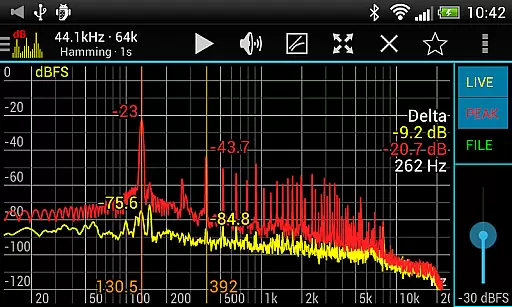
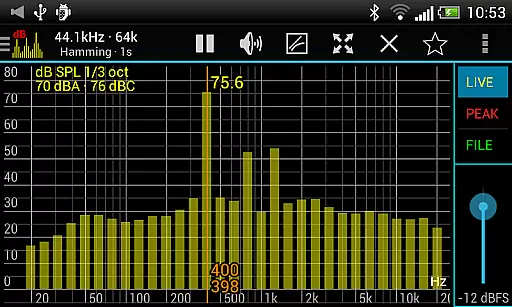
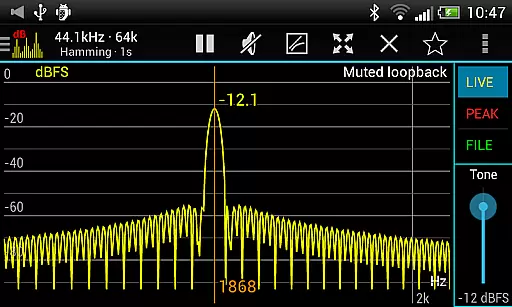
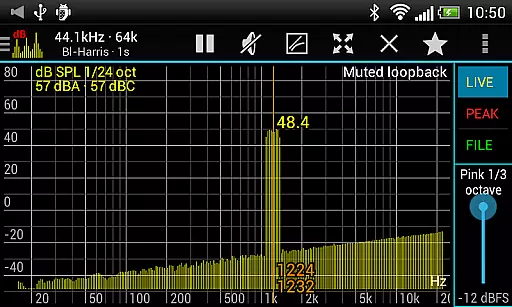
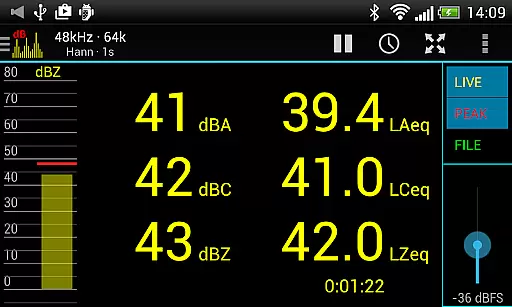
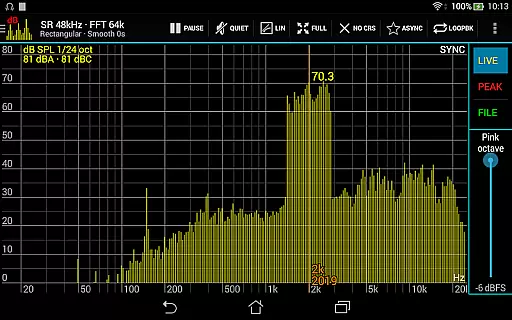
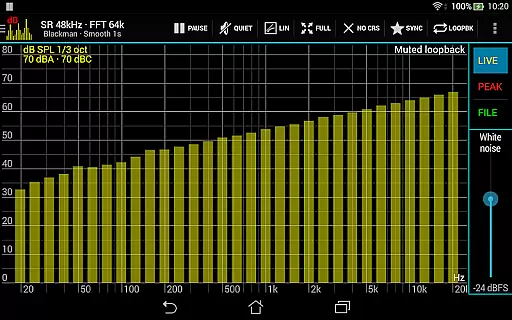
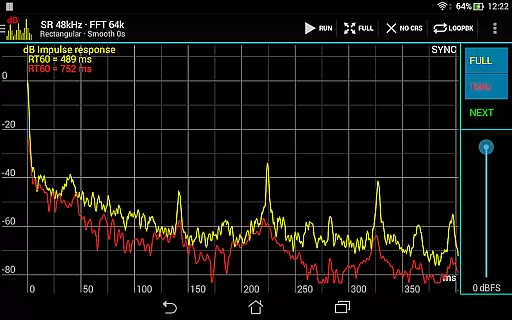
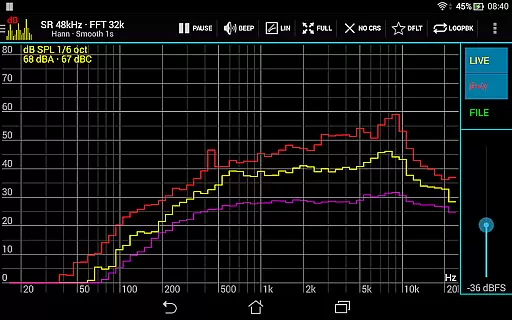
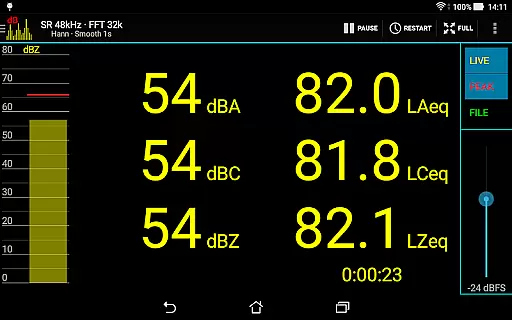
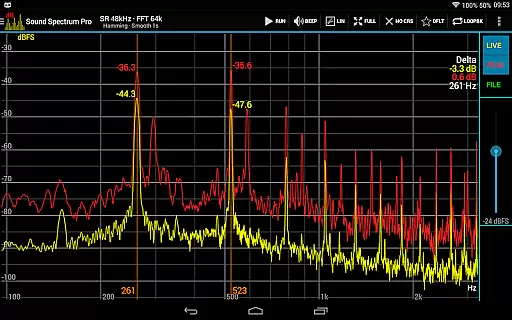
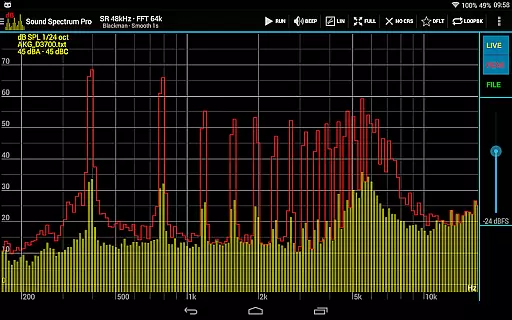
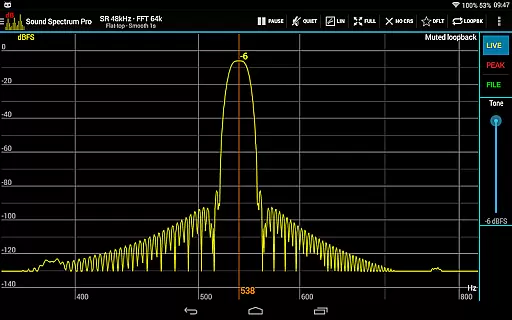
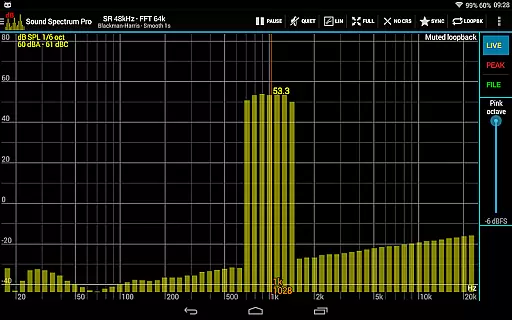
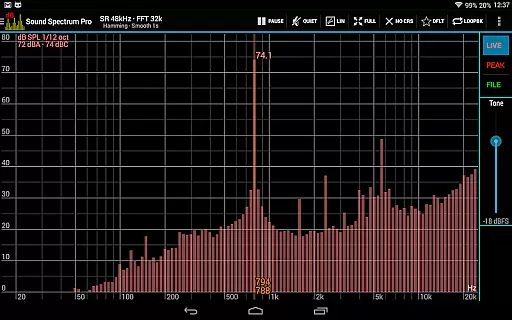
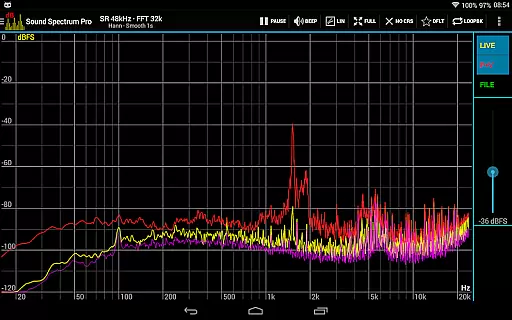
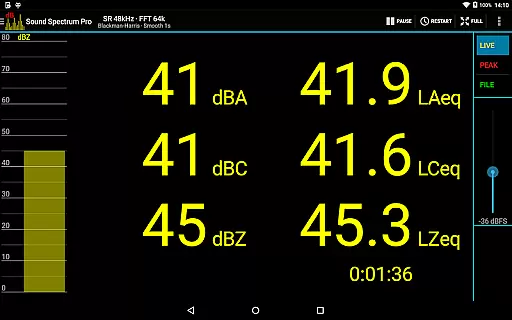
Sound Spectrum Pro is a comprehensive audio analysis tool designed for both professionals and enthusiasts in the music and audio industry. This application provides advanced features such as Real-Time Analyzer (RTA), Fast Fourier Transform (FFT) amplitude display, and various sound level measurements including dBA, dBC, and dBZ. With its user-friendly interface, users can easily navigate through numerous on-screen controls while enjoying a smooth real-time display of their audio data.
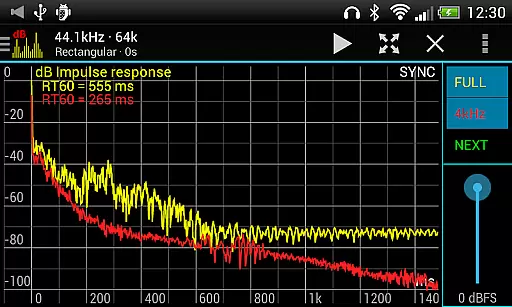
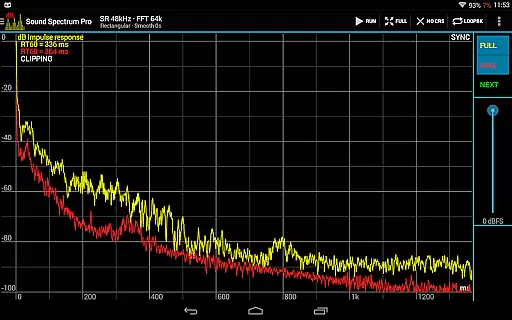
In addition to its core functionalities, Sound Spectrum Pro offers specialized tools like Impulse Response measurement, Total Harmonic Distortion plus Noise (THD+N), and Equivalent Continuous Sound Level (LEQ). These features make it an ideal choice for those involved in acoustic engineering, sound design, or any field requiring precise audio analysis. Whether you're calibrating equipment or conducting detailed noise assessments, this app delivers reliable performance across multiple platforms.
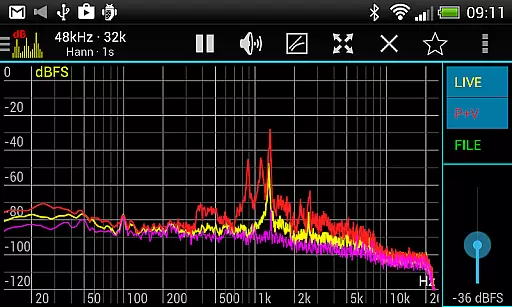
The true value of Sound Spectrum Pro lies in its ability to provide high-resolution frequency analysis with options for logarithmic or linear frequency axes, adjustable smoothing, and peak/valley hold functions. Its extensive signal generation capabilities—including tone, white noise, and pink noise—combined with synchronous measurement modes allow users to perform thorough spectrum analyses efficiently. The inclusion of file load/save functionality ensures that your calibration settings are preserved, making it easier than ever to maintain accuracy in all your projects.
Sound Spectrum Pro stands out due to its rich array of features tailored specifically for audio professionals. One notable feature is the lightning-fast FFT with sizes ranging from 16k to 1M, providing unparalleled frequency resolution down to 0.01Hz when using downsampling techniques. This capability allows users to capture even the most subtle nuances within their audio signals, ensuring highly accurate spectral analysis.
Another significant aspect is the app's support for multiple window functions, which enhances flexibility during data processing. Users can choose between logarithmic or linear frequency scales depending on their specific needs, facilitating more intuitive visualization of complex datasets. Additionally, the inclusion of peak and valley hold functions with adjustable decay rates enables precise tracking of transient events over time—a crucial factor in many audio applications.
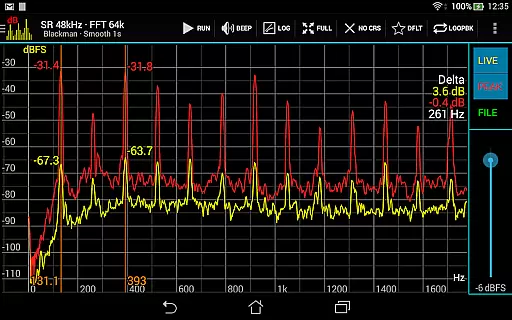
Furthermore, Sound Spectrum Pro excels in usability with easy pan-and-zoom gestures and measurement cursors that simplify interaction with graphical representations of audio data. The built-in signal generators offer diverse output types such as tone sweeps and octave bands, complemented by loopback mode for testing purposes. Sharing screenshots directly from the app adds convenience for collaboration and documentation, solidifying its position as an indispensable tool in modern audio workflows.
Sound Spectrum Pro offers an extensive range of audio analysis features, ensuring a comprehensive music library that caters to both casual listeners and audio professionals. The app includes signal generators for tones and various types of noise, which contribute to a versatile library for different testing and listening scenarios.
Regarding copyright authenticity, the application provides tools that are generally used for audio analysis and calibration rather than direct music playback. However, it respects intellectual property by offering original synthesized sounds and noise patterns generated within the app itself, avoiding unauthorized use of copyrighted material.
The inclusion of RTA, FFT, and other advanced measurement capabilities ensures that users can create, analyze, and calibrate audio content with precision. This positions Sound Spectrum Pro as not just a tool for enjoying music, but also for those involved in audio engineering and sound design who require authentic and unaltered audio samples for their work.
By focusing on real-time analysis and synthesis, the app delivers a dynamic experience where users can explore a wide array of sound profiles and frequencies. This approach inherently supports copyright authenticity by generating sound internally, thus providing peace of mind for users who need reliable and legal audio sources for their projects.
Sound Spectrum Pro stands out in the realm of audio applications with its superior audio quality options. It supports a sample rate of up to 48kHz, delivering clear and detailed sound reproduction that is crucial for accurate audio analysis. This high sample rate ensures that the nuances of sound are preserved, providing an exceptional auditory experience.
The app's implementation of Fast Fourier Transform (FFT) with sizes ranging from 16k to 1M allows for precise frequency resolution down to 0.01Hz with downsampling. This level of detail enables users to discern minute variations in sound, making it an invaluable tool for professionals requiring exacting standards of audio fidelity.
Additionally, the choice of many window functions and the option for logarithmic or linear frequency axis further enhance the audio quality. These features allow for tailored analysis that can adapt to specific needs, whether it be for professional audio mastering or educational purposes.
With its advanced smoothing and peak display functionalities, Sound Spectrum Pro ensures that audio quality remains consistently high. Users can adjust settings to achieve the desired balance between responsiveness and stability in their audio output, resulting in a refined and customizable listening experience suitable for a variety of applications.
User-friendly interface
Highly accurate FFT
Comprehensive calibration options
Extensive signal generation
No ads
Steep learning curve
Requires technical knowledge
Advanced features may overwhelm beginners
Premium pricing
Limited beginner guidance

JBL PartyBox APP works with 110/310/710/120/320/520/Encore/Encore 2/Encore Ess 2
 4.80
4.80
Listen to live FM radio stations, sports, music and news on global radios online
4.70
A High-Precision Audio Spectrum Analysis App
4.20
Simple & Intuitive Metronome
4.70
Advanced 10-Band Audio Graphic Equalizer Sound Booster Pro
4.30
Ultimate Sonos Controller
4.70
AI Music Maker: Generate And Compose AI Tunes & AI Songs & AI Music & AI Melody!
4.60
Smart piano keyboard, Classical to Pop, Real-time multiplayer connection!
4.20
Versatile MP3 recorder with auto-backup to Dropbox and Google Drive
4.10
Tune in to the greatest hits on UK Radio | The home of Capital, Smooth & Heart.
4.90
Walkout Song DJ is the most intuitive app to manage your sports music.
4.70
Listen radio AM / FM Stations. Live AM / FM Radio App Station. Radio Com.
4.70
Reverse your voice & songs instantly! Fun singing challenge with cool effects.
4.60
Your HD audio recorder on the go for music, meetings, ambience, animal sounds…
4.30
Bass Booster Pro takes auto-equalizing to the next level!
4.30
Background pads for your band
3.80
Slow music down without changing pitch.
3.70
Simple mp3 and mp4 player with advanced features.
3.40
The Minimalistic Premium Music Player. Handmade with passion for music
2.20


User Reviews