
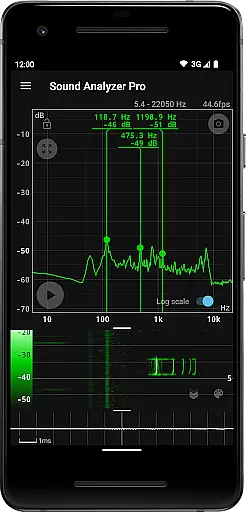
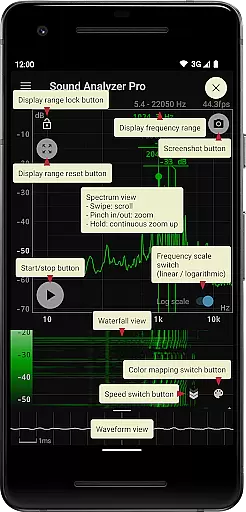
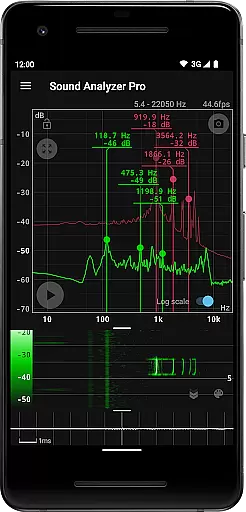
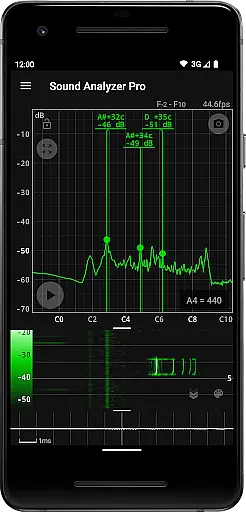
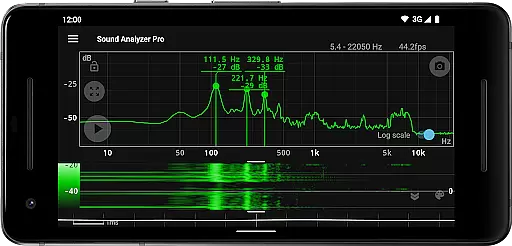
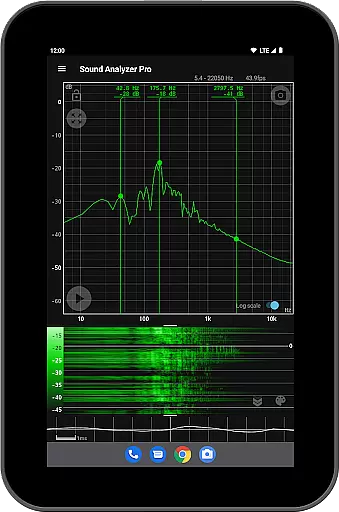
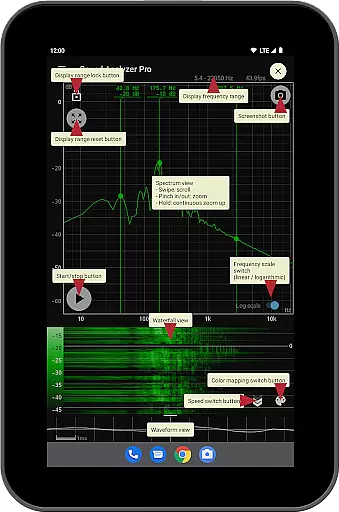
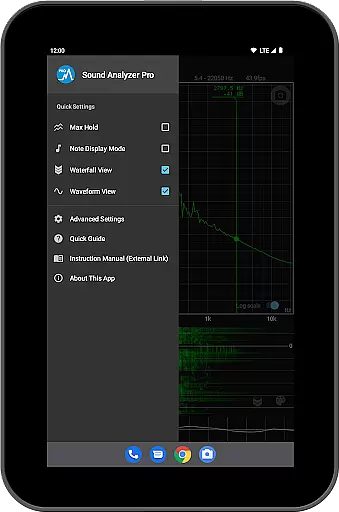
Sound Analyzer is a sophisticated audio analysis tool designed for both casual users and audio professionals. This application allows users to analyze audio signals directly on their mobile devices, providing real-time frequency (Hz) and amplitude (dB) spectrum data. The app's high measurement accuracy, with errors typically within 0.1 Hz in low-noise environments, makes it an ideal choice for precise audio analysis.
In addition to its core functionality, Sound Analyzer offers advanced features such as waterfall view for tracking spectral changes over time, waveform view for visualizing sound waveforms, and note display mode that translates frequencies into musical notes. These features make the app particularly useful for musicians, sound engineers, and researchers who need detailed audio analysis capabilities in a portable format.
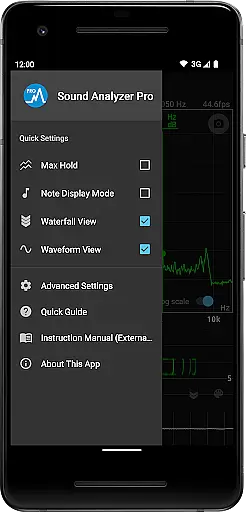
Sound Analyzer stands out with its comprehensive suite of audio analysis tools. The app provides a peak frequency display function that shows prominent spectral components in real time, along with touch-based control for adjusting display ranges. Users can switch between logarithmic and linear frequency scales, and utilize the max hold function to capture transient peaks.
The app also includes specialized views for different analysis needs. The waterfall view helps track how spectra evolve over time, while the waveform view displays actual sound waveforms. Additionally, the note display mode translates frequencies into musical notes with error measurements in cents. With features like screenshot functionality and an ad-free experience, Sound Analyzer delivers professional-grade tools in a user-friendly package.
Sound Analyzer does not focus on providing a vast music library but rather emphasizes real-time audio signal analysis. The app allows users to analyze any audio input, making it versatile for various sound sources.
While the app doesn't directly provide copyrighted music tracks, its high-frequency spectrum analysis and detailed waveform views ensure that users can examine audio content with precision. This makes it an invaluable tool for audio professionals who need accurate spectral data.
The application's ability to display frequency and amplitude spectra in real time, along with features like peak frequency display and note display mode, offers a unique approach to understanding audio compositions. These capabilities make it particularly useful for analyzing original compositions or performances without concerns about copyright infringement.
Sound Analyzer excels in delivering exceptional audio quality options through its advanced analysis features. The app supports frequency measurements up to 96 kHz, catering primarily to high-performance devices that demand precise audio metrics.
With measurement errors typically within 0.1 Hz in low-noise environments, the app ensures reliable and accurate audio quality assessments. This level of precision is crucial for professionals who require exacting standards in their audio work.
Additionally, the app provides multiple viewing modes such as waterfall and waveform views, allowing users to visualize changes in audio spectra over time. These features contribute significantly to evaluating audio quality across different dimensions, ensuring comprehensive analysis capabilities.
High measurement accuracy
Real-time spectrum analysis
Multiple viewing modes
No advertisements
Musical note conversion
Complex for beginners
Requires high-end device
Limited high-frequency support
No cloud integration
Advanced features overwhelming

Simply convert wav to mp3. Clear. Reliable. Safe.
 4.0
4.0
Over 100 million tracks available for high quality streaming and download
4.60
The Music Journey in Your Hands
4.30
Music Streaming suite for Ampache, Nextcloud Music and compatible backends.
4.2
USB audio recording and playback finally possible on Android 3.1 or higher!
3.90
Record, Mix & Master with all n-Track effects, 64-bit audio and Stem Separation.
4.70
24,000 free audio books and no ads!
4.90
Play your hearts out on TouchTunes jukeboxes & connect with fellow music lovers.
4.80
The official Sonos app
4.10
Listen radio AM / FM Stations. Live AM / FM Radio App Station. Radio Com.
4.70
Super Sound Editor, Song Maker & Mixer, Vocal Remover, Voice Recorder & Changer!
4.60
Enhance the sound quality of your devices, listen to what you want
4.50
DJ Music Mixer - DJ Remix: remix songs, make beat music & record mix of DJ.
4.40
Advanced 10-Band Audio Graphic Equalizer Sound Booster Pro
4.30
Master Salsa Rhythm quickly and with a lot of fun!
4.30
Turn your Android phone into a professional audio analyser with up to 120 bands.
4.00
Sing, record, and create music together — enhanced by smart voice tools.
4.00
Offline Tunes, Unlimited Vibes
3.90
The Cubase remote control app
3.60


User Reviews