
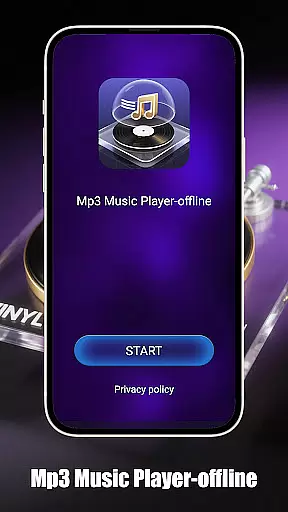
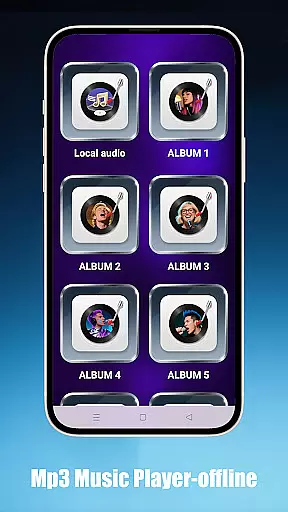
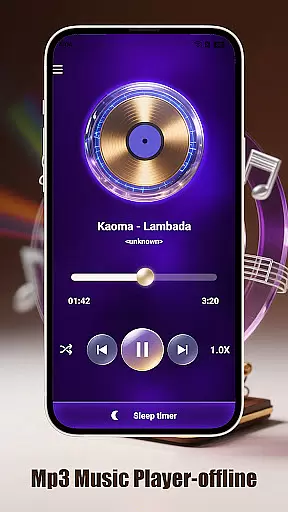
Mp3 Music Player - Offline is a dedicated music player for audiophiles who prefer local MP3 playback. With its sleek design and no-frills approach, this app offers powerful playback controls without requiring an internet connection.
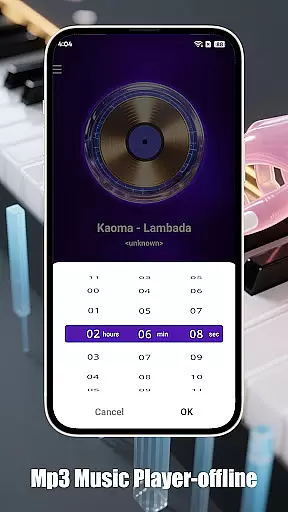
Users can enjoy advanced features like adjustable playback speed (0.5x–2.0x), multiple playback modes, and a sleep timer to conserve battery. The app also provides effortless navigation through folders, artists, or albums, making it easy to manage and play your music library.
Perfect for focused listening sessions, the minimalist interface ensures an immersive experience while optimizing battery usage.
This app stands out with its comprehensive feature set tailored for music enthusiasts. It supports various playback modes including loop, shuffle, and single-track options, catering to different listening preferences.
One of the key highlights is the adjustable playback speed, allowing users to slow down or speed up tracks—a great feature for language learners or podcast listeners. The sleep timer adds convenience by automatically stopping playback after a set time.
The app's intuitive folder-based navigation and fast search functionality make it easy to access your entire music collection. Its lightweight design and ad-free interface ensure smooth performance and uninterrupted enjoyment.
When it comes to music players, the size and authenticity of the music library are crucial factors for users. Mp3 Music Player - Offline focuses on local MP3 playback, ensuring that all tracks are legally sourced from your personal collection. This eliminates any concerns about copyright infringement while offering you complete control over your music.
The app supports a wide range of audio formats, allowing you to access thousands of tracks stored locally on your device. Whether you have a vast library of purchased MP3 files or ripped CDs, this player ensures seamless playback without limitations. The absence of streaming services emphasizes its dedication to personal, offline music management.
By focusing on local playback, Mp3 Music Player - Offline provides peace of mind regarding copyright issues. You can be confident that every track in your library is authentic and legally owned. This makes it an ideal choice for users who prioritize legal compliance alongside high-quality music experiences.
Audio quality is a key consideration for any music enthusiast, and Mp3 Music Player - Offline excels in delivering pristine sound. The app offers adjustable playback speeds ranging from 0.5x to 2.0x, catering to diverse listening preferences. Whether you're slowing down tracks for learning purposes or speeding them up for podcasts, the audio remains clear and distortion-free.
In addition to speed adjustments, the player features a minimalist interface designed to enhance focus during playback. Its lightweight design ensures minimal battery consumption while maintaining optimal performance. This balance between functionality and efficiency guarantees an uninterrupted listening experience with consistently high audio fidelity.
Furthermore, the app's landscape-optimized UI provides an immersive full-screen mode, perfect for users who want to engage deeply with their music. With no ads or distractions, every note and beat is delivered exactly as intended by the artist. These features collectively ensure that Mp3 Music Player - Offline stands out as a top choice for audiophiles seeking uncompromised audio quality.
User-friendly interface
Advanced playback options
Offline functionality
Efficient battery usage
Fast music search
Limited format support
No cloud integration
Basic equalizer settings
No lyrics display
Occasional bugs

Remove ads permanently from Music Visualizer
 4.0
4.0
Background pads for your band
3.80
Simple & Intuitive Metronome
4.70
USB audio recording and playback finally possible on Android 3.1 or higher!
3.90
Listen radio AM / FM Stations. Live AM / FM Radio App Station. Radio Com.
4.70
Help you quickly get started with Shokz headphones
4.40
Ringtone Maker is free app create ringtone from music files or your recording.
4.40
Turn Every Moment into Music
3.60
One-tap booster for max volume - enjoy powerful sound with this audio booster
4.50
Tune in to the greatest hits on UK Radio | The home of Capital, Smooth & Heart.
4.90
Listen to live FM radio stations, sports, music and news on global radios online
4.70
Walkout Song DJ is the most intuitive app to manage your sports music.
4.70
Record, Mix & Master with all n-Track effects, 64-bit audio and Stem Separation.
4.70
Recording studio w/ 10k beats, pro vocal FX and a network of 20M rappers & fans!
4.60
AI Music Maker: Generate And Compose AI Tunes & AI Songs & AI Music & AI Melody!
4.60
Learn the notes on the guitar fretboard fast with this easy and fun app
4.60
Enhance the sound quality of your devices, listen to what you want
4.50
Time Trainer: accurate metronome w tools to help you develop your internal time!
4.20
Control your MIDI USB or Bluetooth devices in app and avoid some trampling
3.30


User Reviews