
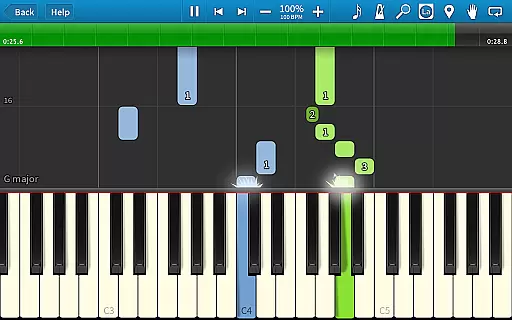
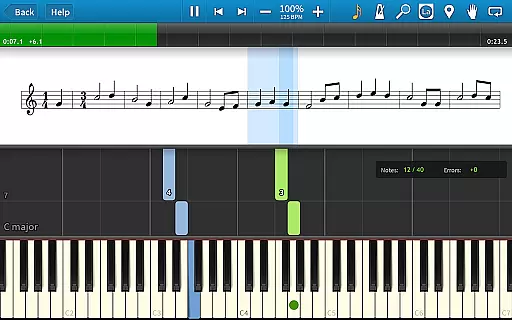
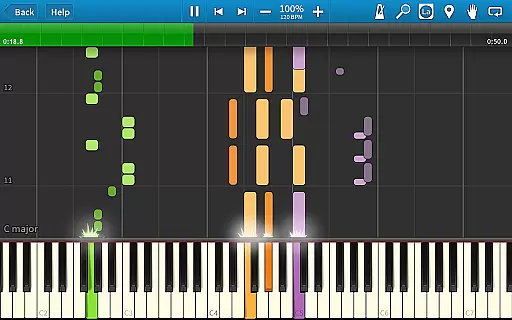
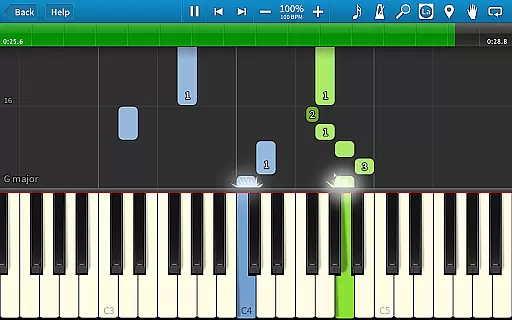
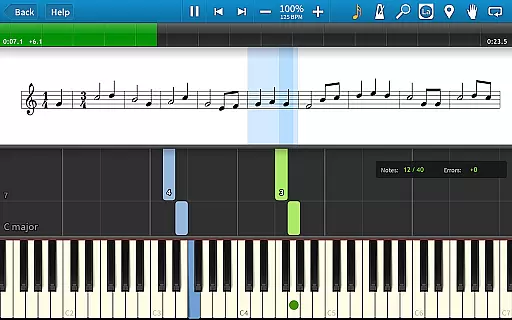
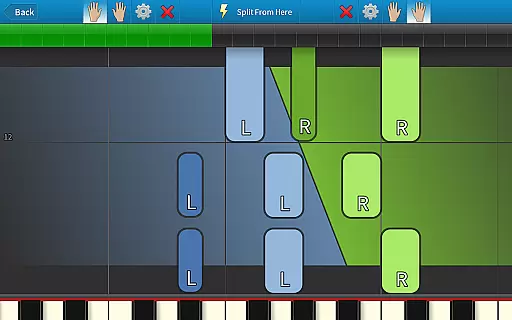
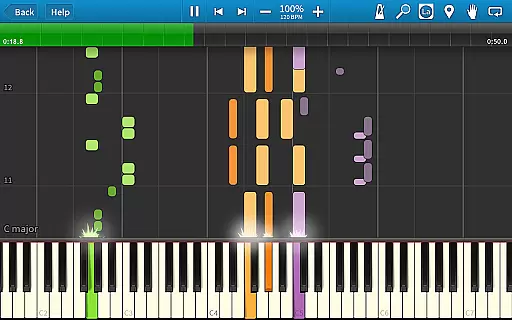
Synthesia is an innovative music learning application designed to help users play the piano without needing to read sheet music. The app offers a unique interactive experience by providing visual guidance through falling note blocks, making it accessible for beginners and enjoyable for experienced musicians. Compatible with both touchscreens and digital keyboards, Synthesia supports various learning modes including Melody Practice, which waits for you to hit the correct note.
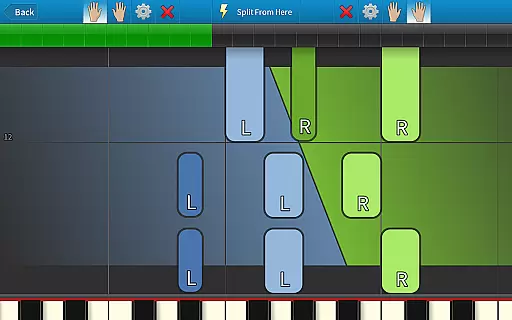
The app includes over 150 built-in songs and allows importing any MIDI file, offering endless practice opportunities. With features like hand separation, lighted keyboard support, and a built-in metronome, Synthesia provides a comprehensive learning environment that adapts to different skill levels and preferences.
Synthesia stands out with its versatile feature set tailored for music learners. The app's core functionality lies in its interactive learning system that uses falling notes instead of traditional sheet music, making it easier for beginners to follow along. It supports multiple input methods including touchscreen and MIDI keyboard connections, allowing users to practice on their preferred device.
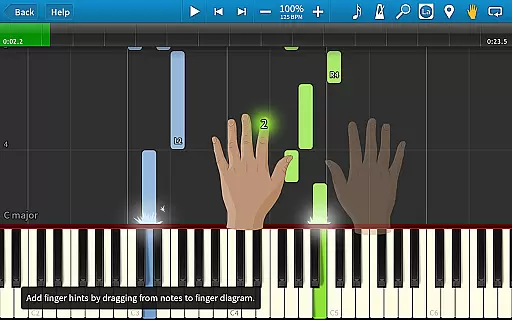
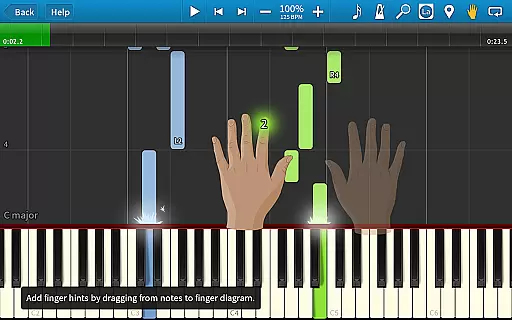
Advanced features include Melody Practice mode that waits for correct input, song recording capabilities, and compatibility with lighted keyboards. The app also offers adjustable settings such as hand separation, tempo control, and finger hints for each song. With a one-time purchase, users gain access to all 150+ built-in songs, unlimited MIDI imports, and future updates, providing exceptional value for music learners.
Synthesia offers an extensive music library that caters to users of all skill levels. With over 150 included songs, the app provides a rich selection of MIDI compositions that are fully licensed and authenticated.
The app's vast collection ensures that learners can explore various musical genres while practicing their skills. Each song is carefully curated to provide an engaging learning experience without compromising copyright standards.
Users can also import any MIDI file, expanding the library beyond the built-in collection. This feature guarantees access to virtually unlimited learning materials while maintaining complete copyright compliance.
The combination of a comprehensive built-in library and flexible MIDI import options makes Synthesia an exceptional tool for both casual learners and serious musicians seeking diverse practice material.
Synthesia delivers exceptional audio quality through its advanced sound engine and multiple output options. The app supports high-fidelity audio playback, ensuring that each note sounds clear and professional-grade during practice sessions.
Users can choose from different instrument sounds and adjust audio settings to match their preferences. This flexibility allows for customized listening experiences whether using the app's built-in speakers or connecting to external audio equipment.
The application maintains consistent audio quality across all devices, from smartphones to tablets. This reliability ensures that learners receive accurate pitch and tone representation crucial for proper musical development.
With its robust audio features and versatile output options, Synthesia provides an immersive and high-quality musical learning environment suitable for all levels of piano enthusiasts.
User-friendly interface
Wide song selection
Interactive learning
One-time payment
Cross-device support
Limited free version
Requires hardware
No advanced theory
Premium features locked
Interface not modern

Offline and always ad-free - stream in the highest quality available.
 4.10
4.10
Taal player that lets you sing any Indian & Western song with Tabla & Tanpura
4.60
Permanently backup Now Playing. Maps, filters & listening stats.
4.00
24,000 free audio books and no ads!
4.90
Voice recorder - Audio recorder. Best recorder for recording
4.90
Simple mp3 and mp4 player with advanced features.
3.40
Powerful 10-Band equalizer pro with sound booster improves Android audio quality
4.30
The iconic iOS metronome app is now on Android.
3.70
Responsive piano with great sounds, graphics, and songs
4.80
Offline Music Player & MP3 Player.Powerful equalizer, Lyrics, Themes, Tag Editor
4.80
AI Music Maker: Generate And Compose AI Tunes & AI Songs & AI Music & AI Melody!
4.60
Fun & Easy Voice Changer – Record, Edit & Add Hilarious Effects!
4.50
Visualize the guitar fretboard, master scales & play through changes like a pro!
4.50
Time Guru will strengthen your internal sense of musical time via random muting.
4.30
Enjoy singing any song, no matter how high or low it is
4.30
Time Trainer: accurate metronome w tools to help you develop your internal time!
4.20
Next generation modular control surface
4.10
Sheet music reader, piano & music note player. Play music score & learn to read.
3.90
Control your MIDI USB or Bluetooth devices in app and avoid some trampling
3.30


User Reviews