
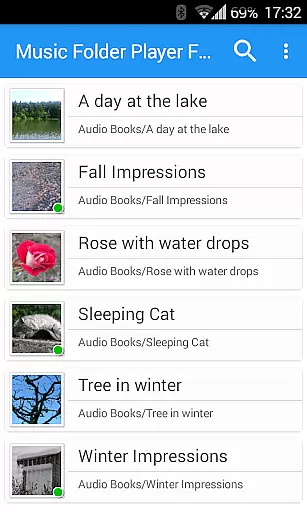
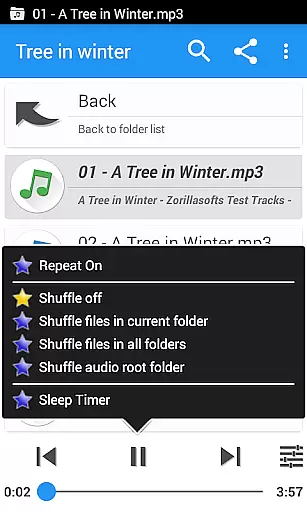
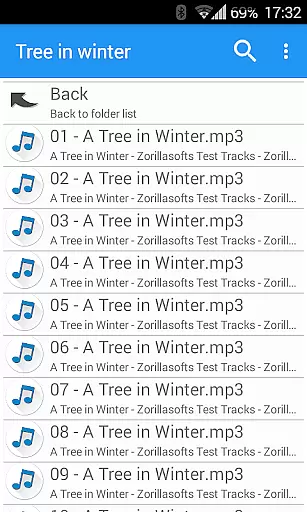
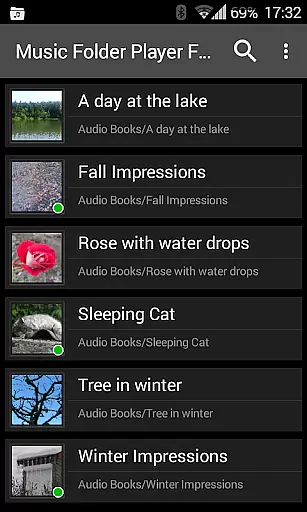
Music Folder Player Full is a specialized audio player designed for users who prefer organizing their music files in folders rather than traditional categories like artist or album. The app offers a unique folder-based playback experience, making it ideal for those with custom file organization systems.
In addition to its core functionality, the app provides advanced features such as homescreen widgets, resume playback where you left off, and multiple display options for different collection sizes. Users can also enjoy enhanced audio controls including speed adjustment, equalizer presets, and virtual sound effects, providing a tailored listening experience.
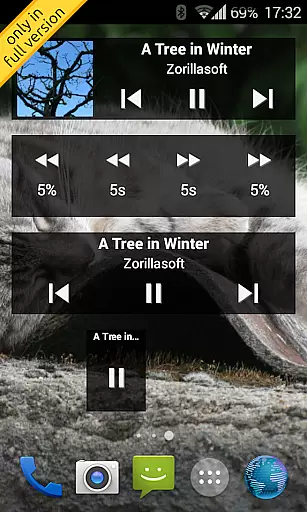
This full version removes ads and includes exclusive features like three different homescreen widgets and 432 Hz playback mode. Whether you're managing a small music library or a large collection of podcasts and audiobooks, Music Folder Player Full offers the tools needed for efficient playback and organization.
Music Folder Player Full stands out with its comprehensive feature set tailored for both casual listeners and audiophiles. The app's Material Design interface ensures a modern and intuitive user experience while offering flexible display options that adapt to various collection sizes.
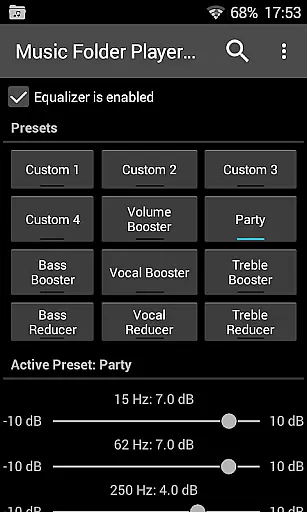
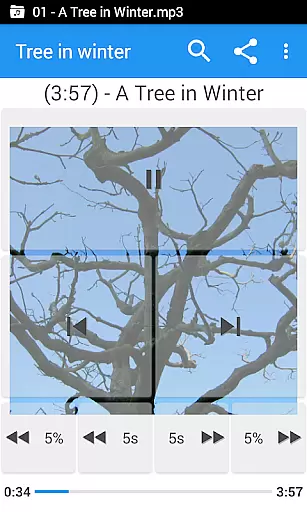
One of the key innovations is its advanced playback controls. Users can benefit from four configurable seek buttons, perfect for navigating through long podcast episodes or audiobooks. The equalizer comes with 4 customizable settings and 8 presets, while the virtual room effect creates immersive listening experiences.
Additional professional-grade features include playback speed control with pitch correction, pre-amplification for low-level recordings, and unique modes like 432 Hz playback. Practical functions such as two-finger gesture volume control, undo function, and Last.fm scrobbling make this app a complete solution for managing and enjoying digital audio collections.
Music Folder Player Full offers a unique approach to managing and playing your music library. With the ability to organize audio tracks in folders, users can easily navigate through their collection regardless of artist or album information. This method ensures that all your music files are displayed exactly as you've structured them on your device.
The application supports extensive music libraries with features like folder hierarchy display for larger collections and a 'flat' list view for smaller ones. The virtual folder functionality allows you to create a personalized playlist of favorite songs, enhancing accessibility to your most-played tracks. Additionally, the app provides advanced playback options, including speed control with pitch correction and 432 Hz playback mode, which cater to audiobooks and podcasts.
Regarding copyright authenticity, while the app itself doesn't verify the legality of your music files, it respects the integrity of your personal collection. By allowing you to play files directly from your folders, it ensures that you're accessing the original audio files you own, without any unauthorized modifications or redistributions.
One of Music Folder Player Full's standout features is its robust equalizer, which provides users with four customizable settings and eight predefined options such as Bass Booster, Vocal Booster, and Party setting. These presets allow listeners to fine-tune their audio experience according to their preferences and the genre of music they're enjoying. The equalizer works on devices running Android 2.3 and newer, ensuring broad compatibility.
In addition to the equalizer, the app includes virtual room and reverb effects that enhance the listening experience by adding depth and ambiance to the sound. For those who require even more control, the pre-amplifier feature lets you increase the volume of quieter tracks, making sure every note is heard clearly. These features combined deliver an impressive range of audio quality options.
Furthermore, the app supports high-quality playback with pitch correction during speed adjustments, preserving the original tone of the music even when changing playback rates. This is particularly useful for spoken word content like audiobooks and podcasts. All these audio enhancement tools demonstrate the app's commitment to providing users with the best possible sound quality from their personal music collections.
User-friendly folder organization
Advanced equalizer settings
Speed control with pitch correction
Ad-free experience
Multiple homescreen widgets
Limited traditional music library views
Complex for basic users
No built-in streaming service
Paid version only
Requires manual file management

Performance-Synthesizer & Multi-Track-Sequencer, polyphonic + multi timbral!
 4.70
4.70
Your song collections with lyrics and chords on Android smartphones and tablets.
4.80
Learn to play the piano using falling notes!
3.80
Offline Music Player & MP3 Player.Powerful equalizer, Lyrics, Themes, Tag Editor
4.80
MilkDrop for Android TV
3.00
Ringtone Maker is free app create ringtone from music files or your recording.
4.40
Responsive piano with great sounds, graphics, and songs
4.80
Travel To The Music Universe
3.40
Uninterrupted Tunes, Unmatched Vibes
3.90
Play your hearts out on TouchTunes jukeboxes & connect with fellow music lovers.
4.80
Full-featured, High-Quality Groovebox Workstation, perfect for Live Performance!
4.80 4.70
4.70
Simple & Intuitive Metronome
4.70
Taal player that lets you sing any Indian & Western song with Tabla & Tanpura
4.60
Visualize the guitar fretboard, master scales & play through changes like a pro!
4.50
Formerly known as Spotistats! View your top tracks, artists, albums and more!
4.40
10-Band Audio Equalizer, Sound / Bass Booster for Spotify Users & Music Players
4.40
Master Salsa Rhythm quickly and with a lot of fun!
4.30
Offline and always ad-free - stream in the highest quality available.
4.10


User Reviews