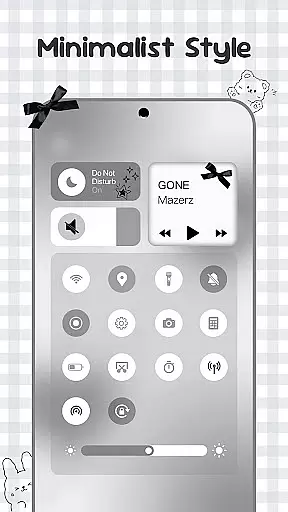
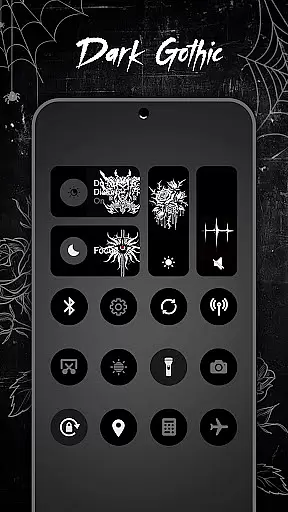
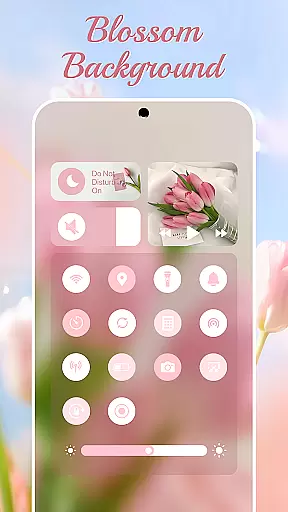
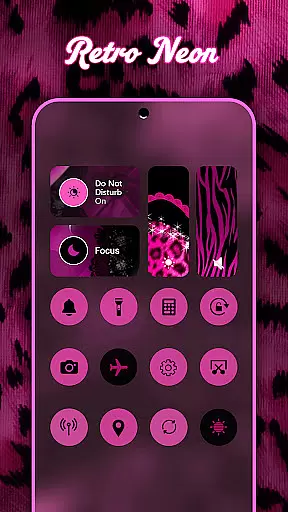
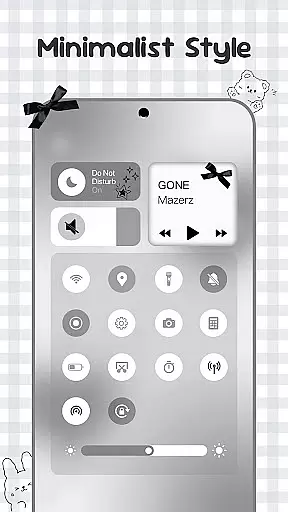
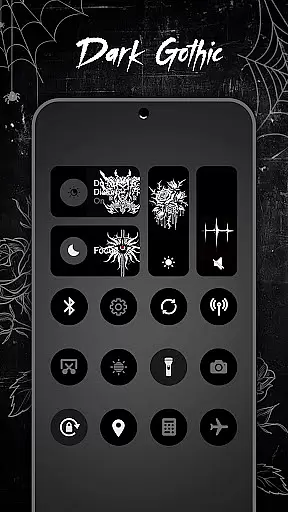
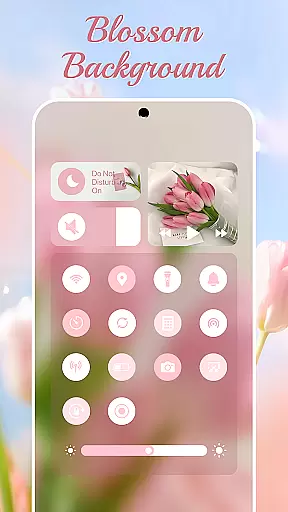
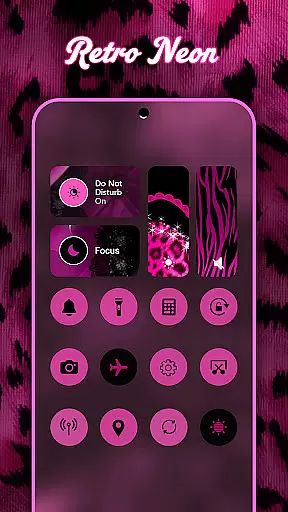
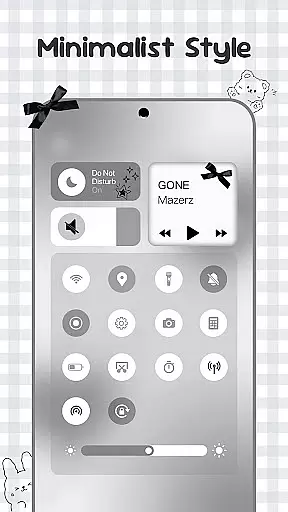
Control Widget is a highly customizable quick settings panel for Android devices, offering users both functional control and aesthetic personalization. It combines essential system controls with beautifully designed themes, allowing users to tailor their device's appearance while maintaining easy access to key features.
The app provides thousands of theme options ranging from anime and K-pop to minimalism and neon gradients. Users can switch themes effortlessly to match their mood or home screen setup. Beyond its visual appeal, Control Widget includes practical tools such as brightness and volume sliders, Wi-Fi and Bluetooth toggles, screenshot and screen recording functions, and more – all accessible through a sleek, one-tap interface.
This makes Control Widget particularly useful for users who value both form and function in their mobile experience. Whether you're looking to streamline daily tasks or simply express your personal style, this app delivers a seamless blend of utility and design.
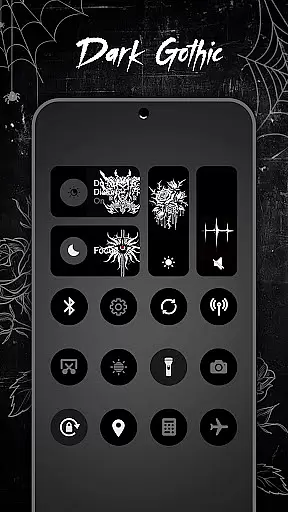
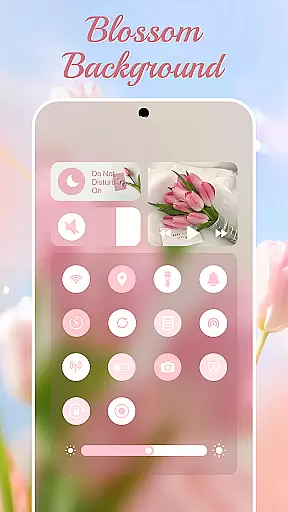
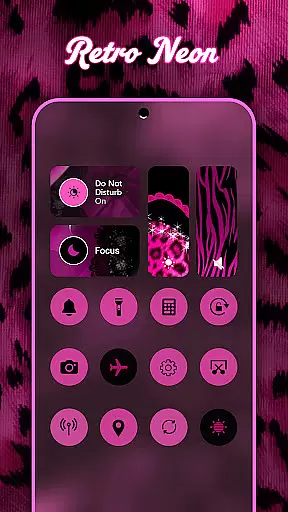
Control Widget stands out with its extensive customization options and modern design language. The app offers thousands of themed control panels inspired by various aesthetics, including anime, K-pop, minimalism, and more. These themes are not static; users can update them anytime to reflect their current preferences or match seasonal changes on their home screens.
Beyond its visual appeal, the app integrates essential system tools into an intuitive interface. Smooth sliders allow precise adjustments for brightness and volume, while instant toggles provide quick access to Wi-Fi, Bluetooth, Airplane Mode, and Do Not Disturb settings. Additional utilities include a built-in flashlight, screen rotation lock, and media controls that work seamlessly with your music apps.
What truly sets Control Widget apart is its commitment to user-driven innovation. The app allows users to request custom themes, fostering a collaborative environment where creativity meets functionality. This combination of personalized design and robust utility ensures that Control Widget remains a versatile companion for any Android user seeking to enhance both the look and performance of their device.
Control Widget offers an extensive range of customization options that allow users to tailor their Android device's control panel to match their personal style and preferences. With thousands of aesthetic themes available, including Anime, K-pop, neon gradients, minimalism, and more, users can curate a unique look that resonates with their individuality.
The app provides live style updates, enabling users to switch panels anytime to reflect their current mood or complement their home screen aesthetics. This flexibility ensures that the control panel is not just a tool for device management but also an extension of personal expression.
One-tap functionality allows for instant transformations of the entire control panel, making it easy for users to apply and view changes immediately. This seamless integration of style and function enhances the overall user experience, offering both visual appeal and practical utility in device control.
Theme compatibility in Control Widget ensures that every chosen design integrates smoothly with various wallpapers, icon packs, and widgets on an Android device. The app is crafted to complement existing aesthetics, providing a cohesive and visually pleasing interface that aligns with modern mobile design principles.
Users can request custom themes, allowing them to participate actively in the design process. This feature empowers users to realize their vision and create a personalized control panel that fits seamlessly into their digital environment.
With sleek layouts and sync-ready designs, Control Widget guarantees that all elements work harmoniously together. This attention to detail in compatibility ensures that users enjoy a unified and stylish experience across their device, enhancing both usability and aesthetic satisfaction.
Highly customizable
Stylish designs
User-friendly interface
Comprehensive tools
Regular updates
Requires accessibility permissions
Premium themes cost extra
May overwhelm new users
Occasional bugs reported
Limited iOS compatibility

Want to make your phone more special than ever?
 4.60
4.60
100+ Stylish Fonts, Emojis, Symbols keyboard for Instagram & TikTok!
4.80 4.50
4.50
Stylish Pink Cute Hippo keyboard with 10000+ customized keyboard themes!
4.60
Crystal-clear, square icon provides a sleek and sophisticated visual upgrade
4.00
Enjoy a variety of amazing live wallpapers and colorful EDGE lighting borders!
4.80
Transform your phone with stunning video wallpapers and a unique, personal touch
3.80
Emoji Maker app - Design custom emojis and effortlessly blend them with Mixer
3.80
Customize phone with anime themes, 3D icons, aesthetic widgets & wallpapers
4.80
400+ Beautifully crafted widgets inspired by NOTHING.
4.70
Make your phone look simple & luxury, like iDevice
4.60
Customize your home screen with stunning themes, blur, widgets & icons.
4.60
Yandex Browser — stylish and secure, with voice search and data compression
4.40
Transform your device in a game console
4.40
Romantic Kiss Stickers App. Start romantic messaging now!
4.30
Wear Os Watch Face - Seasonal - Animated Snow Effect - 9 Animals
4.20
Realistic animated snow on your wrist, with 10 images landscapes to choose from
4.00
Create unique, fun emojis with Funny Emoji Maker! Unlimited creativity!
4.00
Ultimate widget creator. Design custom widgets for a truly unique home screen!
3.90


User Reviews