

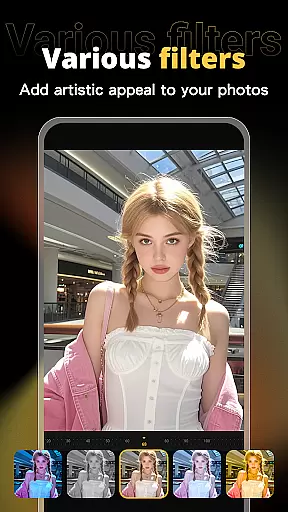



X PhotoKit is a versatile photo editing application that brings professional-level tools to your fingertips. Featuring AI-powered face swapping, comprehensive photo editing options, creative collage creation, and ready-to-use templates, this app allows users to enhance their photos with minimal effort. Whether you're looking to beautify personal images or create marketing materials, X PhotoKit provides the necessary tools to produce stunning visuals.
The app's standout feature is its intelligent AI face swap technology, which seamlessly integrates uploaded selfies into chosen images while maintaining a natural appearance. Additionally, its robust editing suite offers filters, effects, and adjustment tools for quick enhancements. With built-in templates for various occasions and an easy-to-use interface, X PhotoKit empowers users to express creativity anytime, anywhere.
X PhotoKit stands out with its diverse range of features tailored for both casual and professional users. The app includes advanced AI face-swapping capabilities, enabling users to replace faces in photos with remarkable realism. Its comprehensive editing toolkit provides numerous filters, effects, and precise adjustment options, ensuring every photo achieves its desired aesthetic.
Beyond basic editing, X PhotoKit offers specialized functions like photo collages and image stitching. Users can combine multiple photos using customizable layouts and templates, creating visually striking compositions. Built-in templates for posters, covers, and holiday greetings further expand creative possibilities. Designed for simplicity and power, the app ensures accessibility for beginners while satisfying the needs of experienced editors.
Real-time capture and preview functionality is essential for ensuring that users can see the results of their photo edits instantly. This feature allows users to visualize changes as they apply filters, effects, and adjustments, providing immediate feedback on their creative decisions.
X PhotoKit offers a seamless real-time editing experience through its advanced processing capabilities. The app ensures that even complex edits like AI face swapping and image stitching are previewed without delay, maintaining a smooth workflow for users.
The benefit of real-time capture and preview in X PhotoKit is the ability for users to fine-tune their work efficiently. Whether enhancing personal portraits or creating commercial designs, seeing edits instantly enables users to achieve their desired outcomes faster and with greater precision.
AI beauty and enhancement features focus on improving the aesthetic quality of photos while maintaining a natural look. This balance is crucial for users who want to enhance their images without making them appear overly processed or artificial.
X PhotoKit employs intelligent algorithms to automatically adjust facial features, skin tones, and other elements in photos. The AI-driven enhancements ensure that modifications look realistic, preserving the original essence of the image while elevating its visual appeal.
Users of X PhotoKit benefit from this feature by achieving professional-quality results effortlessly. Whether preparing images for social sharing or commercial use, the natural enhancement provided by the app's AI ensures that every photo looks polished yet authentic, meeting both personal and professional standards.
User-friendly interface
Advanced AI capabilities
Versatile editing tools
Wide template selection
Creative photo solutions
Limited advanced controls
Occasional processing delays
Premium feature costs
Template variety gaps
Learning curve for new users

Safe & smart flight with Go Fly drone controller for 40+ drone camera, zone map
 4.50
4.50
Photobooth mini FULL app will allow you to add more fun to your parties
4.00
Turn your phone into a professional camera - full DSLR manual photography
4.30
HD Camera Pro with HD Video shooting, Panorama, Photo editor , Beauty Camera.
4.50
Automatically backup your photos and videos to computer, NAS and Cloud services
4.60
Amazing Photo Effects - The most fun you can have with your photos!
4.70
A reflected light meter with spot metering and incident light metering.
4.40
Create AI photos & videos with Enhancer; restore, fix, beautify, enhance photos
4.50
Astrophotography with your smartphone, photo live stacking and much more!
3.90
Find time and duration of different sunlight phases at any location
4.90
Gallery show photo, video, slideshow, is perfect 3D effect private photo albums.
4.80
Easily view, share, delete photos with Gallery.
4.70
Photo Exif Editor allows to view, add and modify EXIF data of multiple photos
4.50
Effortlessly organize, view and share your photos & videos with Gallery app!
4.40
Shooting photos and records video easily and efficient with professional Camera
4.30
The #1 app for B&W film developing featuring an advanced darkroom timer.
4.10
USB Storage Access for Photos, Videos, Music and Documents
3.80
Be your best in every shot! Fix, edit and retouch your face in selfies & photos.
3.70
Application for remote controlling DSLR
3.00


User Reviews