




Shazam is a powerful music identification app designed specifically for Android Wear devices, allowing users to instantly recognize songs playing around them. With over 2 billion installs and 300 million users worldwide, this app has become an essential tool for music lovers. Shazam not only identifies tracks but also provides additional features such as time-synced lyrics, artist information, and concert discovery.
The app's seamless integration with streaming platforms like Apple Music, Spotify, and YouTube Music makes it easy to save and listen to identified songs. Its offline functionality ensures users can identify music even without an internet connection. Whether you're commuting, at a party, or simply curious about a song, Shazam delivers accurate results in seconds, enhancing your overall music discovery experience.
Shazam stands out with its advanced music recognition technology that works across various environments, including through headphones or external speakers. The app offers Auto Shazam, which continuously identifies songs even when the app runs in the background, ensuring no track goes unrecognized. For Android Wear users, Shazam provides quick access to song identification directly from their smartwatch, making it incredibly convenient.
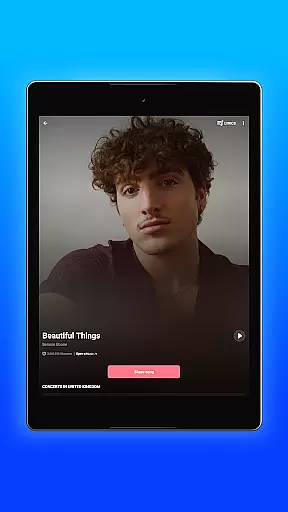
Beyond music recognition, Shazam enriches user engagement by offering synchronized lyrics, music videos, and personalized recommendations based on past searches. Users can explore trending charts, discover new artists, and share findings with friends via social media platforms like Snapchat and WhatsApp. Additionally, features like Dark Mode and location-based event notifications further enhance usability, making Shazam a versatile companion for any music enthusiast.
Shazam offers seamless companion app integration, allowing users to identify songs across various platforms and apps. Whether you're listening to music on Instagram, YouTube, or TikTok, Shazam can recognize the track instantly.
The app's functionality extends to its Auto Shazam feature, which continuously identifies songs even when you're not actively using the app. This ensures you never miss a beat, capturing every song that plays around you.
For Android Wear users, Shazam provides a dedicated Wear OS app, ensuring that music identification is always accessible on your wrist. This integration allows for quick and convenient access to Shazam's capabilities without needing to take out your phone.
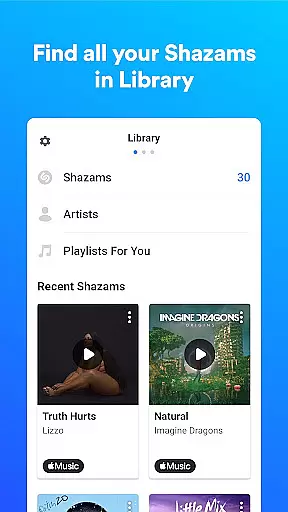
Additionally, Shazam's offline mode means you can identify songs even without an internet connection, making it a reliable tool in any situation. The synchronization between devices ensures your song history and preferences are always up-to-date.
Shazam excels in Wear OS and device compatibility, offering a tailored experience for smartwatch users. With the Shazam app for Wear OS, you can identify songs directly from your watch, providing unparalleled convenience.
The app supports a wide range of devices and operating systems, ensuring that whether you're using an Android phone or tablet, Shazam delivers consistent performance. Its compatibility with multiple music streaming services like Apple Music, Spotify, and YouTube Music enhances user accessibility.
Shazam also integrates with various social media platforms, allowing users to share their discoveries on Snapchat, Facebook, WhatsApp, and more. This broad compatibility amplifies the app's utility, making it easy to incorporate into your digital lifestyle.
Optional permissions such as microphone and location further enhance the app's capabilities, although Shazam remains functional without them. These features ensure that Shazam adapts to individual user needs while maintaining robust performance across different devices.
Instant song recognition
Offline functionality
Auto Shazam feature
Integration with streaming services
Time-synced lyrics
Limited offline features
Ads in free version
Regional restrictions
Occasional misidentification
Battery consumption

Christmas and New Year - Themed Watchface
 4.4
4.4
Christmas is near, let's count together the days left until Santa comes
4.3
MyNISSAN® lets you remotely control your car from your phone.*
4.50
Embrace the festive spirit with our Christmas Countdown watchface for Wear OS
4.10
Analog watch face with 8 complications and expedition styling
4.2
Hyperlocal rain alerts by MyRadar using patent-pending technology, radar & more
4.80
Reliable phone calls with spam protection, caller ID and more helpful features
4.40
A digital watch face that celebrates Christmas.
4.00
Viewer for Wyze/Yi/Eufy/Arlo/ONVIF/RTSP/P2P IP cams w/ adv. features & DIY DVR
4.00
Period, ovulation & pregnancy tracker. Fertility insights & menstrual calendar.
4.90
The most customizable minimal watch face. For Wear OS 5.0, API 34+ and later
4.70
Gym & home workout plans with strength training, exercise tracking, HIIT & more.
4.60
To-Do List: daily schedule planner, task organizer, to do reminder app, calendar
4.60
Ideal for surviving in the wasteland left after nuclear fallout
4.50
Watch face for Wear OS.
4.20
Structured watch face with seven complications and modular UI elements
3.90
A full-featured Amazon Alexa voice assistant that can show you things.
3.70
an Analog Watch Face for winter season with freeze winter background for Wear OS
4.5
A Wintery Snow Globe on Your Wrist; now celebrating Christmas!
4.2


User Reviews