
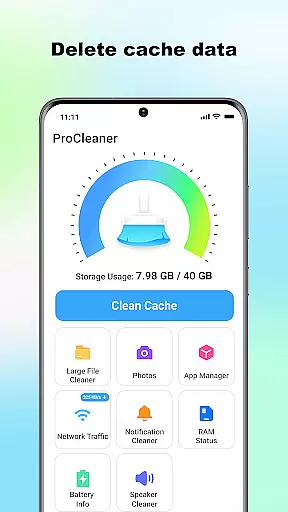
ProCleaner is a comprehensive device optimization tool designed to help users efficiently manage their smartphone storage. The app's core functionality revolves around scanning and cleaning various types of unnecessary files, including cache, residual, and junk files that accumulate over time.
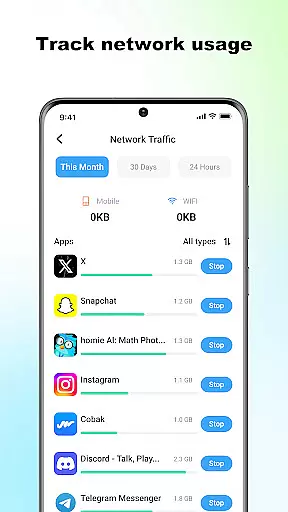
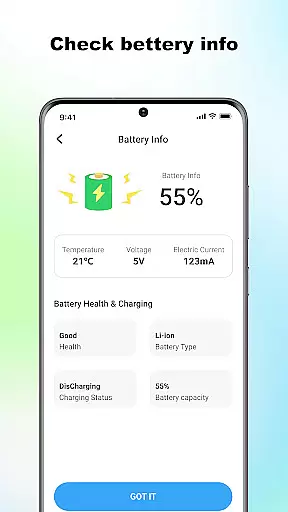
Beyond basic cleaning capabilities, ProCleaner offers advanced features for managing large files and uninstalling multiple applications simultaneously. Users can also monitor their network speed and check battery status, providing a complete solution for device maintenance and performance optimization.
This application is particularly useful for individuals who frequently encounter storage issues or wish to maintain optimal device performance. By providing both basic and advanced tools for storage management, ProCleaner delivers significant value to users looking to maximize their device's efficiency while maintaining control over their installed applications and system resources.
ProCleaner distinguishes itself through its comprehensive suite of device management features. The application's primary strength lies in its robust file scanning and cleaning capabilities, which extend beyond simple cache removal to include residual and junk file detection.
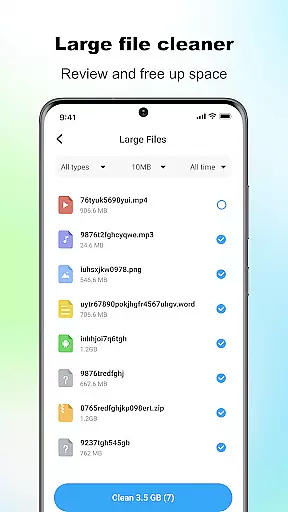
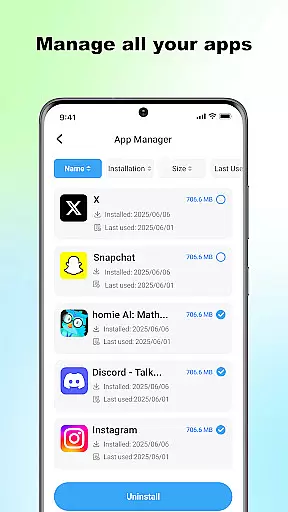
The app's large file management system allows users to identify and remove space-consuming files with precision. Its multi-application uninstallation feature streamlines the process of removing unwanted apps, while the network speed monitoring tool provides real-time insights into connection performance.
Additional notable features include detailed battery status tracking and local file management without requiring cloud access. These capabilities are implemented with user privacy in mind, ensuring all operations remain strictly local and no personal data is collected or transmitted, making it a secure choice for device optimization.
ProCleaner excels in delivering accurate and effective core functions that are essential for maintaining your device's performance. The app meticulously scans and cleans cache files, ensuring no unnecessary data occupies your valuable storage space.
In addition to cache cleaning, ProCleaner removes residual and junk files left behind after uninstalling applications. This comprehensive cleanup process helps maintain optimal device functionality while freeing up additional storage capacity.
The app also provides powerful tools for managing large files and uninstalling multiple applications simultaneously. These features allow users to take full control of their device's storage with minimal effort, making ProCleaner an indispensable utility for anyone looking to optimize their device's performance.
A simple and intuitive interface is crucial for ensuring a seamless user experience, and ProCleaner delivers exactly that. The app's design focuses on ease of use, allowing users to navigate through its various features effortlessly.
Each tool within ProCleaner is strategically placed to ensure quick access and straightforward operation. Whether you're scanning for cache files or monitoring network speed, the app's layout ensures that all necessary functions are just a tap away.
Moreover, ProCleaner's intuitive design extends to its technical requirements as well. By clearly stating the permissions needed and assuring users that all operations are performed locally, the app instills confidence in its security measures while maintaining an accessible and user-friendly environment.
User-friendly interface
Comprehensive cleaning tools
Advanced file management
Real-time monitoring features
Strict privacy protection
Limited cloud integration
No automatic scheduling
Premium feature costs
Occasional scan delays
Basic design aesthetics

 4.50
4.50
HD Camera captures every special moment.
4.60
Universal TV remote control all TVs, Roku, LG, Samsung, Fire, Vizio, Sony, TCL.
4.40
ADB support Android 4.X-Android 13(Support wireless pair mode).No root required!
4.70
Unleash gamepad precision for ultimate mobile gaming dominance.
3.90
The ultimate tool for network analysis, wifi scanning and problem detection.
4.90
Connect wirelessly to your computer to watch movies, browse the web, play games
5.00
The Ultimate Flex Drivers Utility App - Convenient Tapping & Block Filters
4.70
Introducing Smart Printer, your ultimate destination for printing solutions!
4.00
Mirror your screen to Chromecast and Android TV - Super fast and simple
4.60
Play your X-Box games remotely in 1080p with any controller and zero latency
4.60
Just swipe the edge to do something!
4.40
Fluid navigation gestures for all of us!
4.30
Quickly check the frequency of the Earth
4.30
App that Recover your pictures, videos or files after you delete them.
4.20
Screen Mirroring with sound for Samsung TV, LG TV, Sony TV, Smart TV and Browser
4.20
A powerful, easy-to-use flight computer on your phone or tablet!
3.80
Fun lie-detection pranks for friends and parties.
3.80
A non-root local ADB shell client. READ BELOW!
3.40


User Reviews