
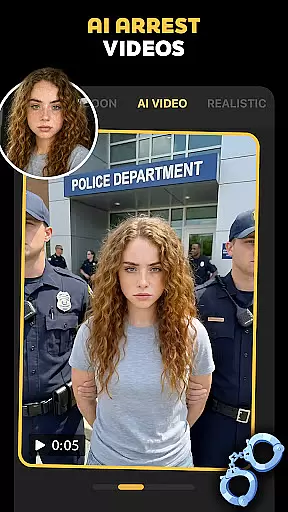
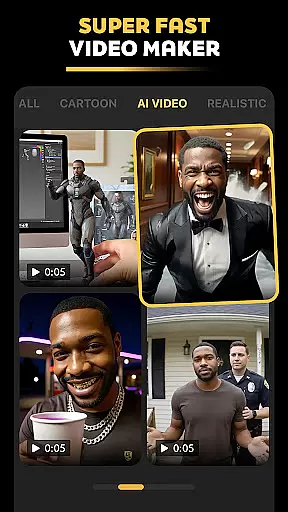



Pose is an innovative AI-powered photo and video editing application designed to help users create viral, high-quality content for social media platforms. The app offers a wide range of features including the AI Photo Generator, AI Video Generator, and various trending filters such as Polaroid AI, AI Snow Video, and Birthday Photo Shoot. These tools allow users to transform their photos and videos with professional styles and creative effects, making it easy to produce engaging content that stands out.
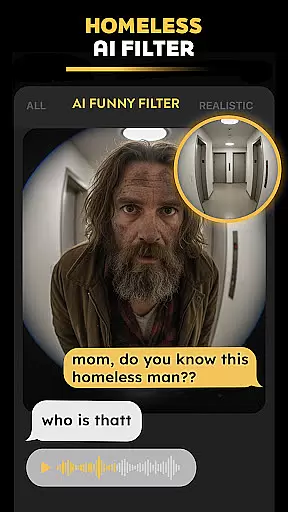
With Pose, users can effortlessly generate realistic AI boyfriend/girlfriend videos, AI homeless man pranks, and other fun transformations. The app also includes specialized features like the AI Business Headshots for professional profiles and the AI Mermaid Filter for more whimsical creations. Whether you're looking to elevate your Instagram feed or create eye-catching TikTok videos, Pose provides all the necessary tools to unleash your creativity and achieve viral success.
The app boasts an impressive array of features that cater to both casual users and content creators. One standout feature is the AI Photo Generator, which uses advanced algorithms to apply stunning effects such as AI Rain, AI Snow, and AI Winter to photos. This allows users to give their images a cinematic quality with just a few taps. Additionally, the Viral Polaroid AI Filter brings a retro charm to digital photos, perfect for sharing on platforms like Instagram and Facebook.
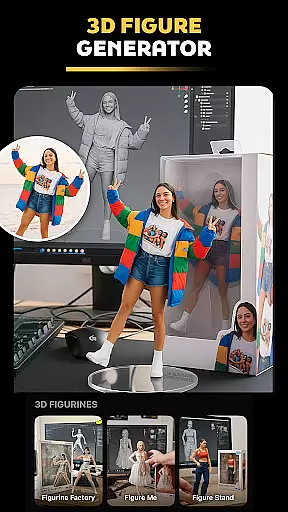
Another key feature is the AI Video Generator, which transforms static images into dynamic videos. Users can create AI-powered short videos in styles ranging from Y2K aesthetics to action-figure animations. The app also includes unique options like the AI Action Figure Maker, where users can turn selfies into 3D figurines, and the AI Mermaid Filter, offering a touch of fantasy by transforming photos into mermaid-themed artworks. These diverse features ensure that Pose remains a versatile tool for creating captivating visual content.
Real-time capture and preview functionality is essential for modern photography applications, allowing users to see exactly what the camera sees before taking a shot. Pose - AI Photo & Video Maker excels in this area by providing an intuitive interface that displays live effects and filters as they will appear in the final image or video. This real-time preview ensures that users can make precise adjustments to their compositions, guaranteeing the desired outcome.
The app's advanced AI algorithms process visual data instantly, applying complex effects such as AI snow video, polaroid ai, and y2k portrait aesthetics without any noticeable lag. This immediate feedback loop empowers creators to experiment with different styles and settings, from professional business headshots to playful mermaid transformations, all while maintaining complete creative control over their work.
By offering real-time previews of its extensive range of features, including rain & snow AI photo remakes and action figure generation, Pose enables photographers and videographers to produce high-quality content efficiently. The ability to visualize edits and enhancements on-the-fly not only saves time during post-production but also enhances the overall user experience, making it easier than ever to create engaging visuals that stand out on social media platforms.
AI beauty and enhancement features have become increasingly popular in photography apps, aiming to improve images while maintaining a natural look. Pose - AI Photo & Video Maker stands out by offering sophisticated AI-driven tools that enhance photos without compromising authenticity. These features intelligently adjust skin tones, smooth imperfections, and apply subtle makeup effects, resulting in polished yet genuine-looking portraits.
The app's AI algorithms analyze facial structures and lighting conditions to apply enhancements that complement the subject's natural features. Whether creating AI business headshots or transforming selfies into edgy Y2K aesthetic portraits, Pose ensures that modifications remain true to life. This approach helps maintain credibility across professional networks like LinkedIn while still delivering visually appealing results suitable for Instagram, Facebook, and TikTok.
With Pose's focus on natural enhancement, users can confidently share their creations knowing that the AI-powered transformations strike a balance between improvement and realism. From adding cinematic rain effects to generating hyper-realistic AI boyfriend/girlfriend videos, the app consistently delivers high-quality outputs that resonate with audiences on various social media platforms, ensuring both virality and viewer trust.
User-friendly interface
Wide variety of effects
High-quality output
Frequent updates
Creative customization
Some features require premium
Occasional bugs
Limited free options
Heavy on storage
Learning curve

1M influencer's special filter
 4.60
4.60
HD Photo gallery and photo manager to edit, hide private photos, videos & albums
4.0
Transform photos into videos! Create realistic or anime-style images easily!
4.50
Add a dreamy vibe to your selfies and videos with soft style filters
4.5
Enhance, retouch & create your story - Share the moment with Photoshop Express.
4.60
AI-powered video creator by MiniMax - Where ideas meet cinema
4.20
Your personal guide to the sun and moon. Plan ahead, visualize and predict!
4.70
PhotoSync Bundle Add-On License. Enables all features and services in PhotoSync.
4.60
Your Family Calendar + Photos. Manage your Skylight Calendar and Skylight Frame.
4.40
Perfect body tune & face app - photo retouch, makeup, slim body & beautify face.
4.80
Viewfinder, Light meter, Reciprocity failure time, DOF & Bellows Extension
4.60
Cut and paste photo editor & eraser to customize photos easy and swap faces fun
4.50
Photo Exif Editor allows to view, add and modify EXIF data of multiple photos
4.50
A reflected light meter with spot metering and incident light metering.
4.40
What celebrity do you look like? Celebs will find your celebrity match!
4.10
Catch sunlight, sunrise sunset times and sun phases with the AR sun tracker.
4.10
Pet Camera
3.70
GCamera allows all GCam features on all phone models! Better photos with GCamera
3.30
Professional video recording application with manual controls for filmmakers!
2.80


User Reviews