
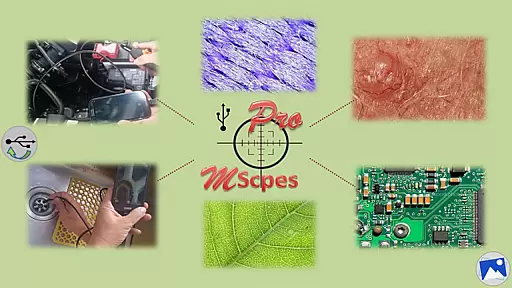
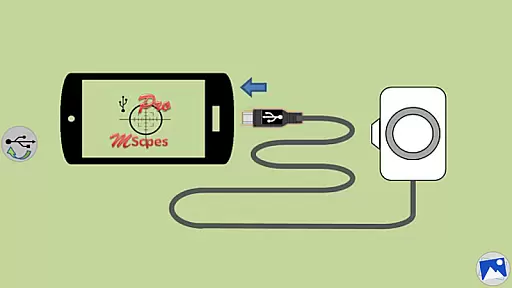
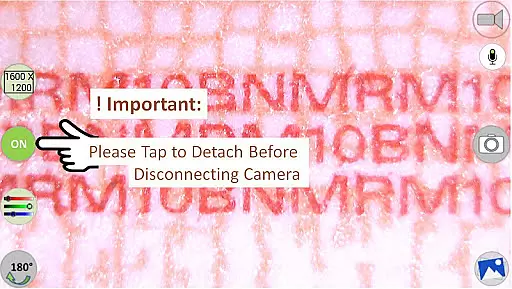
MScopesPro for USB Camera is a versatile application designed to enhance the functionality of USB video class cameras when connected to Android devices. This app allows users to view, capture images, and record videos from digital microscopes, endoscopes, borescopes, camcorders, or webcams via USB connection. For devices with type-A connectors, an OTG adapter is necessary to bridge the connection with smartphones or tablets.
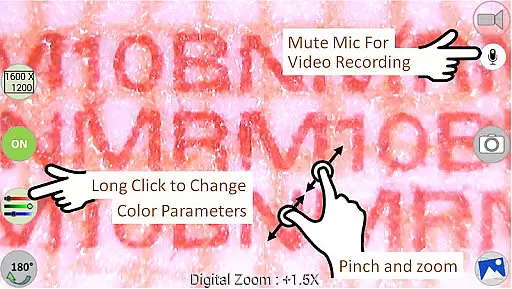
The Pro version offers advanced features such as full-screen mode, zoom and pan capabilities, multiple image types, date and time stamping, customizable notes, cross-hair options, watermark-free captures, pinch-to-zoom, resolution selections, and adjustable color parameters. These functionalities make it ideal for professionals requiring detailed microscopic or internal inspections in various fields like research, maintenance, and diagnostics.
With its portability and flexibility, MScopesPro transforms microscopy and endoscopy into mobile experiences, significantly enhancing convenience and efficiency in observing intricate objects or inaccessible areas.
MScopesPro stands out with its comprehensive set of features tailored for USB camera users. The app supports both JPEG and PNG image formats, providing flexibility in capturing high-quality visuals. Users can add date and time stamps directly onto their previews and captured images, ensuring accurate documentation.
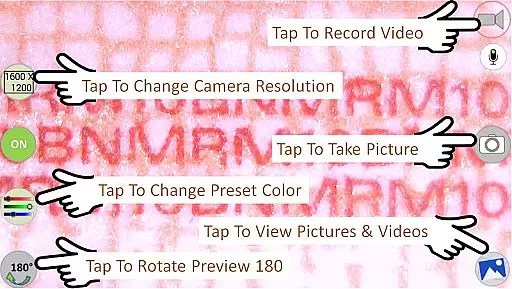
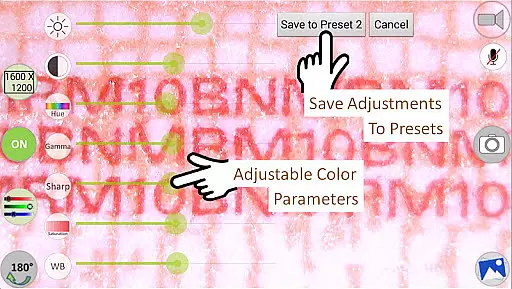
One of the key highlights is the ability to adjust color parameters including brightness, contrast, hue, gamma, sharpness, saturation, and white balance. These settings can be saved into three presets, allowing quick access to preferred configurations. Additionally, the app offers multiple preview sizes ranging from 640x480 to 1600x1200, catering to different viewing preferences.
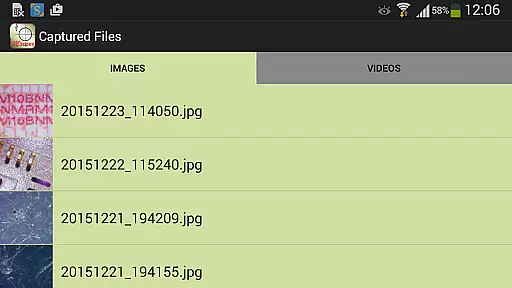
Other notable features include options to turn the microphone on or off during video recording, buttons for sharing and editing images, and swipe navigation for viewing media files. These robust capabilities ensure that users have complete control over their imaging and recording processes, making MScopesPro a powerful tool for professional use.
Video format compatibility is a crucial feature for any video player or editor, ensuring that users can work with a wide range of video files without conversion hassles. MScopesPro supports multiple video resolutions including 640x480, 800x600, 1280x720, and 1600x1200, catering to various user needs from standard definition to high definition video processing.
The application facilitates extensive format support by leveraging libraries such as the Independent JPEG Group's work, libusb, and libuvc, alongside contributions from saki t_saki@serenegiant.com. This technological foundation allows MScopesPro to handle both jpeg and png image types, providing flexibility in capturing stills alongside video recording.
For professionals and hobbyists using USB video class cameras, this compatibility ensures seamless integration with digital microscopes, endoscopes, borescopes, camcorders, or webcams. The ability to select camera resolutions and adjust color parameters like brightness, contrast, hue, gamma, sharpness, saturation, and white balance further enhances the video capture experience.
AI-powered editing features represent the cutting edge of video editing technology, enabling users to enhance their videos with minimal effort. MScopesPro incorporates advanced functionalities such as full-screen mode, offering a 100% preview without obstructive buttons, and intuitive zoom and pan controls using one or two fingers on the preview screen.
Additional AI-driven tools include options to add date and time stamps, customizable notes, and cross-hairs on previews, which are invaluable for professional documentation and analysis. These features collectively contribute to a watermark-free, high-quality video output that meets the demands of meticulous users.
Moreover, the app provides adjustable color parameters and the ability to save these settings into three presets, streamlining the editing process. With dedicated buttons for sharing, editing, and deleting images and videos, along with the option to turn the microphone on or off during video recording, MScopesPro delivers a comprehensive suite of AI-enhanced editing capabilities.
User-friendly interface
High-quality image capture
Customizable color settings
Multiple preview resolutions
Comprehensive feature set
Limited device compatibility
No support for Android 5.1.1
Requires OTG adapter
Premium pricing
Complex setup process

Powerful, professional, versatile teleprompter. Developed by an active film crew
 4.00
4.00
?100% FREE! Download & save videos? safely in this app. All formats supported.
4.60
Video Trimmer, Video to MP3 Converter. Extract music from video, Easy & Fast.
4.80
Stream high quality video from your camera over NDI protocol
4.3
Powerful HD video player with support for all formats & subtitles.
4.3
Live TV, anywhere in your home
3.80
AirMirror Receiver - Screen mirroring/cast web videos to Android TV by AirPlay.
4.40
Livestream, news, & gaming content. Watch, chat, and upload. Join Rumble today!
3.80
Screen recorder with audio to take live videos & Screenshot in high quality!
4.70
Fast & easy HD video downloader for all formats, support 4K playback & download.
4.60
Search & download videos from net with all video downloader, auto-detect & safe.
4.60
Fast video downloader & private browser. Save HD clips to watch offline.
4.40
Full HD Video mp3 Player, MP4 player play 1080p, File manager, Video Downloader
4.40
Movie maker & video editing app with AI effects and green screen
4.30
Video Downloader is an utility that can save videos and music from web sites
4.20
Web Browser for LG TV to stream webvideos, online movies and livestreams in HD
4.20
Your media, on your terms.
4.10
Save photos and videos from social apps in one tap.
3.60
Connect EasyCap or UVC devices for recording and broadcast video/audio stream
3.60


User Reviews