
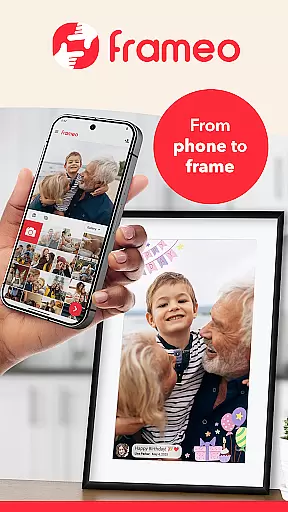
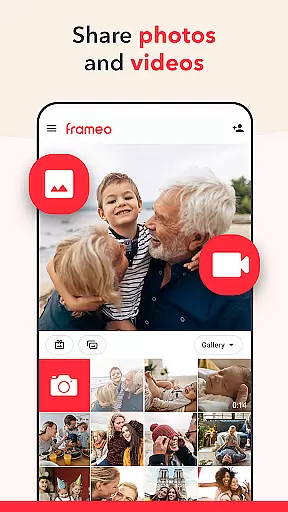
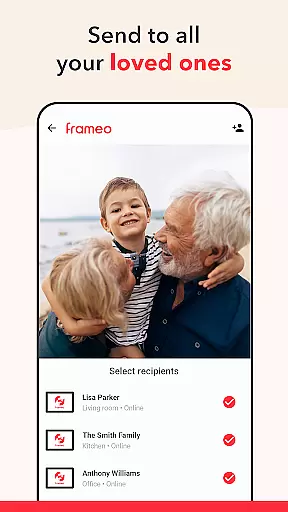

Frameo is a dedicated photography app that allows users to instantly share photos and videos with WiFi digital photo frames. It serves as a seamless bridge between your mobile device and Frameo's smart frames, enabling real-time sharing of life's moments. Whether you're on vacation or want loved ones to experience special occasions, this app ensures your memories are shared effortlessly.
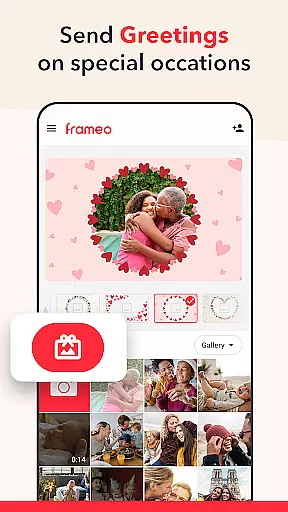
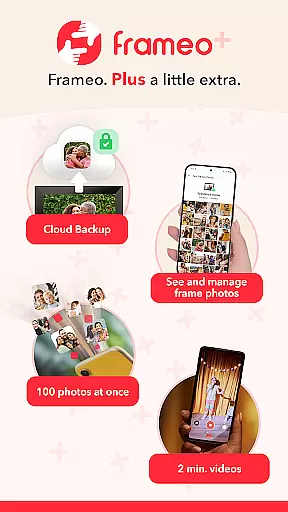
The app supports sending multiple photos and short video clips, adding captions, and even decorating images with themed graphics for special occasions. With end-to-end encryption, your data remains secure while being shared across the globe. Additionally, Frameo+ offers premium features like cloud backup, managing frame content remotely, and sending up to 100 photos at once.
Frameo stands out with its unique ability to connect users to WiFi-enabled digital frames, allowing them to send media directly from their smartphones. You can send up to 10 photos at once in the free version, while Frameo+ subscribers can send up to 100 photos. Video sharing is also supported, with a 15-second limit in the free version and up to 2-minute videos for premium users.
Other notable features include instant notifications when frame owners interact with your content, Google Cast support for viewing frame photos on a TV, and the ability to manage or hide photos remotely. The app also provides creative tools such as captions and graphical themes for holidays or celebrations, making shared photos more meaningful. All data is protected by end-to-end encryption, ensuring privacy and security.
Real-time capture and preview functionality is essential for ensuring that users can instantly see the photos or videos they wish to share. Frameo excels in this area by allowing users to send images directly from their smartphones to connected digital photo frames with just a few taps.
The app ensures that media appears on the recipient's frame within seconds, providing an immediate and gratifying sharing experience. This real-time feature enables users to share spontaneous moments as they happen, enhancing the sense of connection with loved ones who may not be physically present.
Furthermore, Frameo supports not only photos but also short video clips, giving users flexibility in how they choose to communicate their experiences. The ability to add captions and thematic greetings adds another layer of personalization, making each shared moment more meaningful.
While Frameo does not explicitly market itself as having AI beauty and enhancement features, its core functionalities contribute significantly to the natural presentation of photos and videos. By focusing on delivering high-quality images and maintaining their integrity during transmission, Frameo ensures that shared memories look their best without artificial alterations.
The app emphasizes authenticity over heavy editing, which aligns with the growing preference for genuine and unaltered content. Users can trust that their shared photos and videos will appear as intended, preserving the original emotions and context of each moment captured.
Additionally, Frameo+ offers advanced features such as cloud backup with client-side encryption, ensuring that precious memories are stored safely while maintaining their original quality. This approach prioritizes the longevity and security of user content, reinforcing the value of natural and authentic visual storytelling.
User-friendly interface
Secure photo sharing
Real-time updates
Premium customization
Global connectivity
Limited free features
Subscription required
Device compatibility
Video length limits
Internet dependency

[3DSteroid Pro] is a stereoscopic application for Android.
 4.30
4.30
Perfect photos with body shaping, BG changer and object remover.
3.70
Viewfinder, Light meter, Reciprocity failure time, DOF & Bellows Extension
4.60
Edit like a pro with Hypic. Apply filters, AI effects, & magic touch.
4.40
Turn your phone into a professional camera - full DSLR manual photography
4.30
GCamera allows all GCam features on all phone models! Better photos with GCamera
3.30
Snap photos remotely using your Garmin watch as the camera trigger
4.3
Welcome to ProShot, the most powerful camera app on Android.
4.20
Your Family Calendar + Photos. Manage your Skylight Calendar and Skylight Frame.
4.40
Perfect body tune & face app - photo retouch, makeup, slim body & beautify face.
4.80
AI Photo Editor with 100+ Filters, Effects! Remove BG, Retouch & Photo Enhancer.
4.80
A collection of tools and reference tables for DPs, ACs, DITs and Operators.
4.70
Automatically backup your photos and videos to computer, NAS and Cloud services
4.60
A reflected light meter with spot metering and incident light metering.
4.40
AI portrait generator and polaroid AI selfie, fun AI generated AI photo creator!
4.30
Shooting photos and records video easily and efficient with professional Camera
4.30
Professional photography on your mobile phone
4.20
What celebrity do you look like? Celebs will find your celebrity match!
4.10
HD Photo gallery and photo manager to edit, hide private photos, videos & albums
4.1


User Reviews