
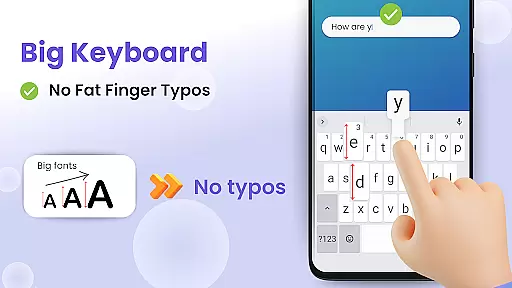
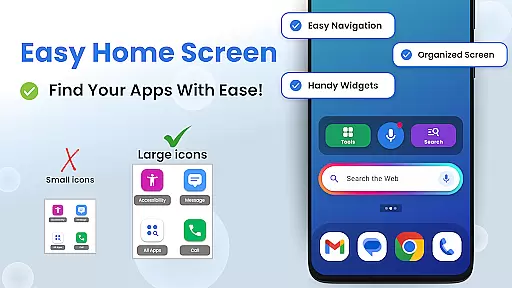
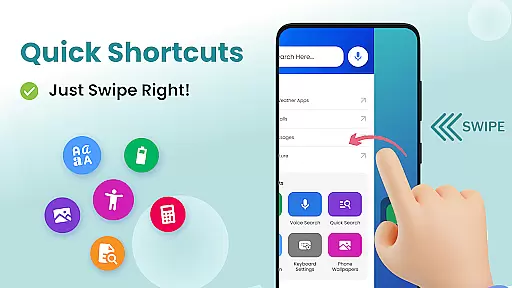

Big Keyboard is a personalization app designed to enhance your smartphone experience through an intuitive home screen layout and practical tools. The app features a new home screen design with quick-swipe shortcuts, making it easier to access frequently used functions like calling and messaging. Its standout feature is the enlarged keyboard, which can be up to 70% larger than the standard keyboard, significantly reducing typos and improving typing efficiency.
In addition to its big keyboard, the app offers hands-free voice assistance powered by Yahoo for smarter searches, as well as a magnifier tool that helps users read small text in challenging environments such as dimly lit restaurants. With customizable wallpapers and easy access to display settings, Big Keyboard allows users to personalize their devices while maintaining comfort and accessibility. These features collectively make the app a comprehensive solution for those seeking both functionality and ease of use on their smartphones.
Big Keyboard stands out with its array of innovative features tailored to improve user interaction with their devices. One of the key highlights is the new home screen experience, which boasts an intuitive design and quick shortcuts accessible with a simple swipe. This eliminates the need to navigate through multiple menus to find essential functions, streamlining daily tasks. Additionally, the app's big keyboard not only reduces typos but also adapts to individual preferences, allowing users to adjust its size during setup or anytime thereafter.
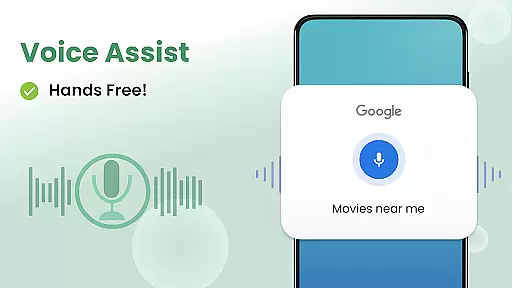
The hands-free voice assist feature enables users to perform searches without needing to type, leveraging Yahoo's powerful search capabilities. For those moments when reading small print becomes difficult, the built-in magnifier and flashlight tools prove invaluable. Users can hover their phone over text and illuminate it if necessary. Furthermore, the app provides free wallpaper options, enabling personalization of device backgrounds. By combining these practical tools with aesthetic customization, Big Keyboard ensures a balanced approach to both utility and enjoyment.
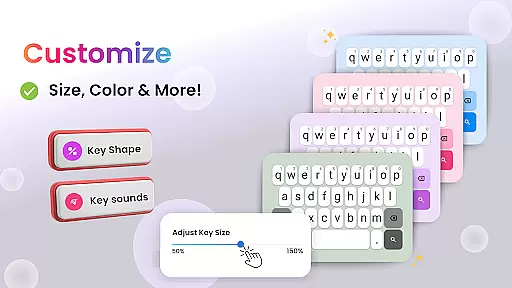
Customization is at the heart of personalizing your smartphone experience, and Big Keyboard offers a range of options to tailor your device to your preferences. With features like an intuitive home screen layout and quick-swipe shortcuts, this app ensures that your most-used tools are always within reach. The ability to personalize doesn't stop there; it extends to adjustable keyboard sizes, which can be set up to 70% larger than the default, allowing for comfortable typing without the strain.
Beyond the functional aspects, Big Keyboard also provides aesthetic customization through built-in free wallpaper options. This means you can refresh the look of your phone anytime you want, aligning it with your personal style or mood. Coupled with easy access to display and accessibility settings, users have comprehensive control over both the form and function of their device's interface.
The inclusion of helpful tools such as a magnifier and flashlight further demonstrates the app's commitment to offering diverse customization options. These utilities not only enhance convenience but also empower users by making their smartphones more adaptable to various environments and situations. Whether itu2019s reading small text in dim lighting or finding items in low visibility, Big Keyboard has you covered.
Ultimately, the variety of customization options available in Big Keyboard contributes significantly to user satisfaction. By putting the power to modify and enhance their phone's operation and appearance directly into the hands of users, Big Keyboard fosters a sense of ownership and comfort. This leads to an engaging, personalized smartphone experience that feels truly unique to each individual user.
Theme compatibility is essential for ensuring that all visual elements of a smartphone interface work together harmoniously. Big Keyboard excels in this area by providing a seamless integration between its custom home screen experience and various themes. Users can enjoy an aesthetically pleasing environment without worrying about mismatched colors or inconsistent design language across different parts of their device.
The app supports theme changes while maintaining optimal usability, thanks to its carefully designed layout. Regardless of whether you prefer light themes during the day or dark themes at night, Big Keyboard adapts effortlessly, preserving readability and ease of use. This flexibility allows users to switch themes based on their current needs or preferences without compromising on functionality.
In addition to supporting standard theme options, Big Keyboard enhances theme compatibility with fun wallpapers that let users express themselves creatively. This feature complements any chosen theme, adding another layer of personal touch to the overall look and feel of the device. As a result, users can achieve a cohesive and satisfying visual experience that reflects their personality.
By prioritizing theme compatibility, Big Keyboard ensures that every aspect of the user interface remains visually appealing and functionally sound. This attention to detail not only improves the aesthetic value but also reinforces the practicality of the app, making daily interactions with the smartphone more enjoyable and less cumbersome. Thus, users benefit from a balanced blend of style and substance in their digital lives.
User-friendly interface
Customizable keyboard size
Voice-assisted search
Magnifier and flashlight tools
Free customizable wallpapers
Limited advanced features
Potential performance issues
Ads may be present
Occasional bugs reported
Design might feel basic

Capture moments that pass like a storm, second by second.
 4.0
4.0
Sparkle your screen with Glitter Wallpapers For Girls and Cute Backgrounds!
4.80
Bring adorable pets to life on your screen. Playful, interactive and full of fun
4.60
Dark icon pack based on One 8
4.80
Customize glowing edges, wallpapers, and caller screen with EdgeAura.
3.50
Choose your keyboard with RGB colors effect, themes, fonts, emojis.
4.60
Stylish Pink Cute Hippo keyboard with 10000+ customized keyboard themes!
4.60
350+ widgets with a premium glass-style finish, perfect for home & lock screens.
4.70
Transform your phone with stylish zipper lock themes and 4D live wallpaper
4.10
Gun Chase - Let the chase begin.
4.80
300+ Stunning and well-designed widgets inspired by NOTHING.
4.70
Add cute Shimeji pets to screen, interact with them and relax with cute motions
4.60
Customize your home screen with stunning themes, blur, widgets & icons.
4.60
Ninja Turtles Cowabunga SE watch face for Wear OS
4.50
Turn text & photos into stunning AI videos, art, and creative visual stories.
4.50
Color phone with cool effects for call screen, flash alert & ringtones music
4.50
Yandex Browser — stylish and secure, with voice search and data compression
4.40
Design your screen with unique, vibrant clocks
3.80
Your go to Weather App & Home Screen. Get your weather at a swipe of a finger!
3.80


User Reviews