
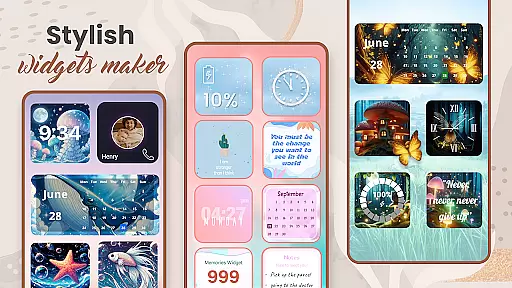
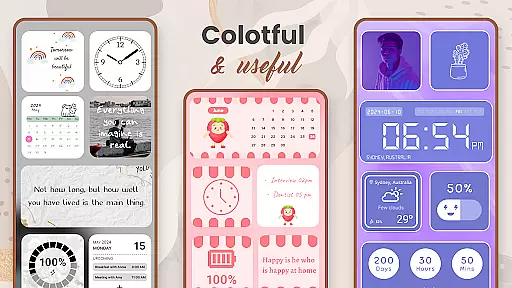
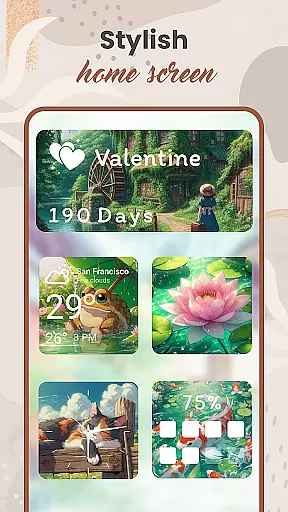
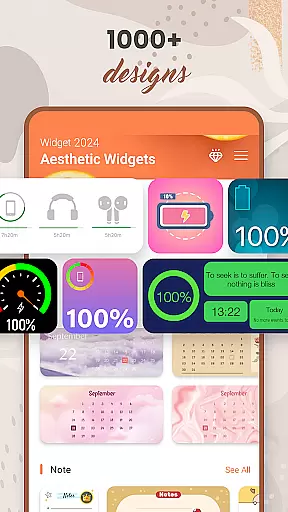
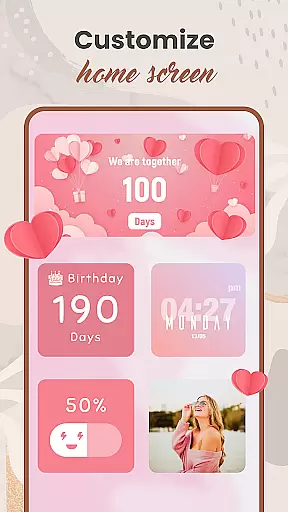
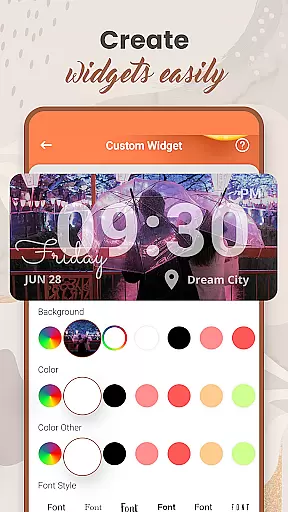
Widget 2025 is a powerful personalization app designed to transform your Android home screen with aesthetic widgets. This app offers an extensive range of customization options, including color widget maker, photo widgets, weather and clock styles, calendar, countdowns, and more.
The application stands out through its user-friendly interface that allows users to easily create fancy widgets for Android devices. With over 1000 styles to choose from, you can customize colors, fonts, backgrounds, and add multiple photo widgets on the home screen. Whether you need daily quotes, contact information, or battery status displayed, Widget 2025 caters to all these needs.
By using Widget 2025, users can significantly enhance their device's appearance and functionality. The ability to personalize screens not only makes your phone look unique but also improves accessibility to frequently used features, making it an essential tool for those looking to optimize their Android experience.
Widget 2025 boasts an impressive array of features that cater to various customization needs. One key feature is the Color Widget Maker, which allows users to design beautiful, personalized widgets that match their style. The app provides over 1000 photo widget options, enabling users to display favorite images directly on their home screen.
In addition to visual enhancements, the app includes practical tools like weather updates, clock styles, calendar views, countdown timers, note-taking capabilities, and battery indicators. Each feature is fully customizable through an intuitive interface where users can adjust colors, fonts, styles, and backgrounds according to their preferences.
What sets Widget 2025 apart is its powerful widget editor that suits every need. Users can effortlessly add, edit, and arrange multiple widgets on their screen, creating a personalized layout that enhances both aesthetics and functionality. These comprehensive customization options make Widget 2025 a standout choice in the personalization category.
Customization is at the heart of Widget 2025, offering users an extensive array of options to personalize their Android devices. With over 1000 aesthetic widgets available, users can choose from a vast selection of styles, colors, fonts, and backgrounds to match their unique preferences.
The app's powerful customization interface makes it easy for anyone to create fancy widgets that suit their needs. Whether you're looking to add photo widgets on your home screen or integrate functional widgets like weather updates, calendar reminders, or countdowns, Widget 2025 provides all the tools necessary to craft a personalized experience.
Users benefit from the ability to fully customize their device screens with minimal effort. The intuitive widget editor allows for adjustments in style and functionality, ensuring that each widget not only looks great but also serves a practical purpose, enhancing both aesthetics and usability.
Widget 2025 ensures seamless theme compatibility across various Android devices, allowing users to apply their custom designs without worrying about inconsistencies. This app supports a wide range of themes, ensuring that whether you prefer minimalist designs or vibrant, colorful layouts, your widgets will always appear as intended.
The app's dedication to visual consistency means that every element, from color schemes to font choices, integrates smoothly with your chosen theme. Users can switch between different themes effortlessly, knowing that their carefully crafted widgets will maintain their appearance and functionality regardless of the underlying design.
This level of compatibility enhances user satisfaction by providing peace of mind. Knowing that their personalized settings are preserved across updates and theme changes, users can focus on enjoying a beautifully customized device that reflects their personal style without technical hindrances.
User-friendly interface
Extensive customization options
Variety of practical widgets
High-quality design templates
Regular updates and improvements
May overwhelm new users
Some features require premium purchase
Occasional performance issues
Limited iOS compatibility
Ads in free version

Prank your friends with realistic broken screen and cracked HD effects!
 4.1
4.1
Unique Android Launcher
4.60
Interactive Miniature Painting Catalogue
3.30
Try creating your own keyboard with "Keyboard theme for android" app now!
4.50
100+ Stylish Fonts, Emojis, Symbols keyboard for Instagram & TikTok!
4.80
App Icon Changer & Shortcut Creator. Customize your icons without any watermarks
4.30 4.10
4.10
Choose your keyboard with RGB colors effect, themes, fonts, emojis.
4.60
350+ widgets with a premium glass-style finish, perfect for home & lock screens.
4.70
300+ Stunning and well-designed widgets inspired by NOTHING.
4.70
Make your phone look simple & luxury, like iDevice
4.60
Over 28,000 high quality icons to bring color & homogeneity to your phone.
4.60
Ultra realistic gold analog watch face with lots of customization options.
4.50
Customizable screen pets that play, climb, and keep you company.
4.50
Turn text & photos into stunning AI videos, art, and creative visual stories.
4.50
Vibrant Adaptive Icons with Material You and Enhanced Monet Colors.
4.50
Design your screen with unique, vibrant clocks
3.80
⭐ OneUI inspired Fluffy Icon Pack – Soft. Stylish. Standout. ⭐
4.3
Custom edge gestures for volume control, brightness, apps, and shortcuts.
4.2


User Reviews