
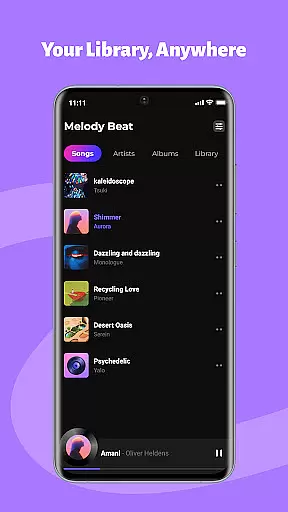
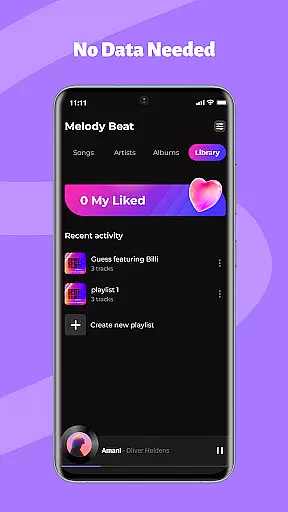
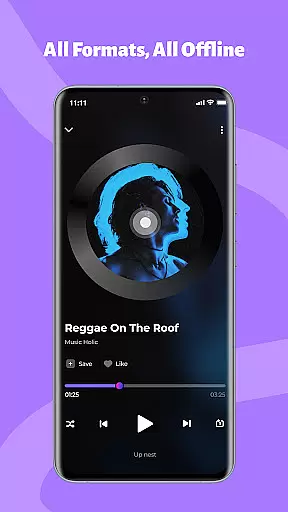
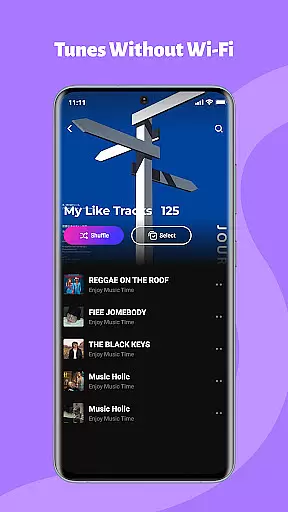
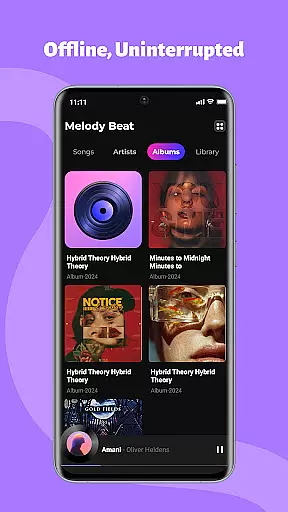
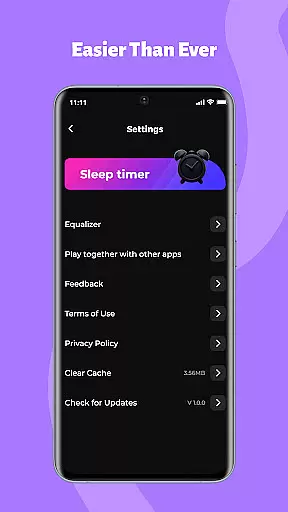
Melody Beat is a premium offline music player designed for audiophiles who value quality and control. This application supports over 30 audio formats including MP3, FLAC, and WAV, ensuring lossless playback without the need for file conversion. Its smart library management system automatically organizes music by artist, album, genre, or folder, while offering seamless offline lyrics support.
Users can customize their listening experience with advanced sound controls like a professional equalizer, bass boost, and pre-set modes tailored for different music genres. The app provides uninterrupted background and lockscreen playback, making it perfect for workouts, commutes, or travel. With its privacy-first approach, all music files remain locally stored, ensuring complete user control without any cloud tracking or subscriptions.
Melody Beat stands out with its universal format support, accommodating over 30 audio formats without compromising on quality. The app's smart library management feature uses advanced algorithms to categorize music collections efficiently, enabling quick filtering and easy navigation. Its equalizer offers multiple customization options, including bass boost and virtualizer settings, with specialized modes for genres like Pop, Rock, Jazz, and Classical.
The app ensures uninterrupted playback through essential permissions like FOREGROUND_SERVICE_MEDIA_PLAYBACK, allowing users to manage music directly from their lock screen or notification bar. Designed with privacy in mind, Melody Beat guarantees a secure, ad-free experience by storing all files locally and avoiding data tracking. Regular updates bring new features and performance improvements, ensuring an ever-evolving, high-quality music experience.
When it comes to music applications, the size and authenticity of the music library are crucial factors. Melody Beat offers an extensive offline music experience by supporting over 30 audio formats including MP3, FLAC, WAV, and AAC without the need for conversion. This ensures that users have access to a vast array of music in its original quality.
The application's smart library management automatically organizes your music collection by artist, album, genre, or folder, making it easy to find exactly what you're looking for. With quick filters and included lyrics support, even without an internet connection, Melody Beat guarantees that your music is not only accessible but also authentic and well-organized.
For travelers, gym enthusiasts, daily commuters, and privacy-conscious users alike, having a comprehensive local music library means uninterrupted playback tailored to individual preferences and scenarios. Melody Beat's commitment to a privacy-first design ensures that all files remain stored locally, with no cloud storage or data tracking, reinforcing the authenticity and personal ownership of your music collection.
Audio quality is paramount for any music lover, and Melody Beat excels in delivering pristine sound through various customization options. The app features a professional equalizer accompanied by bass boost and virtualizer functions, allowing users to personalize their listening experience according to their preferences.
With pre-set modes for genres such as Pop, Rock, Jazz, and Classical, listeners can enjoy optimized sound profiles that enhance the nuances of every track. These settings ensure that whether you're unwinding with smooth jazz or pumping up with energetic rock, the audio output remains rich and immersive.
Melody Beat's dedication to high-quality playback is further demonstrated by its support for lossless audio formats. Users can indulge in superior sound fidelity during workouts, commutes, or while relaxing at home. By providing these advanced audio controls within an intuitive interface, Melody Beat caters to audiophiles seeking exceptional sound quality without compromise.
Supports 30+ formats
Lossless audio quality
Smart library organization
Advanced equalizer
Privacy-first design
No streaming service
Limited social features
Offline-only mode
Basic UI design
No cloud backup

10-Band Audio Equalizer, Sound / Bass Booster for Spotify Users & Music Players
 4.40
4.40
Time Trainer: accurate metronome w tools to help you develop your internal time!
4.20
Permanently backup Now Playing. Maps, filters & listening stats.
4.00
Music Streaming suite for Ampache, Nextcloud Music and compatible backends.
4.0
Learn to play the piano using falling notes!
3.80
Help you quickly get started with Shokz headphones
4.40
Master Salsa Rhythm quickly and with a lot of fun!
4.30
MilkDrop for Android TV
3.00
Ringtone Maker is free app create ringtone from music files or your recording.
4.40
Brian Eno and Peter Chilvers’ acclaimed music app Bloom, radically reinvented.
4.80
Offline Music Player & MP3 Player.Powerful equalizer, Lyrics, Themes, Tag Editor
4.80
Listen radio AM / FM Stations. Live AM / FM Radio App Station. Radio Com.
4.70
Fun & Easy Voice Changer – Record, Edit & Add Hilarious Effects!
4.50
Formerly known as Spotistats! View your top tracks, artists, albums and more!
4.40
Manage your Sonos system directly from your home-screen!
4.40
No wifi music app. Mp3 offline. Tuner radio, young radio music. Music downloader
4.20
VB-AUDIO Software / VBAN-Receptor allows listening to any VBAN Streams
4.10
The iconic iOS metronome app is now on Android.
3.70
The Cubase remote control app
3.60


User Reviews