
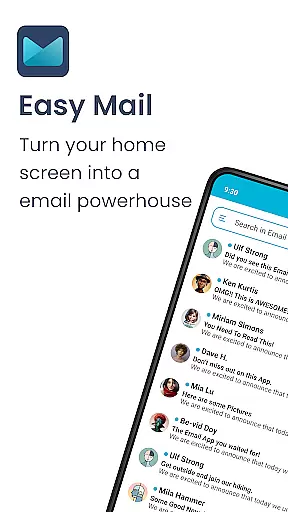
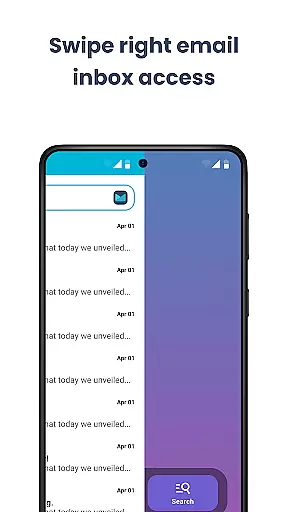
Easy Mail is a productivity-focused email launcher that simplifies your daily communication by bringing emails directly to your homescreen. Designed for users who want to streamline their email management, this app offers an intuitive interface with a clutter-free design. The average person spends over two hours managing emails—Easy Mail reduces this time by providing quick access and essential tools right where you need them.
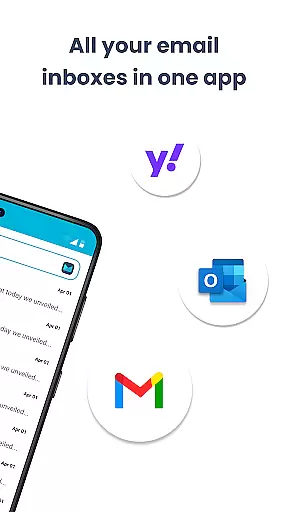
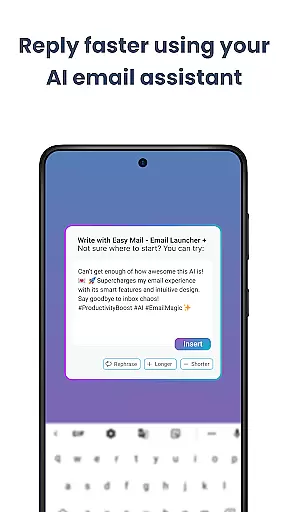
The app supports unlimited email accounts from providers like Gmail, Outlook, and Yahoo, offering both unified inbox functionality and individual account separation. With AI-powered assistance, composing and refining emails becomes effortless while maintaining your personal tone. Its privacy-first approach ensures all email data remains local, giving you peace of mind. Easy Mail combines essential launcher features with focused email management, making it the ideal solution for those seeking efficiency in their digital routines.
Easy Mail stands out with its comprehensive feature set tailored for efficient email handling. The app's homescreen is meticulously designed around productivity, presenting a clean interface that prioritizes your emails above all else. This minimalist approach eliminates distractions, allowing you to focus on what matters most—your communication.
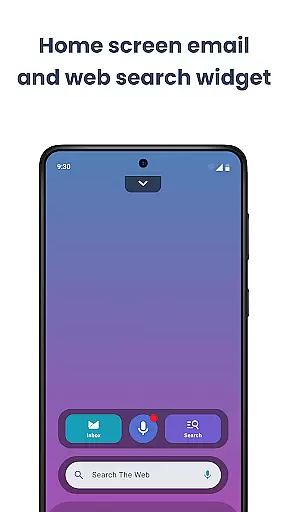
One of the standout features is the support for unlimited email accounts across various providers. Whether you use Gmail, Outlook, or other services, Easy Mail consolidates everything into a single, easy-to-navigate inbox. The AI Email Assistance tool revolutionizes how you write emails by helping you rephrase, shorten, or polish your messages instantly. Additionally, the integrated web search function powered by Yahoo Search provides quick access to information without leaving your email environment.
Privacy and security are paramount, with Easy Mail ensuring that your data stays local and unread by any third party. Launcher essentials such as an organized homescreen, app drawer, widget support, and trending content further enhance usability. These features collectively create a seamless experience that not only manages your emails efficiently but also integrates smoothly with your overall device usage.
Customization is at the heart of Easy Mail, offering users a versatile way to tailor their email experience. With a clean homescreen built around productivity, it allows for an organized and clutter-free interface that focuses on what matters most - your emails.
The app supports unlimited email accounts from various providers like Gmail, Outlook, and Yahoo, which can be managed in a unified inbox or viewed separately. This flexibility ensures that whether you're handling personal or work emails, you can organize them in a way that suits your workflow best.
Easy Mail also includes AI Email Assistance, which helps refine your writing by rephrasing, shortening, or polishing emails while maintaining your natural tone. This feature adds another layer of customization, catering to those who wish to maintain professionalism without spending too much time crafting messages.
Theme compatibility in Easy Mail ensures that users can enjoy a visually consistent experience across their devices. The launcher is designed not only for functionality but also for aesthetic pleasure, allowing users to choose themes that resonate with their personal style.
While using Easy Mail, individuals have access to an organized homescreen, quick email inbox, app drawer, widget support, and trending content. These elements are integrated seamlessly, providing a cohesive look and feel that enhances the overall user experience.
Moreover, Easy Mail respects user privacy with its 'Privacy First' approach, ensuring all email data remains local and secure. This commitment to security extends to theme customization, where users can be assured that their personalized settings won't compromise their data's safety.
User-friendly interface
Unified inbox view
AI-powered assistance
Privacy-focused design
Integrated web search
Limited customization
No advanced filters
Occasional sync issues
Fewer widgets
Basic themes

Glass style colourful icons with a One UI look and feel
 4.60
4.60
Dark icon pack based on One 8
4.80
Wallpaper HD 4K Live - Thousands of high-quality Anime backgrounds for you.
4.80
App Icon Changer & Shortcut Creator. Customize your icons without any watermarks
4.30
Color phone with cool effects for call screen, flash alert & ringtones music
4.50
Launcher OS™ Pro without ads help make your phone simple and pretty
4.30
Yandex Browser — stylish and secure, with voice search and data compression
4.40
300+ widgets inspired by Material You and Material 3 expressive design.
4.60
Transform your phone with stunning video wallpapers and a unique, personal touch
3.80
Winter's Journey: digital watch face for Galaxy Watch & Wear OS
4.80
Customizable Glass widgets. Over 360+ stunning widgets and more!
4.70
Classic analogue watch face. For wear os devices.
4.60
A retro cartoon style watch face and a punch right in the face of the copyright
4.60
3D, live, and moving wallpapers & themes in 4K and HD for your device.
4.50 4.50
4.50 4.50
4.50
Unique Fonts, typefaces and stylish text. Fonts for Instagram, Whatsapp & others
4.20
Ultimate widget creator. Design custom widgets for a truly unique home screen!
3.90
Custom edge gestures for volume control, brightness, apps, and shortcuts.
4.4


User Reviews