
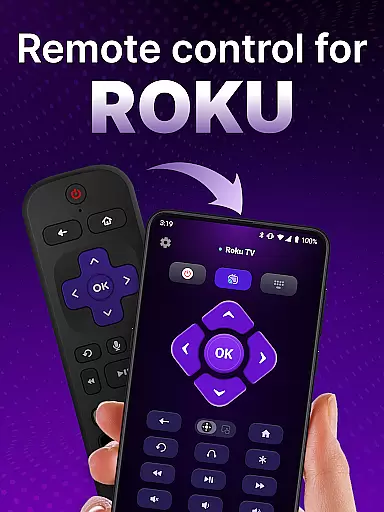
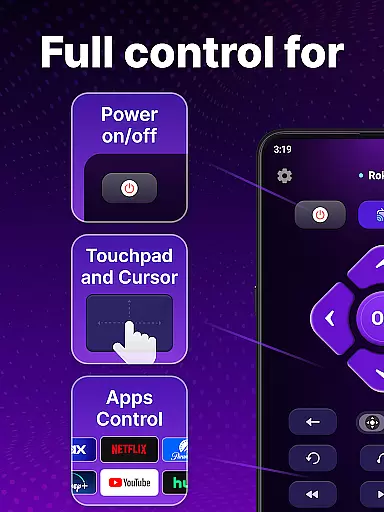
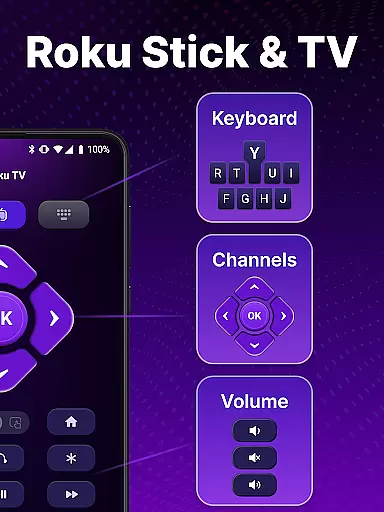
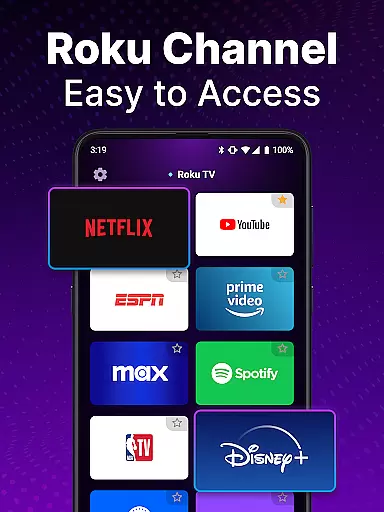
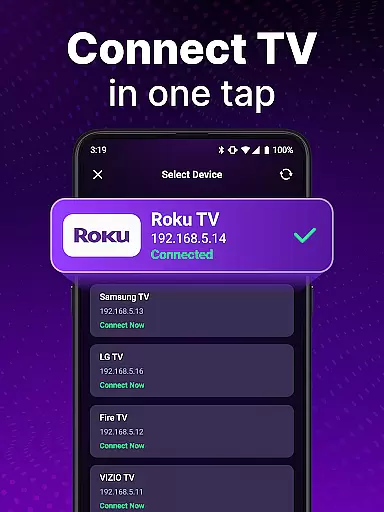
TV Remote control for Roku TV is a universal remote application that allows users to conveniently manage their Roku TV devices directly from their smartphones. The app connects to Roku TVs via the same Wi-Fi network, enabling users to perform essential functions such as turning the TV on/off, adjusting volume, browsing content, launching channels, and more. With features like voice control, keyboard input, and automatic device detection, this app provides a seamless replacement for traditional Roku remotes.
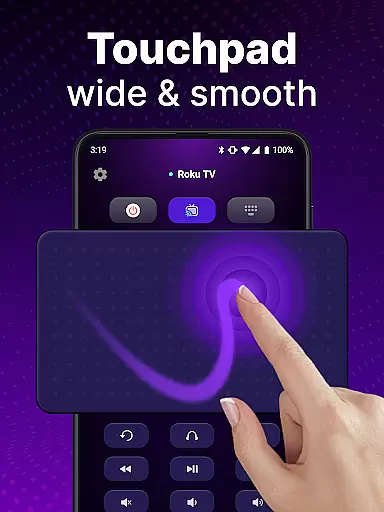
The app's intuitive touchpad navigation and rapid access controls make it easy to operate Roku TVs with smooth scrolling and swiping gestures. Additionally, its hands-free voice search functionality eliminates the need for manual typing, allowing users to quickly find their favorite shows. Whether you're looking to simplify your entertainment experience or replace a lost physical remote, this app offers a reliable and portable solution for controlling Roku TVs.
TV Remote control for Roku TV stands out with its comprehensive feature set designed to enhance user convenience. One of its key highlights is automatic device detection, which identifies Roku TV devices connected to the same Wi-Fi network, streamlining the setup process. This ensures that users can start controlling their TVs almost instantly after installation.
Another notable feature is the app's support for voice commands, enabling hands-free operation. Users can turn their Roku TVs on or off, adjust the volume, and even search for specific shows using simple voice inputs. The inclusion of a virtual keyboard further enhances usability by allowing swift text entry for searches. Moreover, the app replicates all standard remote functionalities, including power management and channel navigation, making it a complete replacement for physical Roku remotes.
By combining portability, ease of use, and advanced capabilities like touchpad navigation and voice control, TV Remote control for Roku TV delivers an innovative way to interact with smart TVs. Its ability to eliminate the frustrations of lost remotes while offering additional functionalities makes it a valuable tool for Roku TV owners.
When it comes to remote control applications, the precision and reliability of core functions are paramount. The TV Remote control for Roku TV app excels in this area by providing users with accurate and effective control over their Roku TV devices. This universal remote app can detect Roku TV devices on the same WiFi network, making setup easy and ensuring that your commands are executed without delay or error.
The app allows you to turn your TV on and off, adjust the volume, browse and stream content, and launch channels with the simplicity of a traditional Roku remote. With features like voice control and keyboard input, users can swiftly search for their favorite shows and execute commands with precision. These capabilities ensure that whether you're navigating through menus or searching for specific content, the actions reflect exactly what you intend, enhancing your overall Roku TV experience.
By offering reliable connectivity and instant access to Roku TV controls, this app ensures that users enjoy an uninterrupted entertainment experience. The convenience of controlling your TV directly from your phone means no more lost remotes and provides a modern solution to managing your home entertainment system efficiently.
A user-friendly interface is crucial for any tool app, and the TV Remote control for Roku TV app delivers an intuitive and straightforward design. Upon opening the app, users are greeted with a clean layout that mirrors the familiar touchpad style of a physical Roku remote. This simplicity makes it easy for anyone to start using the app without a steep learning curve, regardless of their technical expertise.
Navigation within the app is smooth, thanks to its well-designed touchpad functionality which supports effortless scrolling and swiping. Users can also take advantage of the keyboard input feature for quick text entry when searching for shows. Such intuitive design elements contribute to a seamless interaction between the user and the Roku TV, allowing for hands-free control via voice input and eliminating the hassle of manual navigation.
Ultimately, the app's focus on interface simplicity ensures that users can fully leverage all available features without feeling overwhelmed. By stripping away unnecessary complexity, the TV Remote control for Roku TV app offers a streamlined way to manage your entertainment needs, making daily use both enjoyable and efficient.
User-friendly interface
Voice command support
Automatic device detection
Swift keyboard input
Comprehensive remote functions
Requires Wi-Fi connection
Not officially affiliated with Roku
Limited to Roku devices
Potential connectivity issues
No physical buttons

 4.50
4.50
Head tracking for PC sim games such as MSFS 2024 or Elite:Dangerous. No headset!
4.50
HD Video player and downloader for all formats, fast & smooth 4K video playback.
4.60
Clean the junk files on your device
3.40
Carry a FTP server in your pocket and avoid USB cables for file transfer
4.20
Smart and comfortable browsing experience.
3.80
Unleash gamepad precision for ultimate mobile gaming dominance.
3.90
Making emulation easy for everyone!
4.30
Automate everything from settings to photos, SMS to speech. ADC2 prize winner.
4.10
Remote Play with FSR upscaling, low latency & full controller support
4.80
Unit and currency converter with easy and simple UI.
4.80
The Ultimate Flex Drivers Utility App - Convenient Tapping & Block Filters
4.70
Just swipe the edge to do something!
4.40
Mirror your screen to Fire TV - Super fast and simple
4.40
Clean up large files and similar photos, fast and easy to use
4.40
Quickly check the frequency of the Earth
4.30
Quickly & easily calculate the spacing of handrail balusters
4.20
Safely recover deleted photos, videos, and files with a single easy tap.
3.70
card-reader app
2.20


User Reviews