
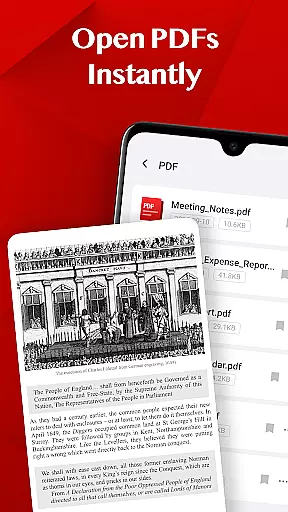
Turbo PDF is a streamlined PDF reader tailored for Android devices, offering both phones and tablets an efficient way to handle PDF documents. With its user-friendly interface, the app allows users to instantly open and read PDF files while providing essential tools for document organization.
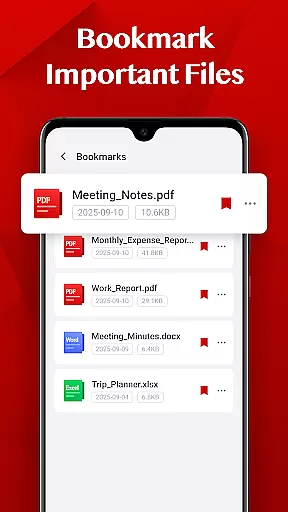
The app's standout features include smooth scrolling and zooming capabilities, easy file management options, and bookmark functionality for important documents. Turbo PDF is particularly useful for business professionals who need quick access to PDFs on the go, ensuring that all necessary documents are organized and readily available.
By focusing on simplicity and performance, Turbo PDF delivers significant value to users who require a reliable solution for managing their PDF files without unnecessary complexity or resource-heavy processes.
Turbo PDF stands out with its practical feature set designed to enhance the PDF reading and management experience. The app provides instant access to PDF files stored on your device, eliminating loading times and allowing users to start reading immediately.
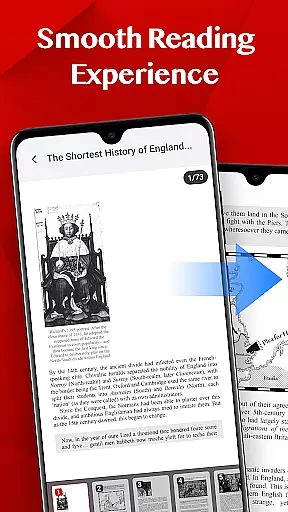
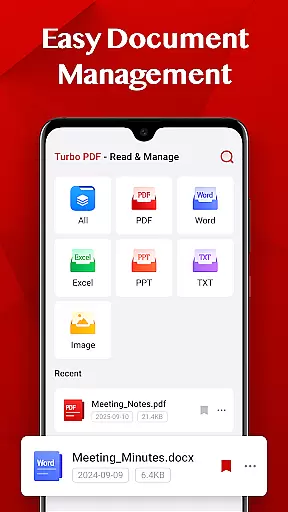
A key highlight is the app's smooth navigation system, which includes responsive page scrolling, precise zoom controls, and intuitive page transitions. These features ensure a seamless reading experience even with large documents. Additionally, Turbo PDF offers essential document management tools such as file sharing, deletion, and bookmarking, enabling users to maintain an organized library of PDFs.
The inclusion of Android's MANAGE_EXTERNAL_STORAGE permission (required for Android 11 and above) further enhances the app's utility by granting secure access to PDF files across the device. This permission ensures that users can manage their documents effectively without compromising on security or privacy.
In today's fast-paced business environment, the ability to collaborate effectively is crucial. Turbo PDF offers essential features that support team collaboration directly within your PDF documents. With its intuitive interface, users can easily share PDF files with colleagues and teammates, ensuring everyone has access to the necessary information.
The application allows for seamless document sharing, which means teams can quickly distribute reports, contracts, or any other important materials without hassle. This ensures that all team members are on the same page, literally and figuratively, enhancing overall productivity.
Moreover, Turbo PDF provides tools for organizing files efficiently. Users can delete unnecessary documents or bookmark key files, making it easier to manage shared resources. These capabilities ensure that collaborative efforts remain streamlined and efficient, saving valuable time when working on group projects.
By integrating these collaborative work features, Turbo PDF not only simplifies document management but also fosters a more cohesive work environment where information flows smoothly between team members.
Effective task management is vital for maintaining productivity in any business setting. Turbo PDF incorporates several features that aid in managing tasks related to document handling. Its smooth reading experience, characterized by fluid scrolling and responsive page navigation, allows users to swiftly go through PDFs, making it easier to complete tasks that involve reviewing or editing documents.
One of the standout aspects of Turbo PDF is its bookmarking feature. Users can mark important files, creating quick access points for future reference. This functionality is particularly useful for task management as it helps prioritize documents that require attention, ensuring critical tasks are not overlooked.
Additionally, the easy document management system enables users to keep their workspace organized. By allowing users to share or delete files, Turbo PDF ensures that task-related documents are always up-to-date and relevant. This reduces clutter and minimizes the risk of working on outdated materials.
Overall, Turbo PDF enhances task management by providing tools that make document handling more efficient, enabling users to focus on their core responsibilities without getting bogged down by disorganized files.
Lightweight design
Fast PDF loading
Smooth navigation
Easy file management
Bookmark functionality
Limited advanced tools
No cloud integration
Basic UI design
Few customization options
Permission required for storage

The revolutionary flexible staffing platform
 4.40
4.40
BuildCalc - the easiest AND the most advanced construction calculator app.
4.80
Earn free swag, G-Cards & food • Enter sweepstakes • Find stores • So much more.
4.70
viewing and sharing PDFs and other files—anytime, anywhere!
4.3
Get instant construction estimates: accurate home repair & material calculator.
4.70
Use Generative Summary to understand your rental or insurance docs in seconds.
4.70
All your team communication in one place
4.70
Access to Paylocity, empowering employees with information they need 24/7.
4.70
We help people get jobs
4.70
Create curriculum vitae, a professional cover letter creator and resume designer
4.80
Employee Management Made Easy
4.80
Find the right fit, faster.
4.70
No more passwords, easier sign-in, and greater protection for your accounts.
4.60
Manage work life on the go
4.50
Deliver and earn money
4.30
Build a store in minutes with our full suite of AI tools. Start for free!
4.20
VSD Viewer - Visio Drawings Viewer for Android Preview VSD, VDX, VSDX drawings
4.10
Shop, deliver, and earn with the Spark Driver™ App
4.10
Access All PDF Files
3.40


User Reviews