
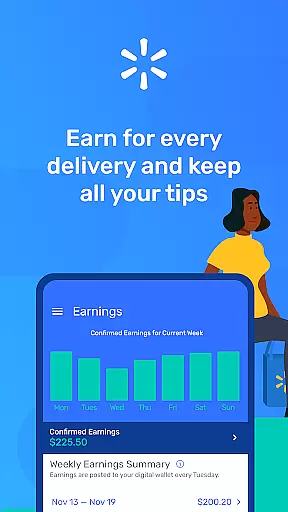
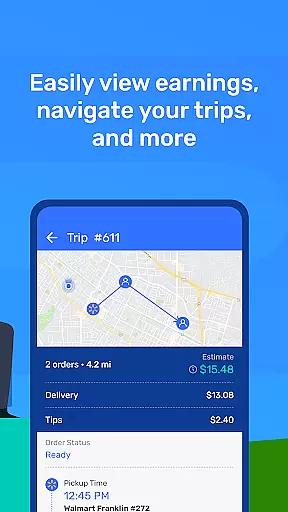
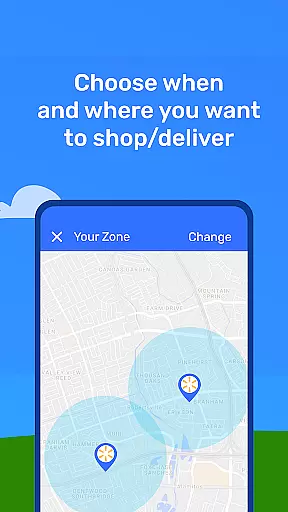
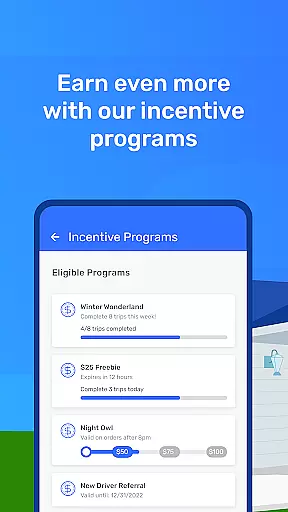

Spark Driver is a business-oriented mobile application designed for individuals who want to earn money by delivering orders or shopping and delivering for Walmart and other businesses. The app provides an easy-to-use platform that allows users to work as independent contractors, offering flexibility in their schedules. With just a car, smartphone, and insurance, users can enroll in the program and start receiving notifications when their local zone has availability. Once approved, they gain access to the Spark Driver app, which guides them through each step of the delivery process.
The app's core functionality revolves around enabling users to shop and deliver orders efficiently. It includes features like navigation assistance to stores, item-finding help during shopping trips, and delivery location guidance. This comprehensive support system ensures that drivers can complete their tasks smoothly while maximizing their earning potential through incentives and referral offers.
Spark Driver stands out with its robust set of features tailored for efficient order fulfillment. One key feature is the app's ability to notify users when there are available delivery slots in their local area. This real-time update system ensures that drivers can maximize their working hours and earnings. Additionally, the app provides detailed instructions and navigation aids, making it easier for drivers to locate stores and specific items within those stores.
Another significant aspect is the financial incentive structure. Drivers earn money each time they complete a shopping or delivery order, and they retain 100% of customer tips. The app also supports various incentive programs and referral bonuses, providing additional revenue streams. These features collectively enhance user engagement and satisfaction by ensuring that drivers have all the tools needed to succeed financially while maintaining flexibility in their work schedules.
In the context of delivery and shopping applications like Spark Driver, collaborative work features are essential for seamless coordination between different users. These features allow drivers and shoppers to communicate effectively, ensuring timely deliveries and accurate order fulfillment.
Spark Driver incorporates various tools that facilitate smooth collaboration. The app provides real-time updates and notifications, keeping all parties informed about order statuses, changes in delivery locations, or any special instructions from customers. This ensures that everyone involved is on the same page, reducing errors and enhancing customer satisfaction.
For independent contractors using Spark Driver, these collaborative features translate into tangible benefits. They can optimize their schedules by receiving instant alerts when new orders are available, thus maximizing their earning potential. Additionally, clear communication channels within the app help resolve any issues quickly, making each assignment more efficient and less stressful.
The value of robust collaborative work features cannot be overstated. By fostering better teamwork and streamlining operations, Spark Driver empowers its users to focus on what they do bestu2014delivering exceptional service while enjoying flexible working conditions.
Effective task management is crucial for delivery and shopping apps such as Spark Driver. It involves organizing, prioritizing, and tracking tasks to ensure that every order is completed efficiently and accurately. Proper task management not only enhances productivity but also improves user experience by providing clear guidance throughout the process.
Spark Driver excels in task management by offering intuitive tools designed to assist drivers and shoppers at every step. From the moment an order is accepted, the app provides detailed navigation to stores, itemized shopping lists, and precise delivery instructions. Users can easily track their progress, ensuring that no detail is overlooked during the shopping or delivery process.
For those utilizing Spark Driver, effective task management means greater control over their workflow. The ability to see upcoming tasks, manage current assignments, and review past jobs allows users to plan their day efficiently. This level of organization leads to increased job satisfaction and higher earnings due to reduced downtime and improved performance.
Ultimately, Spark Driver's comprehensive task management system sets it apart from other similar applications. By equipping users with powerful tools to manage their responsibilities, the app supports a more productive and rewarding experience for independent contractors seeking flexibility and financial growth.
User-friendly interface
Flexible working hours
Lucrative earning opportunities
Comprehensive support system
Real-time notifications
Background check required
Limited to certain regions
Potential income variability
Dependent on customer tips
Insurance necessity

viewing and sharing of PDFs
 3.60
3.60
Completed Course Lectures on how to use IBM Maximo in Maintenance issues
4.0
BuildCalc - the easiest AND the most advanced construction calculator app.
4.80
The MyWalmart App is available for all associates in stores.
4.70
Your employer must have UKG Ready software configured for Mobile.
4.60
viewing and sharing PDFs and other files—anytime, anywhere!
4.5
Take the stress out of storage with the all-in-one app to manage your space.
3.70
Recover what matters — quickly and easily.
4.70
Earn money with the driver & delivery partner app for Uber, UberEats & Postmates
4.60
TurboScan turns your phone into a full-featured PDF document scanner.
4.80
Employee Management Made Easy
4.80
Permission Guard is a security app that helps you manage app permissions.
4.80
USPS Mobile®Access USPS.com’s most popular tools on-the-go.
4.70
Make invoices, bills, receipts & estimates on the go with Invoice Generator.
4.70
We help people get jobs
4.70
Earn crypto with secure cloud mining. Monitor, track & withdraw easily
4.40
All Your Gig Work. One App.
4.30
A secure, all-in-one team collaboration app
4.30
On the go? Take FedEx with you.
4.00


User Reviews