
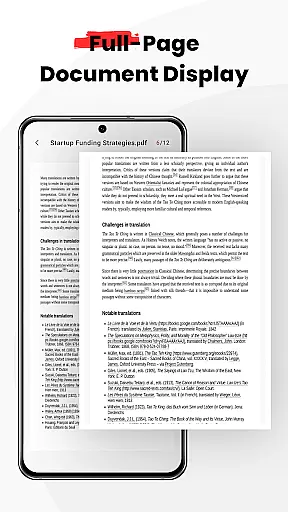
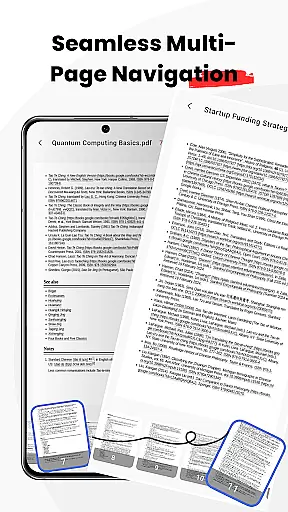
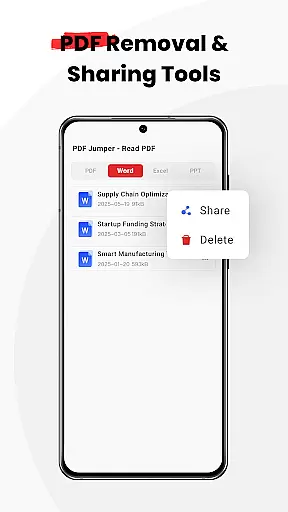
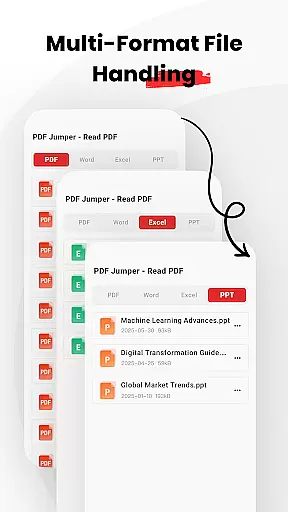
PDF Jumper is a versatile PDF reader designed for seamless document viewing and sharing across all devices. It offers instant access to PDFs stored on your device, supporting multiple formats including PDF, DOC, PPT, and Excel. With intuitive swipe controls for smooth navigation and smart sharing options, users can effortlessly manage their documents. The app also provides full file management capabilities, allowing users to organize, share, or delete files directly within the app. Whether you're a student, professional, or casual reader, PDF Jumper enhances your document handling experience with its powerful yet user-friendly features.
This application is particularly beneficial for business professionals who need quick and reliable access to important documents while on the go. Its universal compatibility ensures that no matter the file type, you can view and share it without hassle. Experience next-level document handling with PDF Jumper and take your PDF reading anywhere.
PDF Jumper stands out with its comprehensive feature set tailored for efficient document management. One of its key features is the instant access capability, which allows users to open and read PDFs stored on their device within seconds. This is complemented by universal compatibility, supporting various formats such as PDF, DOC, PPT, and Excel, making it a one-stop solution for all document needs.
The app also boasts smooth navigation through intuitive swipe controls, providing an effortless page-turning experience. Additionally, the smart sharing functionality enables users to quickly send documents to colleagues or friends in any supported format. With full file management capabilities, users can organize, share, or delete documents directly within the app, streamlining their workflow and enhancing productivity.
PDF Jumper offers robust collaborative work features that are essential for modern business environments. The ability to share documents in various formats allows teams to exchange information seamlessly.
The app's universal compatibility with multiple document types, including PDF, DOC, PPT, and Excel, ensures that all team members can access files regardless of their device or operating system. This flexibility promotes efficient teamwork and minimizes compatibility issues.
With smart sharing functionalities, users can quickly send documents to colleagues or friends. This feature not only speeds up communication but also maintains the integrity of the original file format during transfers.
Additionally, full file management capabilities enable users to organize, share, or delete documents directly within the app. These tools collectively enhance productivity and streamline document handling processes across teams.
Effective task management is crucial for maintaining productivity, and PDF Jumper excels in this area by providing comprehensive document organization tools. Users can easily manage their files, ensuring that important documents are always accessible.
The app's instant access feature allows users to open and read PDFs stored on their device within seconds. This rapid retrieval capability ensures that users can quickly find and work on necessary documents without delays.
Smooth navigation through intuitive swipe controls makes flipping through pages effortless. This user-friendly interface reduces the time spent on document handling and increases focus on actual tasks.
Moreover, the requirement for all file permissions supports extensive document management functions. These include organizing files into categories, setting priorities, and tracking progress u2013 all vital components of successful task management.
User-friendly interface
Multi-format support
Intuitive navigation
Smart sharing options
Full file management
Requires many permissions
Limited advanced tools
No cloud integration
Basic design
Occasional bugs

Ask Accio anything about business. Alibaba-backed, built by experts, not just AI
 4.60
4.60
Measure distances, surfaces and draw plans in seconds with CamToPlan!
4.40
Simple, Fast & Lightweight
3.90
Find work, shifts and gigs near you. Jobs lasting a few hours to a few months.
4.30
Use Generative Summary to understand your rental or insurance docs in seconds.
4.70
Grow your business and connect with more people with Meta Business Suite.
4.60
We are a dynamic team of creatives people of design, marketing, web & apps
3.00
Find jobs near you and temp work in minutes, from your phone.
4.50
Earn money with the driver & delivery partner app for Uber, UberEats & Postmates
4.60
FaxCover - Create fax cover pages. Works with any app or fax machine.
4.90
Employee Management Made Easy
4.80
Earn free swag, G-Cards & food • Enter sweepstakes • Find stores • So much more.
4.70
Find the right fit, faster.
4.70
Make invoices, bills, receipts & estimates on the go with Invoice Generator.
4.70
Your employer must have UKG Ready software configured for Mobile.
4.60
Amazon A to Z is the place to manage your work-life at Amazon.
4.50
The All-in-One File Manager for Phone, TV, Watch, Cars, XR / VR, Chromebook
4.10
Find flexible, hourly jobs hiring near you in restaurant, retail & hospitality!
4.00
Convert Your Lovable.dev Website into a Mobile App Instantly!
4.0


User Reviews