
Connecteam Team Management App is an all-in-one solution designed specifically for managing non-desk employees efficiently. This powerful business application combines essential workforce management tools into a single platform, offering features like employee scheduling, time tracking, internal communication, task management, and employee training.
The app stands out with its user-friendly interface and robust functionality, making it ideal for small to medium-sized businesses across various industries. With Connecteam, managers can easily create work schedules, track employee hours through GPS-enabled time clocks, and maintain seamless communication through live chats and updates. The built-in task management system allows businesses to digitize their processes while the training module ensures employees stay informed and compliant.
This comprehensive approach to workforce management helps businesses improve operational efficiency, enhance employee engagement, and reduce administrative workload. Whether it's streamlining daily operations or facilitating remote onboarding, Connecteam provides practical solutions that deliver real value to modern businesses.
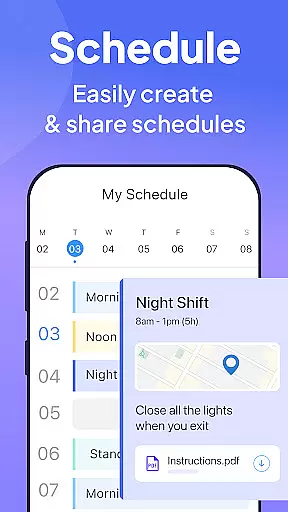
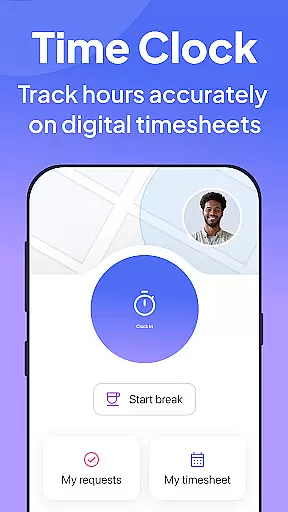
Connecteam offers an impressive array of features that cater to diverse business needs. The app's scheduling tool enables managers to create single, multiple, or team shifts with ease, while providing GPS status updates for better job tracking. Its time clock feature goes beyond basic time tracking by incorporating geofencing technology, automated break calculations, and seamless payroll software integrations.
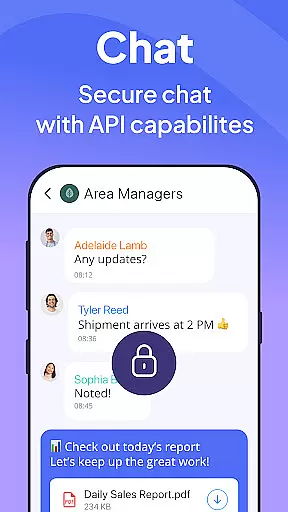
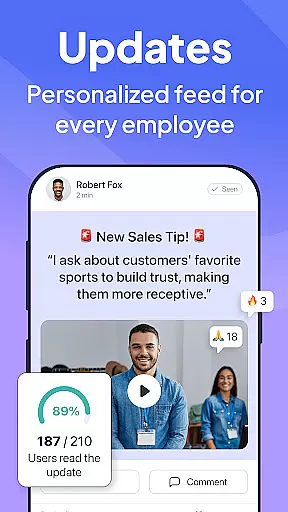
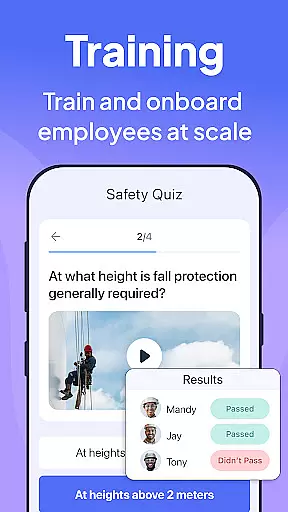
For internal communications, Connecteam provides a robust platform with live chat capabilities, company directories, and interactive posts with comment threads. The task management system revolutionizes traditional workflows by converting manual processes into digital checklists with automated reminders and read confirmation options. Additionally, the employee training module offers professional courses and quizzes that are accessible directly from mobile devices.
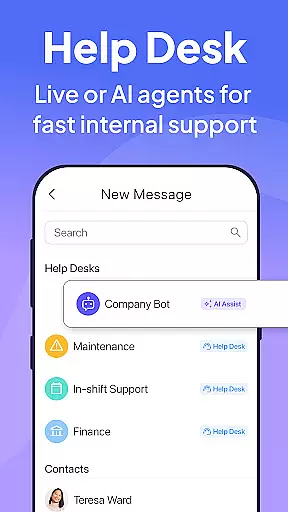
What sets Connecteam apart is its comprehensive approach to business management. From digital employee ID cards with QR functionality to an internal ticketing system that streamlines issue resolution, each feature is designed to address specific pain points in managing non-desk employees. These capabilities collectively contribute to increased productivity, better compliance tracking, and improved overall business performance.
Collaborative work features are essential for businesses to streamline communication and improve team productivity. Connecteam's employee management app excels in this area by offering a comprehensive suite of tools designed specifically for non-desk employees.
The app provides an internal communication platform that simplifies company-wide interactions. With live chat capabilities for both one-on-one and group conversations, employees can stay connected regardless of their location. The directory feature ensures all work contacts are easily accessible, while posts and updates with comments and reactions foster engagement and strengthen company culture.
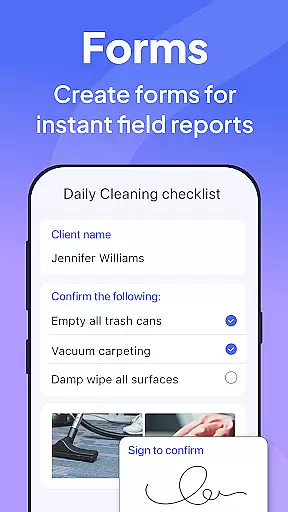
Connecteam also includes task management features that transform traditional pen-and-paper or verbal procedures into fully automated processes. Employees can utilize daily checklists with auto-reminders, online forms, and tasks with read-and-sign options, all accessible from their mobile devices.
This robust collaboration ecosystem enables businesses to maintain operational efficiency and enhance employee connectivity, resulting in improved overall performance and streamlined workflows across the organization.
Effective task management is crucial for maintaining operational efficiency and ensuring compliance in any business setting. Connecteam's employee management app offers a sophisticated solution that transforms traditional manual processes into fully automated systems accessible from anywhere.
The app's task management features include daily checklists with automatic reminders, helping employees stay on top of their responsibilities. These digital checklists eliminate the need for paper-based systems and provide real-time tracking of task completion.
Connecteam enhances on-the-job compliance through advanced checklist functionalities. Users can upload images and report geolocation data directly within tasks, providing valuable context and documentation for each assignment. The system supports online forms and tasks with read-and-sign options, ensuring proper acknowledgment and understanding of procedures.
One of the most significant advantages of Connecteam's task management system is its complete customizability. Businesses can tailor checklists and forms to their specific needs using the live mobile preview feature, creating a truly personalized and efficient workflow management solution that adapts to evolving operational requirements.
User-friendly interface
Comprehensive feature set
Affordable pricing
Excellent customer support
Highly customizable
Limited advanced analytics
Occasional syncing issues
Steep learning curve for some
Basic free version limitations
Mobile-only experience

AI-powered document scanner with auto enhance for perfect PDFs.
 4.60
4.60
Formerly Facebook Ads Manager. Manage and create ads on the go.
4.20
Take the stress out of storage with the all-in-one app to manage your space.
3.70
Master crypto trading with real-time simulations and exciting challenges!
4.50
From Gone to Back Again — In Just a Few Taps
4.50
Smarter career moves start here. AI job alerts, insights & the right tools.
4.20
Ship, Track, Find a Location or Get a Quote with UPS. Anytime. Anywhere.
4.60
The app that lets you deliver with Amazon.
4.50
ADP Mobile Solutions is an employee self service app
4.50
TurboScan turns your phone into a full-featured PDF document scanner.
4.80
All your team communication in one place
4.70
Access to Paylocity, empowering employees with information they need 24/7.
4.70
Make invoices, bills, receipts & estimates on the go with Invoice Generator.
4.70
Ask Accio anything about business. Alibaba-backed, built by experts, not just AI
4.60
Grow your business and connect with more people with Meta Business Suite.
4.60
Measure distances, surfaces and draw plans in seconds with CamToPlan!
4.40
A secure, all-in-one team collaboration app
4.30
Zoom built for Chrome OS
3.90
Roadie connects people with stuff to send with drivers already going that way.
3.50


User Reviews