




Zoom for Chromebook is a comprehensive business communication tool that combines team chat, video meetings, phone capabilities, and collaborative whiteboarding in a single web application. Designed specifically for Chrome OS, this app allows professionals to work seamlessly from anywhere, providing essential communication features optimized for Chromebooks.
The application supports key business functionalities such as one-tap meeting scheduling and joining, AI-powered meeting summaries through AI Companion (with subscription), and virtual whiteboard collaboration. With automatic updates and remote installation options for administrators, Zoom ensures both individual users and IT teams maintain optimal performance and security standards.
This app is particularly valuable for remote teams and hybrid work environments where seamless communication across multiple channels is crucial. The integration of phone capabilities and SMS messaging (with appropriate licensing) makes it a versatile solution for businesses looking to consolidate their communication tools into a single platform.
Zoom for Chromebook offers an impressive array of features tailored for modern business needs. The application's core functionality includes seamless video conferencing with one-tap meeting access, making virtual collaboration more efficient than ever. Users can enhance their professional appearance during meetings with customizable virtual backgrounds.
One of the standout features is the AI Companion, which automatically generates detailed meeting summaries (available with paid subscription). The integrated team chat system supports both internal and external communications through public and private channels. For creative brainstorming sessions, the virtual whiteboard feature provides an interactive space for team collaboration.
Administrators benefit from centralized management capabilities, including remote installation and configuration options. The application automatically updates to ensure users always have access to the latest features and security enhancements. These features collectively create a robust business communication platform that adapts to various organizational needs while maintaining high security and usability standards.
Collaborative work features are essential for modern business applications, enabling teams to work together efficiently regardless of location. Zoom for Chromebook excels in this area by integrating multiple communication tools into a single platform.
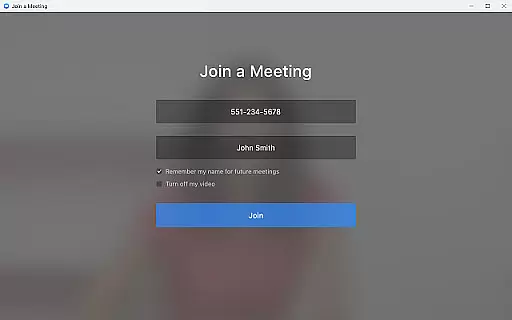
The application allows users to schedule or join video meetings with a single tap, streamlining the collaboration process. Its team chat functionality supports communication in both public and private channels, ensuring that users can interact with colleagues and external contacts seamlessly.
One of the standout collaborative features is the virtual whiteboard, which provides a space for brainstorming sessions and visual collaboration. This tool is particularly valuable for remote teams who need to share ideas and concepts in real-time.
Additionally, the app's automated meeting summaries powered by AI Companion help teams stay organized and focused on key takeaways from discussions. These features collectively enhance productivity and foster effective teamwork across various business scenarios.
Effective task management is crucial for maintaining productivity and meeting deadlines in business environments. Zoom for Chromebook addresses this need through its integrated suite of communication and scheduling tools.
The application enables users to schedule meetings and set up reminders, ensuring that important tasks and appointments are not overlooked. Its intuitive interface allows for easy organization of daily activities, helping professionals manage their time more effectively.
With the ability to place and receive phone calls or send SMS text messages directly from the app, users can maintain consistent communication while managing their tasks. This feature helps streamline workflow and keeps all essential communications in one place.
Furthermore, administrators benefit from remote installation options that allow centralized configuration and security management. This ensures that all team members have access to the necessary tools while maintaining organizational standards and protocols.
User-friendly interface
Seamless integration
Automatic updates
Multi-channel support
Remote management
Paid features locked
ChromeOS specific
Limited AI regions
Subscription costs
Resource intensive

Find flexible, hourly jobs hiring near you in restaurant, retail & hospitality!
 4.00
4.00
The revolutionary flexible staffing platform
4.40
VSD Viewer - Visio Drawings Viewer for Android Preview VSD, VDX, VSDX drawings
4.10
Simple, Fast & Lightweight
3.90
Find work, shifts and gigs near you. Jobs lasting a few hours to a few months.
4.30
Grow your business and connect with more people with Meta Business Suite.
4.60
Access All PDF Files
3.40
Smarter career moves start here. AI job alerts, insights & the right tools.
4.20
The app that lets you deliver with Amazon.
4.50
Create curriculum vitae, a professional cover letter creator and resume designer
4.80
Employee Management Made Easy
4.80
Recover what matters — quickly and easily.
4.70
Use Generative Summary to understand your rental or insurance docs in seconds.
4.70
We help people get jobs
4.70
Chat, meet, and collaborate to achieve more together, all in one place on Teams
4.60
Find jobs near you and temp work in minutes, from your phone.
4.50
A secure, all-in-one team collaboration app
4.30
Get your benefits on-the-go.
3.80
viewing and sharing PDFs and other files—anytime, anywhere!
4.0


User Reviews