
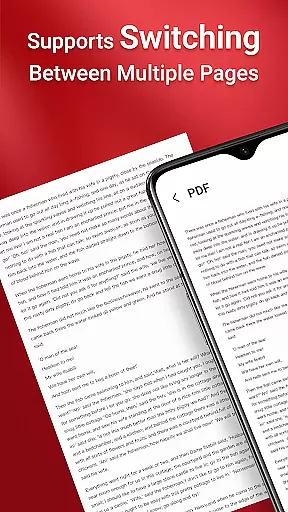
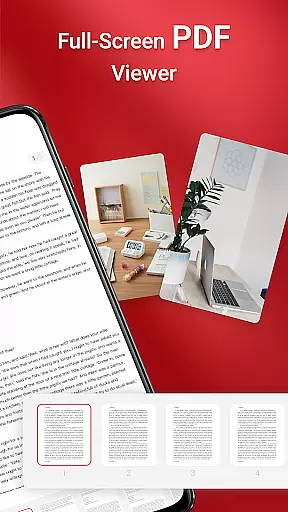
PDF Reader is a robust business application designed for seamless PDF management. It allows users to view, organize, and share PDF files with ease, making it an essential tool for professionals on the go. The app features an intuitive interface that simplifies navigation and ensures quick access to necessary documents.
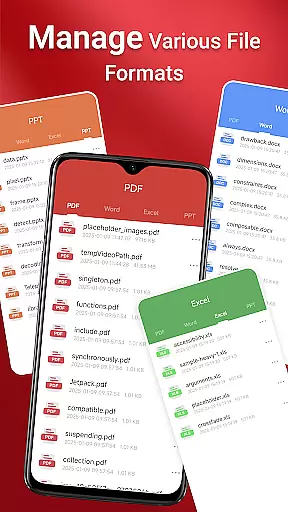
With support for multiple document formats including PDF, Doc, PPT, and Excel, this app stands out as a versatile solution for document handling. Its one-click reading and quick page navigation enhance user experience, while integrated sharing capabilities allow for effortless collaboration. Whether you're managing files on your device or require access across folders, PDF Reader provides reliable performance.
This app is particularly useful for business professionals who need instant access to important documents. By streamlining document management processes, it helps users maintain productivity and efficiency in their workflow. The ability to manage files across various storage locations makes it a valuable asset for modern businesses.
PDF Reader offers a comprehensive set of features tailored for business users. One of its standout capabilities is the one-click PDF reading function, which allows users to open and view documents instantly without any hassle. This feature is complemented by the app's ability to access all PDF files stored on the device, ensuring that no document is out of reach.
The app supports various document types including Doc, PDF, PPT, and Excel, providing a unified platform for managing different file formats. Its quick page navigation feature enables users to move through lengthy documents with ease, enhancing readability and user experience. Additionally, the integrated sharing functionality facilitates collaboration by allowing users to send documents directly from the app.
For Android 11 and later, PDF Reader requires MANAGE_EXTERNAL_STORAGE permission to ensure full access to files across folders and storage locations. This permission enables essential operations such as file preview, multi-file merging, and offline document management. These advanced capabilities make PDF Reader a powerful tool for handling complex document management tasks.
In today's interconnected world, collaborative work features are essential for any business application. PDF Reader understands this need and offers robust solutions to enhance team productivity. The app allows multiple users to access and manage PDF documents seamlessly, ensuring that teams can work together efficiently regardless of their physical location.
One of the standout functionalities is the integrated support for various document types, including Doc, PDF, PPT, and Excel. This ensures that team members can collaborate on different file formats without needing to switch between applications. Quick page navigation further enhances the collaborative experience by allowing users to find specific sections of a document effortlessly, making meetings and collaborative sessions more productive.
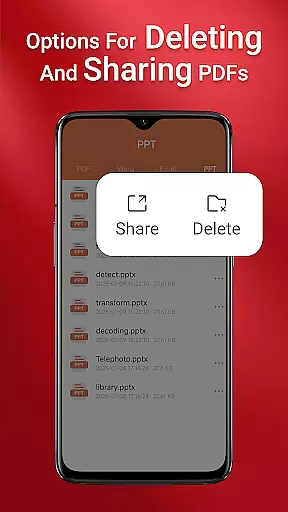
Moreover, the app enables seamless sharing of PDFs with others, which is crucial for collaborative projects. Team members can easily distribute documents for review, feedback, or approval, streamlining workflows and reducing delays. With these features, PDF Reader not only simplifies document management but also significantly boosts the efficiency of collaborative work environments.
Effective task management is pivotal for maintaining productivity in a business setting. PDF Reader incorporates several features that aid in organizing and managing tasks related to document handling. Users can view, manage, and share all their PDF files while on the move, ensuring that important documents are always accessible when needed.
The app's sleek and intuitive interface makes it simple to navigate and locate the PDFs required for specific tasks. One-click PDF reading and quick page navigation allow users to focus more on their tasks rather than struggling with the software. These features ensure that users can quickly access relevant information, aiding in timely decision-making and task completion.
Additionally, the app's ability to access all PDF files on the user's device means that task management is centralized and straightforward. By having all necessary documents in one place, users can prioritize tasks more effectively and avoid the chaos of managing multiple storage locations. This comprehensive approach to task management makes PDF Reader an invaluable tool for businesses aiming to enhance their operational efficiency.
User-friendly interface
Multi-format support
Quick navigation
Integrated sharing
Reliable performance
Permission requirements
Limited free features
Occasional bugs
Storage-intensive
Premium subscription

Ask Accio anything about business. Alibaba-backed, built by experts, not just AI
 4.60
4.60
Measure distances, surfaces and draw plans in seconds with CamToPlan!
4.40
VSD Viewer - Visio Drawings Viewer for Android Preview VSD, VDX, VSDX drawings
4.10
The All-in-One File Manager for Phone, TV, Watch, Cars, XR / VR, Chromebook
4.10
Convert Your Lovable.dev Website into a Mobile App Instantly!
4.2
A secure, all-in-one team collaboration app
4.30
From Gone to Back Again — In Just a Few Taps
4.50
Say hello to the mobile work experience built to help you thrive at work.
4.30
Work happy with AI Companion
4.10
Create curriculum vitae, a professional cover letter creator and resume designer
4.80
BuildCalc - the easiest AND the most advanced construction calculator app.
4.80
TurboScan turns your phone into a full-featured PDF document scanner.
4.80
Earn free swag, G-Cards & food • Enter sweepstakes • Find stores • So much more.
4.70
Paychex Flex - Save Time and Stay Connected
4.60
Grow your business and connect with more people with Meta Business Suite.
4.60
ADP Mobile Solutions is an employee self service app
4.50
All Your Gig Work. One App.
4.30
view, manage, and share every PDF file you have
3.60
We are a dynamic team of creatives people of design, marketing, web & apps
3.00


User Reviews