
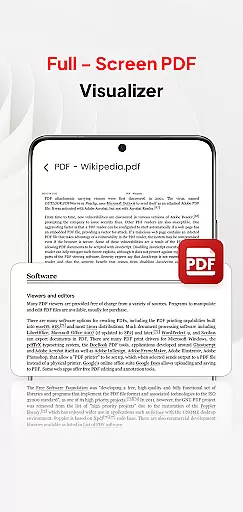
PDF Pro-View PDF is a comprehensive business application designed to streamline PDF management for professionals and casual users alike. This app offers instant access to PDF files with its one-click reading feature, eliminating frustrating wait times. The sleek, intuitive interface ensures smooth navigation through documents, while the complete file accessibility function organizes all your PDFs in one convenient location.
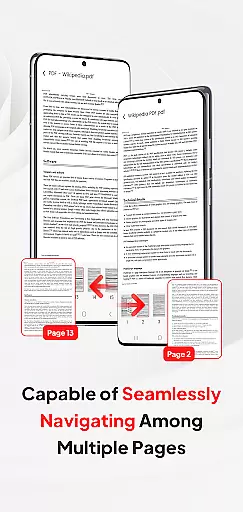
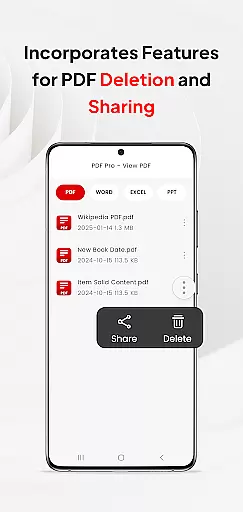
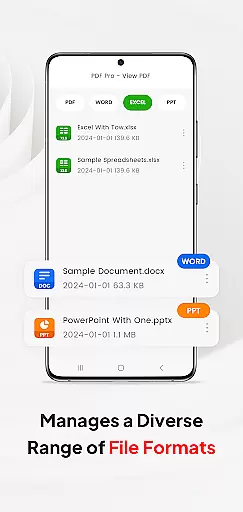
Beyond basic PDF viewing, the app supports multiple document formats including Doc, PPT, and Excel files. This versatility enables users to manage various file types within a single platform. The app's enhanced page navigation system allows for quick document browsing, making it ideal for business presentations and research reviews. Additionally, the built-in sharing functionality facilitates seamless collaboration with colleagues and clients.
Particularly useful for remote workers and frequent travelers, PDF Pro-View PDF ensures you can access and share important documents from anywhere. The app's implementation of Android's MANAGE_EXTERNAL_STORAGE permission (required for Android 11+) guarantees reliable offline access and uninterrupted document management, making it an essential tool for modern business operations.
PDF Pro-View PDF distinguishes itself through several key features that enhance document management efficiency. The Instant PDF Access function allows users to open files with a single click, significantly improving workflow speed. Its Complete File Accessibility system creates a centralized repository for all PDF documents, eliminating the need to search through multiple directories.
The app's Multiple Document Compatibility sets it apart from competitors, supporting not only PDFs but also Word documents, PowerPoint presentations, and Excel spreadsheets. This cross-format support streamlines document management across different file types. The Smooth Page Navigation feature provides rapid page flipping capabilities, crucial for efficient document review during meetings or presentations.
Advanced security measures are implemented through Android's MANAGE_EXTERNAL_STORAGE permission, ensuring safe and reliable access to external storage devices. This feature is particularly valuable for users who need consistent access to documents stored on SD cards or external drives. The app's ability to maintain offline functionality and background management makes it indispensable for professionals who require constant access to their documents regardless of internet connectivity.
In today's interconnected work environments, collaborative work features are essential for seamless teamwork. PDF Pro-View PDF understands this need and offers functionalities that support real-time collaboration.
The application allows multiple users to access and manage PDF documents simultaneously, regardless of their location. This feature is particularly beneficial for distributed teams who need to share information quickly and efficiently.
With its compatibility for various document types including Doc, PPT, and Excel, team members can easily share and delete different file formats within the app. This ensures that all necessary materials are accessible in one organized place.
Furthermore, the app's instant PDF access and smooth page navigation enhance the collaborative experience by reducing waiting times and allowing rapid document review. These capabilities ensure that teams can work together effectively, boosting overall productivity.
Effective task management is crucial for maintaining productivity and meeting deadlines. PDF Pro-View PDF incorporates features that help users organize and prioritize their document-related tasks efficiently.
The app provides complete file accessibility, neatly organizing all PDF files in one place. This eliminates the need to search through multiple directories, saving valuable time when managing tasks.
PDF Pro-View PDF also supports quick page navigation, which is vital for reviewing documents swiftly. Users can flip through pages rapidly, making it easier to locate specific information and complete tasks on time.
Additionally, the app facilitates seamless sharing of PDF files, ensuring that task-related documents can be distributed to relevant parties without delay. This functionality enhances communication and coordination among team members, leading to more effective task management.
User-friendly interface
Multi-format support
Instant file access
Centralized document management
Offline functionality
Requires storage permission
Limited advanced editing
Premium features locked
Occasional lag
Ads in free version

TurboScan turns your phone into a full-featured PDF document scanner.
 4.80
4.80
Windows App allows you to connect to remote PCs and virtual apps.
3.70
viewing and sharing PDFs and other files—anytime, anywhere!
4.2
Start earning fast. Apply Today.
4.80
Find jobs near you and temp work in minutes, from your phone.
4.50
Permission Guard is a security app that helps you manage app permissions.
4.80
Earn money with the driver & delivery partner app for Uber, UberEats & Postmates
4.60
ADP Mobile Solutions is an employee self service app
4.50
Work happy with AI Companion
4.10
GoTo Mobile is a simple & secure calling, messaging & meetings solution
4.80
Find the right fit, faster.
4.70
Paychex Flex - Save Time and Stay Connected
4.60
From Gone to Back Again — In Just a Few Taps
4.50
Say hello to the mobile work experience built to help you thrive at work.
4.30
Scan Business Cards & Conference Badges - Capture Leads at Events & Tradeshows
4.20
Shop, deliver, and earn with the Spark Driver™ App
4.10
Take the stress out of storage with the all-in-one app to manage your space.
3.70
viewing and sharing of PDFs
3.60
Completed Course Lectures on how to use IBM Maximo in Maintenance issues
4.0


User Reviews