
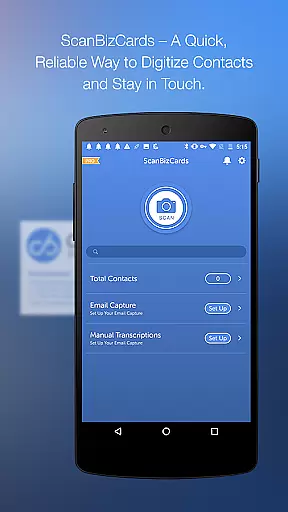
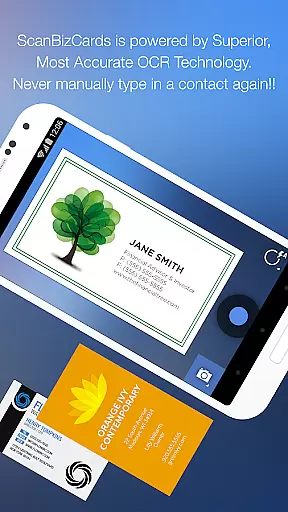
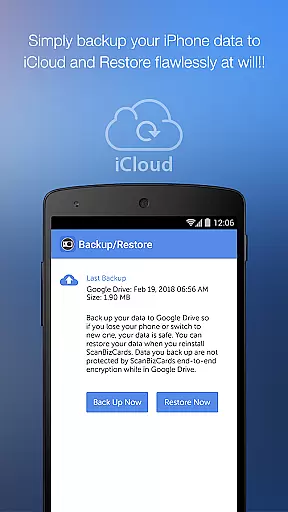
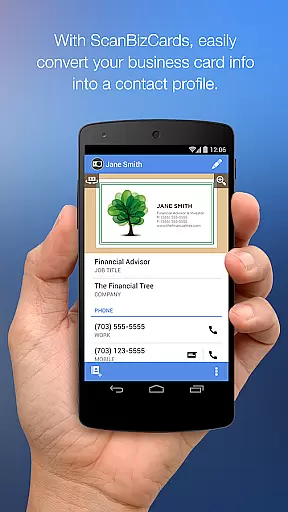
ScanBizCards Premium is a top-tier business card management solution for Android, offering users the ability to digitize and organize their physical business cards with ease. The app features advanced scanning capabilities, including an improved OCR engine that ensures faster and more accurate scans, as well as batch scanning for multiple cards. Users can also leverage human transcription services for 100% accuracy.
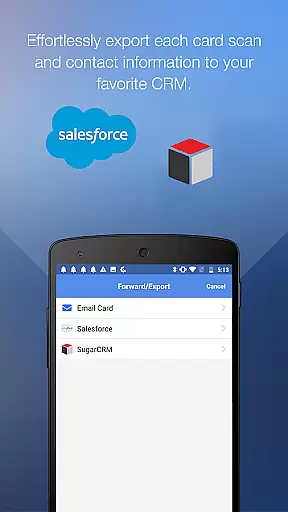
Beyond simple scanning, ScanBizCards integrates seamlessly with popular CRM platforms like Salesforce and SugarCRM, allowing sales professionals to export scanned contacts directly into their customer relationship management systems. With unlimited exports available to Salesforce for users who connect their email accounts, this app streamlines the process of maintaining up-to-date client information. Additionally, its utility at conferences and trade shows makes it an indispensable tool for networking professionals.
One of the standout features of ScanBizCards Premium is its versatility in managing contact information. Not only does it support over 20 languages for scanning, but it also provides options to edit contact details alongside the scanned image, create personal notes, and organize cards using custom folders. This level of customization ensures that users can tailor the app to fit their specific organizational needs.
The app goes beyond basic functionality by providing innovative tools such as Quick Intro emails, which allow users to send their digital business card along with a personalized message and photo. Furthermore, the ability to scan double-sided business cards and utilize a 3D gallery view mode adds another layer of convenience. Integration with email signature capture means new contacts can be automatically added or updated from incoming emails, enhancing productivity and ensuring no valuable connection is missed.
ScanBizCards Premium revolutionizes collaborative work by integrating advanced CRM connectivity options. This business card app allows teams to effortlessly maintain updated contact databases across platforms like Salesforce and SugarCRM.
The app's email signature capture feature enables automatic discovery of new contacts and updates from incoming emails. By connecting their email accounts, users can sync these details directly to their CRM systems, ensuring all team members have access to the latest contact information.
Particularly valuable for sales teams, the unlimited card export feature to Salesforce (exclusive to US users) facilitates seamless lead management. This functionality allows multiple team members to contribute to a centralized customer database without restriction.
Furthermore, the batch scanning capability supports collaborative efforts during conferences and trade shows. Teams can quickly convert stacks of business cards into actionable leads, with all members' scans contributing to a unified CRM record.
ScanBizCards Premium excels in task management through its systematic approach to contact processing. The application breaks down contact management into four clear steps: capturing, scanning, reviewing, and organizing business cards.
Users can efficiently manage their tasks with features like batch scanning, which allows processing multiple cards simultaneously. This function significantly reduces the time required to digitize physical business cards, making contact management more productive.
The app's human transcription service offers 100% accuracy for crucial contacts, while its automated scanning system handles routine cards. This dual approach helps users prioritize their contact management tasks effectively.
Additional task management features include custom folder organization, personal notes for each card, and a comprehensive search function. These tools enable users to maintain an organized and easily accessible digital rolodex while tracking important relationship details.
User-friendly interface
Advanced OCR technology
Seamless CRM integration
Batch scanning capability
Human transcription service
Premium version required for full features
Limited free exports to CRM
Email account connection necessary for some functions
Occasional inaccuracies in OCR
Subscription cost may deter some users

Completed Course Lectures on how to use IBM Maximo in Maintenance issues
 4.4
4.4
The Penny Puss app with DG penny finder
4.10
Create curriculum vitae, a professional cover letter creator and resume designer
4.80
Earn crypto with secure cloud mining. Monitor, track & withdraw easily
4.40
The MyWalmart App is available for all associates in stores.
4.70
Your employer must have UKG Ready software configured for Mobile.
4.60
enjoy effortless PDF reading anytime, anywhere
3.90
USPS Mobile®Access USPS.com’s most popular tools on-the-go.
4.70
Say hello to the mobile work experience built to help you thrive at work.
4.30
Job search app that finds jobs for you! Takes the work out of looking for a job!
4.90
GoTo Mobile is a simple & secure calling, messaging & meetings solution
4.80
Find the right fit, faster.
4.70
Access to Paylocity, empowering employees with information they need 24/7.
4.70
Grow your business and connect with more people with Meta Business Suite.
4.60
ANDROID'S TOP MOBILE OFFICE - Word, Excel, PowerPoint and PDF at your fingertips
4.50
Drive and earn extra money
4.50
Find work, shifts and gigs near you. Jobs lasting a few hours to a few months.
4.30
VSD Viewer - Visio Drawings Viewer for Android Preview VSD, VDX, VSDX drawings
4.10
Zoom built for Chrome OS
3.90


User Reviews