
USPS Mobile® is a comprehensive business application designed to provide users with convenient access to essential postal services on the go. This app serves as a mobile extension of USPS.com®, enabling businesses and individuals to manage their mailing and shipping needs efficiently.
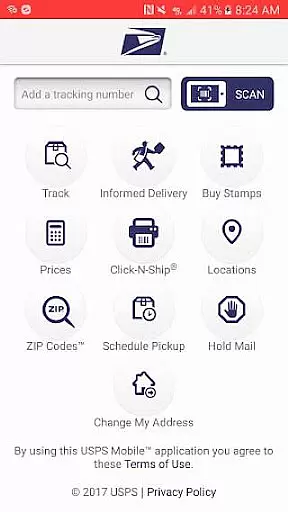
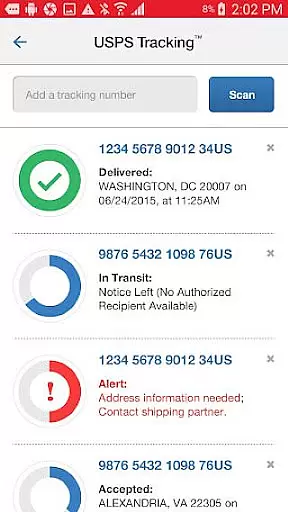
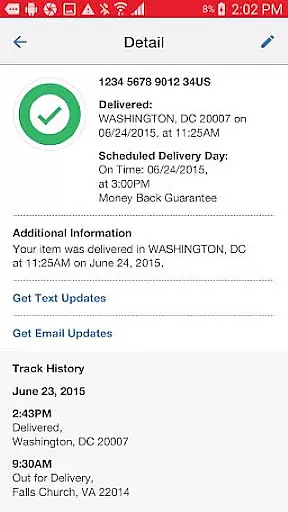
The core functionalities include calculating shipping prices, locating Post Office™ locations, looking up ZIP Codes™, scheduling pickups, and managing mail holds. It also offers advanced features like shipment tracking with customizable nicknames and real-time alerts. The app's compatibility with newer Android devices ensures optimal performance and bug-free usage.
A key use case is for small business owners who need to regularly ship products to customers. They can calculate postage costs, print shipping labels, and schedule carrier pickups without leaving their workplace, significantly streamlining their operations and saving valuable time.
USPS Mobile® distinguishes itself through its extensive feature set tailored for business efficiency. The app's most notable characteristic is its comprehensive shipping management capabilities. Users can track multiple shipments using various delivery services including Priority Mail®, Priority Mail Express®, and Certified Mail®.
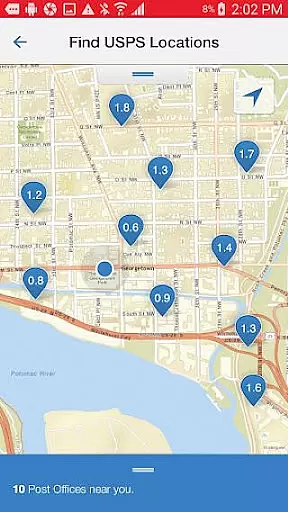
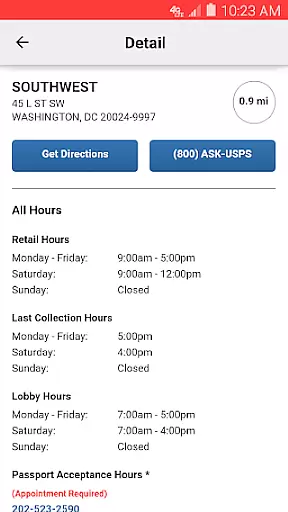
The app implements these features through intuitive interfaces and seamless integration with postal services. For instance, the shipment tracking system allows users to assign nicknames to different packages and receive personalized notifications. The location finder utilizes device GPS to display nearby postal facilities on an interactive map, complete with operating hours and directions.
These features deliver significant value to users by optimizing their postal-related workflows. Business owners can save considerable time through the app's ability to calculate shipping rates, find postal locations, and manage mail services from a single platform. The digital preview of incoming mail through Informed Delivery® represents an innovative approach to mail management, allowing users to view grayscale images of incoming letters.
In the context of business applications, collaborative work features are essential for streamlining communication and enhancing productivity among team members. The USPS Mobileu00ae app incorporates these features by enabling users to nickname their shipments and sign up for text and email alerts. This functionality ensures that all stakeholders are promptly informed about the delivery status of various mail services such as Priority Mailu00ae, Priority Mail Expressu00ae, and Certified Mailu00ae.
By integrating notification systems within its platform, the app facilitates real-time updates which are crucial for businesses that rely on timely deliveries. Users can easily manage their shipment notifications, thus allowing teams to synchronize their efforts without the need for constant manual follow-ups. This feature is particularly beneficial for organizations that operate across different locations, ensuring everyone is aligned with the latest shipping information.
The collaborative elements extend to scheduling free next-day pickups, where users can arrange for their Letter Carrier to collect shipments from their preferred location. This service not only simplifies logistics but also encourages a seamless workflow between remote or multiple offices. As a result, businesses can maintain an uninterrupted chain of operations, optimizing both time management and resource allocation.
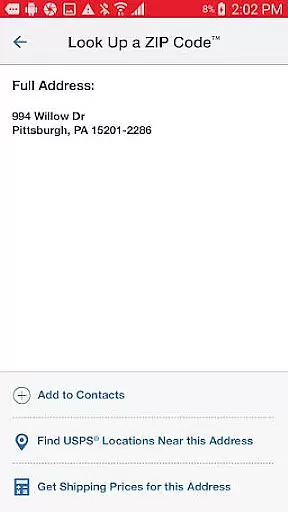
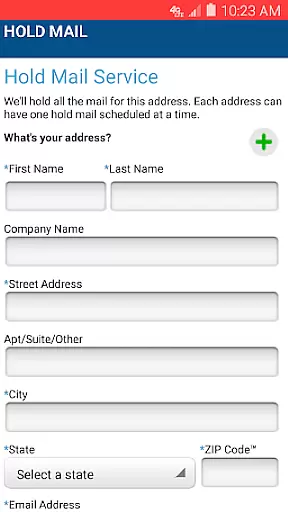
Effective task management is pivotal for any business application aiming to improve operational efficiency. The USPS Mobileu00ae app excels in this area by offering tools that allow users to calculate domestic or international shipping prices, find USPSu00ae locations, look up ZIP Codesu2122, schedule pickups, and request mail holds. These features collectively contribute to a comprehensive task management system that empowers businesses to organize and execute their mailing operations with precision.
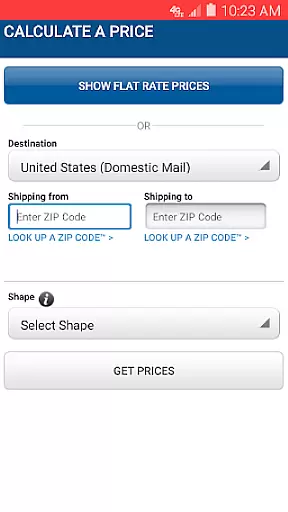
For instance, the ability to calculate shipping costs helps businesses plan their expenses accurately while choosing between retail or online pricing options. Additionally, adding extra services provides flexibility tailored to specific shipping needs, ensuring that each task is completed under optimal conditions. Such detailed planning capabilities are integral to managing complex business processes effectively.
Moreover, the app's locator functionality uses GPS technology to display nearby Post Officeu2122 locations on a map, complete with operational hours and directions. This practical approach to task management saves valuable time when coordinating visits to postal facilities. By consolidating these essential tasks into one accessible platform, the USPS Mobileu00ae app significantly enhances overall business productivity and organization.
User-friendly interface
Comprehensive tracking system
Convenient location finder
Time-saving features
Free to download and use
Limited to USPS services
Requires internet connection
Some features have limitations
Occasional update issues
Android-specific compatibility

GoTo Mobile is a simple & secure calling, messaging & meetings solution
 4.80
4.80
Measure distances, surfaces and draw plans in seconds with CamToPlan!
4.40
Get your benefits on-the-go.
3.80
Amazon A to Z is the place to manage your work-life at Amazon.
4.50
Use Generative Summary to understand your rental or insurance docs in seconds.
4.70
Build a store in minutes with our full suite of AI tools. Start for free!
4.20
view, manage, and share every PDF file you have
3.60
Job search app that finds jobs for you! Takes the work out of looking for a job!
4.90
Make money as a delivery driver with DoorDash and work when you want as a Dasher
4.30
Permission Guard is a security app that helps you manage app permissions.
4.80
All your team communication in one place
4.70
Ask Accio anything about business. Alibaba-backed, built by experts, not just AI
4.60
Manage work life on the go
4.50
The app that lets you deliver with Amazon.
4.50
Deliver and earn money
4.30
FX Plus adds media, networking, and cloud capabilities to FX File Explorer.
4.10
VSD Viewer - Visio Drawings Viewer for Android Preview VSD, VDX, VSDX drawings
4.10
All document reader, pdf viewer app, read docs & excel files
3.80
Take the stress out of storage with the all-in-one app to manage your space.
3.70


User Reviews