
Slack is a comprehensive business communication platform designed to streamline collaboration and enhance productivity. It serves as a centralized hub where teams can seamlessly interact through channels, direct messages, and integrated tools.
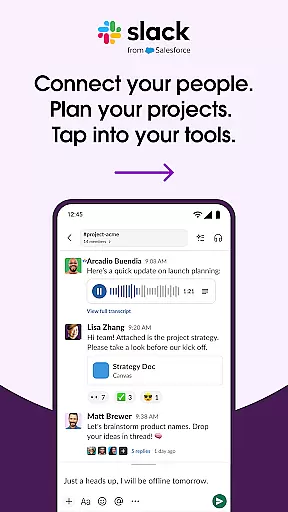
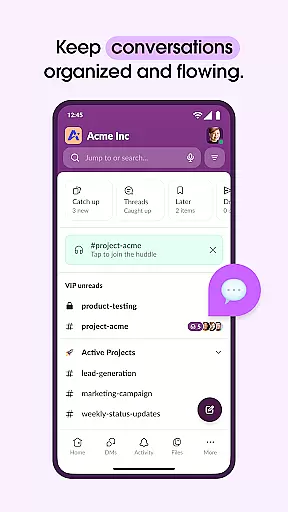
The app's core functionality revolves around organized communication - every project or topic has its dedicated channel, ensuring discussions remain focused and accessible. Slack also supports multimedia interactions, allowing users to share files, conduct video meetings, and even record audio/video messages for clearer idea sharing.
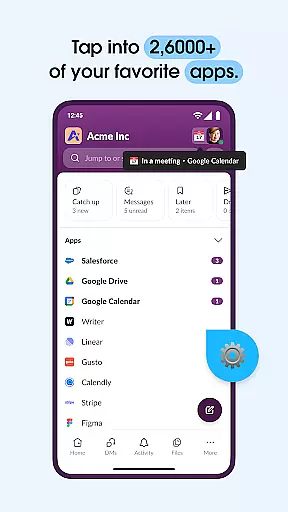
Beyond basic messaging, Slack integrates with over 2,600 third-party applications, creating a unified workspace that connects your favorite tools like Google Drive and Salesforce. This integration capability, combined with AI-powered features such as automated meeting notes and advanced search functions, makes Slack particularly valuable for businesses looking to maintain efficient remote operations while scaling their operations.
Slack distinguishes itself through several key features that cater to modern business needs. The platform's channel-based communication system allows for highly organized discussions, while its robust file-sharing capabilities support various document formats up to 1GB in size.
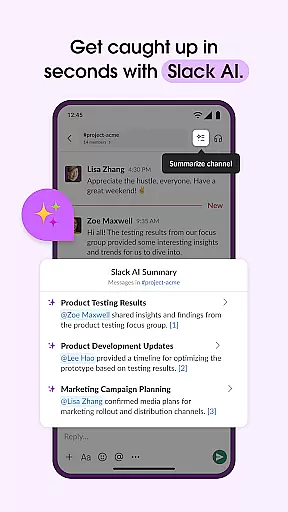
One of Slack's standout features is its extensive integration ecosystem. Users can connect their existing workflows by linking essential business tools directly within the platform. The addition of AI-powered functionalities, such as automated meeting transcription and intelligent search, significantly enhances information retrieval and meeting efficiency.
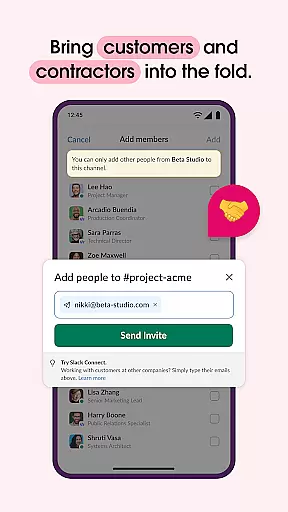
For project management, Slack offers customizable templates and built-in task tracking systems. These features help teams maintain project momentum by setting clear objectives, assigning responsibilities, and monitoring progress. The platform's ability to facilitate both internal team collaboration and external partner communication creates a versatile environment suitable for various business scenarios, from small startups to enterprise-level organizations.
Collaboration is at the heart of Slack's design, enabling teams to work together seamlessly regardless of location. The platform offers dedicated channels for every project, ensuring that discussions, documents, and files are organized and accessible to all relevant team members.
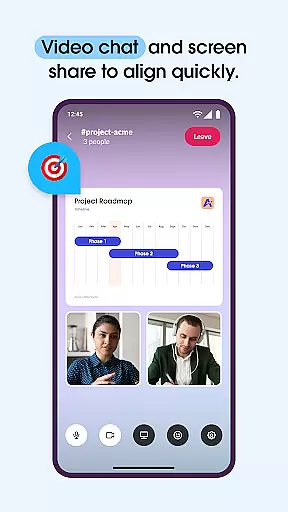
Slack enhances collaborative efforts by integrating video chat and screen sharing directly into the platform. This feature allows teams to conduct live presentations and discussions, making remote meetings more interactive and productive. Additionally, when text communication is insufficient, users can record and send audio or video clips to convey complex ideas clearly.
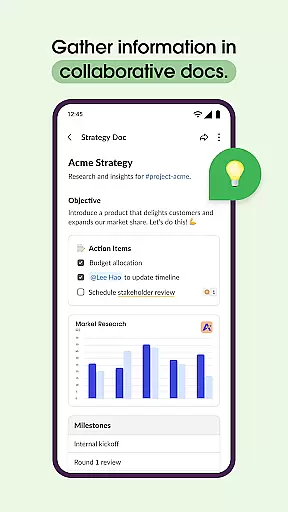
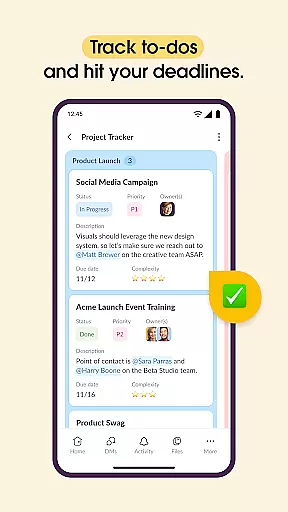
For project management, Slack provides templates that help set projects up for success. These templates, along with shared docs that live alongside team conversations, enable teams to collaborate on marketing plans, product specs, and more. With tools to track to-dos, assign tasks, and map out milestones, Slack ensures that projects stay on track and team members remain aligned.
Effective task management is crucial for maintaining productivity and meeting deadlines. Slack addresses this need by offering features that allow teams to create, assign, and manage tasks efficiently. Through its platform, users can set up projects using pre-made or customizable templates, ensuring a structured approach from the start.
The ability to track to-dos, assign tasks, and establish milestones within Slack keeps everyone accountable and informed about project progress. Integration with popular project management tools enhances these capabilities, providing a comprehensive solution for managing workflows and ensuring timely completion of deliverables.
Moreover, Slack's AI-powered functionalities contribute significantly to task management. By utilizing AI to take meeting notes and find files, messages, and information instantly, Slack helps teams focus on their work without getting bogged down by administrative tasks. This streamlined approach not only boosts efficiency but also empowers teams to concentrate on high-value activities that drive business growth.
User-friendly interface
Robust integration options
Efficient communication tools
Comprehensive search functionality
Scalable pricing plans
Steep learning curve
Higher pricing tiers
Limited free storage
Occasional connectivity issues
Complex permission settings

Zoom built for Chrome OS
 3.90
3.90
The revolutionary flexible staffing platform
4.40
Quickly open and manage PDF files on your device.
3.80
enjoy effortless PDF reading anytime, anywhere
3.90
view, manage, and share every PDF file you have
3.60
USPS Mobile®Access USPS.com’s most popular tools on-the-go.
4.70
Make invoices, bills, receipts & estimates on the go with Invoice Generator.
4.70
On the go? Take FedEx with you.
4.00
Work happy with AI Companion
4.10
Job search app that finds jobs for you! Takes the work out of looking for a job!
4.90
The MyWalmart App is available for all associates in stores.
4.70
Your employer must have UKG Ready software configured for Mobile.
4.60
ANDROID'S TOP MOBILE OFFICE - Word, Excel, PowerPoint and PDF at your fingertips
4.50
Earn crypto with secure cloud mining. Monitor, track & withdraw easily
4.40
A secure, all-in-one team collaboration app
4.30
Smarter career moves start here. AI job alerts, insights & the right tools.
4.20
The Penny Puss app with DG penny finder
4.10
Simple, Fast & Lightweight
3.90
Windows App allows you to connect to remote PCs and virtual apps.
3.70


User Reviews