
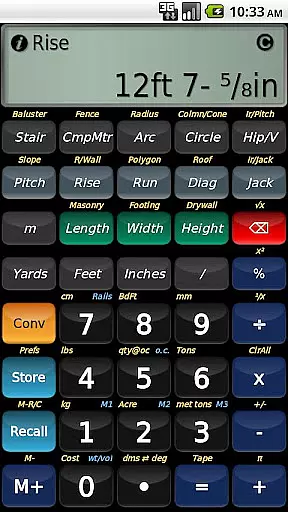
BuildCalc is a powerful construction calculator app designed to simplify complex calculations for professionals in the building industry. With advanced features like interactive functions, full daylight visibility mode, and specialized calculation tools, it offers more functionality than traditional construction calculators. The app provides detailed layouts for stairs, balusters, and fences, along with the ability to email PDF drawings directly from the app. Its intuitive design minimizes complexity and hassle, allowing users to save results and customize inputs easily.
This application is particularly useful for contractors, architects, and DIY enthusiasts who need precise measurements and layouts for various construction projects. By streamlining key sequences and offering comprehensive help features, BuildCalc ensures accurate results while reducing the learning curve. Whether you're calculating materials for a fence or planning a custom staircase, this app delivers professional-grade solutions that can significantly improve workflow efficiency.
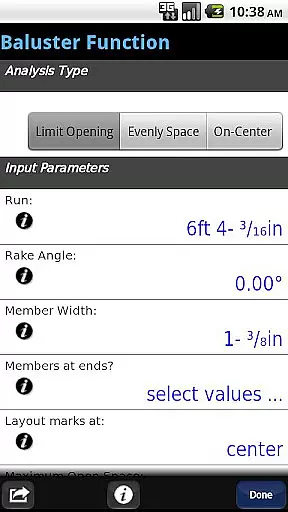
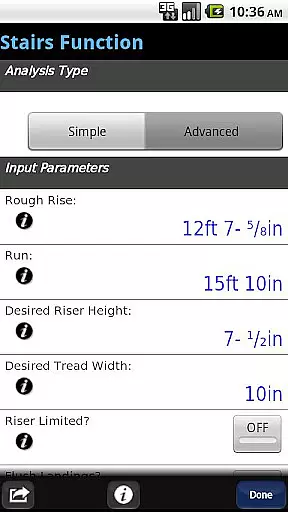
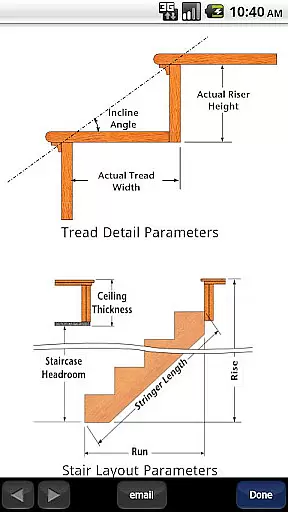
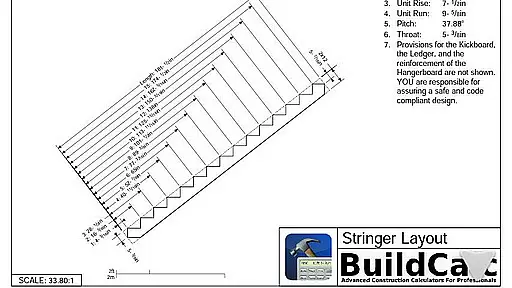
BuildCalc stands out with its extensive range of specialized features tailored for construction professionals. One of its key highlights is the Advanced Stair function, which not only provides dimensioned drawings of your stringer and finished staircase but also allows you to email these plans as PDFs. This feature alone saves time and enhances communication between team members and clients. Additionally, the Advanced Baluster Function simplifies railing and staircase baluster layouts by minimizing guesswork while offering flexibility for custom jobs.
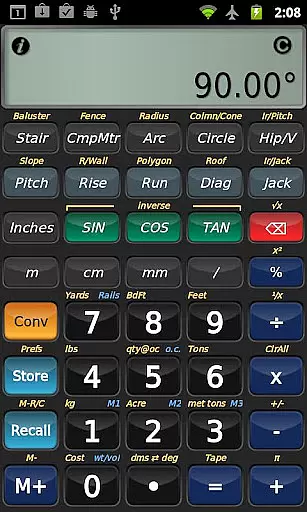
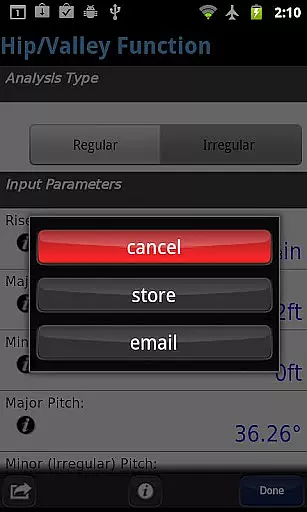
The app's interactive functions are another major advantage. Users can modify input values such as run length or switch between regular and irregular hip roof analyses without needing to remember specific key presses. Results update automatically, making the process seamless. Furthermore, BuildCalc includes unique functionalities like Sheathing Angles, Purlin Angles, and Gable Area calculations, which are not commonly found in other construction calculators. These innovations ensure that users have access to all necessary data without unnecessary complications.
In the realm of construction projects, seamless collaboration is key. BuildCalc excels in providing collaborative work features that are essential for teams working on complex tasks. The app offers interactive functions such as the Stair, Baluster, Compound Miter, Diagonal, and Hip/Valley calculations which allow users to modify input values effortlessly. Whether it's adjusting the run or toggling between Regular and Irregular Hip Roof analysis, results are updated automatically without the need to remember specific key presses.
Moreover, BuildCalc facilitates team cooperation by enabling the sharing of detailed outputs. With the Advanced Stair function, professionals can generate dimensioned drawings of Stringers, Stringer Installations, and Finished Staircases. These valuable visual aids can be shared via email as PDFs directly from the app, ensuring that all team members have access to precise blueprints for accurate execution.
The significance of these collaborative features lies in their ability to streamline communication among team members. By allowing real-time updates and easy sharing of critical project data, BuildCalc reduces misunderstandings and increases productivity. This ensures that every member involved in a construction project can stay aligned with the planned objectives and deliver high-quality outcomes efficiently.
Effective task management is crucial in the construction industry, where precision and timing can make or break a project. BuildCalc addresses this need by offering robust task management capabilities designed to simplify complex processes. Users benefit from advanced functionalities like the Baluster Function, which provides a complete layout for railings and staircase balusters with minimal guesswork, accommodating custom requirements for each job.
Additionally, the app includes innovative tools such as the Fence Function, which calculates the number of posts, rails, pickets, and panels needed based on a given fence row length. Such features not only save time but also enhance accuracy in planning and executing tasks. Furthermore, BuildCalc supports saving calculation results, allowing users to retrieve comprehensive outcomes conveniently, thus eliminating the hassle of manual record-keeping.
By integrating these sophisticated yet user-friendly task management solutions, BuildCalc empowers construction professionals to focus on delivering exceptional craftsmanship without being bogged down by cumbersome calculations. The result is an increase in overall efficiency and a reduction in potential errors, leading to successful project completion within specified timelines.
User-friendly interface
Comprehensive calculation tools
Interactive and automatic updates
Customizable input options
Professional layout outputs
May require learning curve
Premium pricing model
Limited free version
Occasional bugs reported
Heavy on system resources

 4.70
4.70
The Penny Puss app with DG penny finder
4.10
Convert Your Lovable.dev Website into a Mobile App Instantly!
4.5
Get instant construction estimates: accurate home repair & material calculator.
4.70
A secure, all-in-one team collaboration app
4.30
Build a store in minutes with our full suite of AI tools. Start for free!
4.20
view, manage, and share every PDF file you have
3.60
Access All PDF Files
3.40
Work happy with AI Companion
4.10
GoTo Mobile is a simple & secure calling, messaging & meetings solution
4.80
Recover what matters — quickly and easily.
4.70
Paychex Flex - Save Time and Stay Connected
4.60
Manage work life on the go
4.50
Collaborate seamlessly with Google Chat, part of Google Workspace
4.50
Earn crypto with secure cloud mining. Monitor, track & withdraw easily
4.40
Make money as a delivery driver with DoorDash and work when you want as a Dasher
4.30
FX Plus adds media, networking, and cloud capabilities to FX File Explorer.
4.10
Simple, Fast & Lightweight
3.90
We are a dynamic team of creatives people of design, marketing, web & apps
3.00


User Reviews