
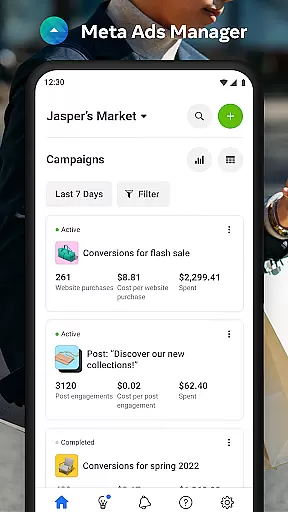

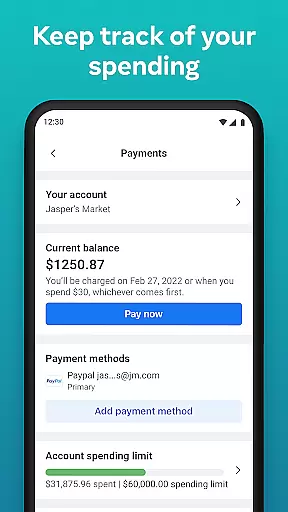
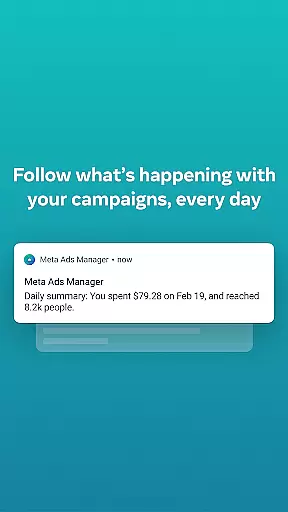
Meta Ads Manager is a comprehensive business tool designed to help marketers and advertisers manage their advertising campaigns across Meta's suite of platforms, including Facebook, Instagram, Messenger, and WhatsApp. The app enables users to create and edit ad campaigns, access real-time performance insights, and control campaign statuses with ease.
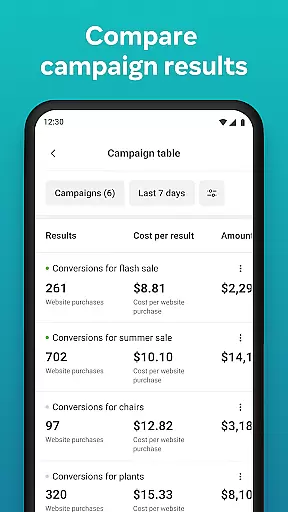
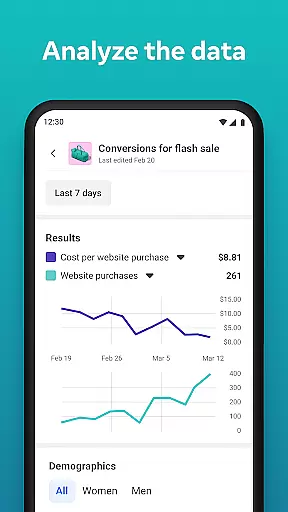
A key feature of the app is its ability to provide detailed analytics and quick alerts, ensuring that advertisers can respond promptly to any changes in campaign performance. Additionally, the side-by-side comparison functionality allows for efficient analysis of different campaigns and ad sets. This makes it an essential tool for businesses looking to optimize their digital advertising strategies on the go.
Meta Ads Manager offers a robust set of features tailored for digital marketers. One standout capability is the real-time insight dashboard, which provides users with up-to-the-minute data on all active campaigns. This ensures timely decision-making and optimization.
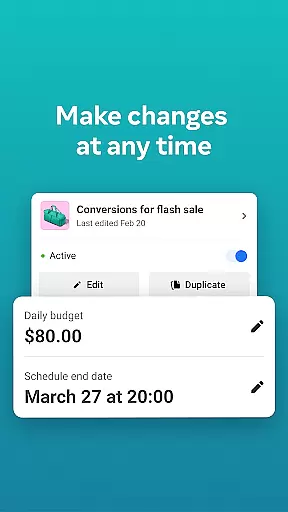
The app also supports advanced controls such as turning campaigns on or off directly from the interface, as well as comparing multiple campaigns using a side-by-side view. These functionalities are complemented by quick alerts that notify users of significant changes or updates to their ads, making campaign management both proactive and efficient.
Furthermore, the app allows seamless switching between different Pages and ad accounts, catering to businesses managing multiple brands or clients. This flexibility enhances productivity and ensures that users can operate efficiently within a single platform.
In today's fast-paced business environment, the ability to collaborate effectively is crucial for success. Meta Ads Manager excels in providing robust collaborative work features that enable marketing teams to work together seamlessly across different locations and time zones.
The application allows multiple users to access and manage ad campaigns simultaneously. This real-time collaboration ensures that team members can make immediate adjustments to campaigns, respond to alerts, and share insights without delay. The intuitive interface makes it easy for team members to understand campaign performance and take necessary actions promptly.
Moreover, the app supports switching between different Pages and ad accounts, which enhances cross-functional teamwork. Users can easily compare campaigns and ad sets using a side-by-side view, fostering better decision-making and strategy alignment among team members.
Efficient task management is at the core of any successful advertising campaign. Meta Ads Manager offers comprehensive tools that help users organize, track, and optimize their advertising tasks with precision and ease.
Users can create, edit, and monitor ads across Meta technologies, including Facebook, Instagram, Messenger, and WhatsApp. The app provides detailed real-time insights into all campaigns, allowing advertisers to make data-driven decisions quickly. With the ability to turn campaigns on and off, users have complete control over their advertising efforts.
Additionally, quick alerts keep users informed about important updates and changes in their ad performance. This feature ensures that no critical detail is overlooked, enabling advertisers to maintain optimal campaign performance continuously. By streamlining these essential tasks, Meta Ads Manager empowers businesses to achieve better results from their advertising investments.
User-friendly interface
Real-time analytics
Cross-platform support
Quick alerts system
Side-by-side comparisons
Limited third-party integrations
Advanced features require learning
Occasional syncing delays
Heavy on mobile data
Not ideal for beginners

 4.70
4.70
Zoom built for Chrome OS
3.90
ANDROID'S TOP MOBILE OFFICE - Word, Excel, PowerPoint and PDF at your fingertips
4.50
VSD Viewer - Visio Drawings Viewer for Android Preview VSD, VDX, VSDX drawings
4.10
Earn free swag, G-Cards & food • Enter sweepstakes • Find stores • So much more.
4.70
Manage work life on the go
4.50
Finance, Investing, Stocks, Trading and Stock news
4.60
Job search app that finds jobs for you! Takes the work out of looking for a job!
4.90
Collaborate seamlessly with Google Chat, part of Google Workspace
4.50
USPS Mobile®Access USPS.com’s most popular tools on-the-go.
4.70
Paychex Flex - Save Time and Stay Connected
4.60
No more passwords, easier sign-in, and greater protection for your accounts.
4.60
Chat, meet, and collaborate to achieve more together, all in one place on Teams
4.60
Measure distances, surfaces and draw plans in seconds with CamToPlan!
4.40
Smarter career moves start here. AI job alerts, insights & the right tools.
4.20
enjoy effortless PDF reading anytime, anywhere
3.90
Take the stress out of storage with the all-in-one app to manage your space.
3.70
Access All PDF Files
3.40
Delivery Track App - Tracking with Fedex, USPS, UPS, DHL. Monitor your Orders.
3.20


User Reviews