
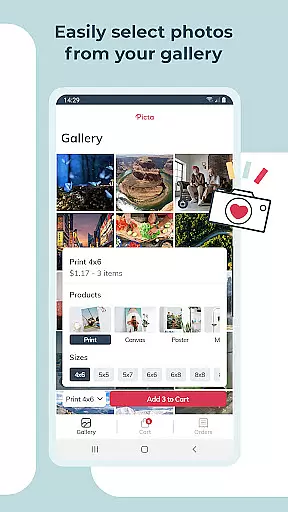
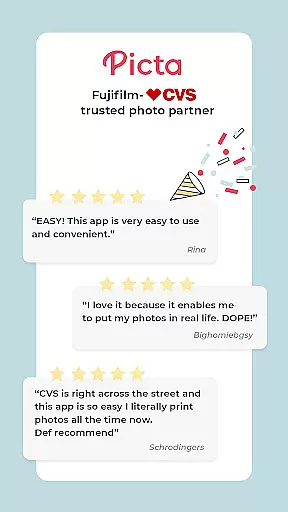
Picta x CVS Photo Print is a mobile application designed to simplify the process of photo printing. This app allows users to effortlessly print their digital photos at local CVS stores, offering a range of print sizes including 4x6, 5x7, and square formats. With an intuitive interface, users can easily select, crop, and adjust their photos before sending them for printing.
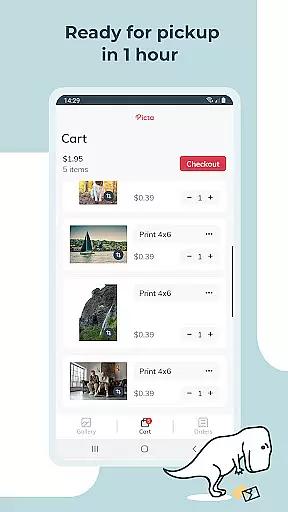
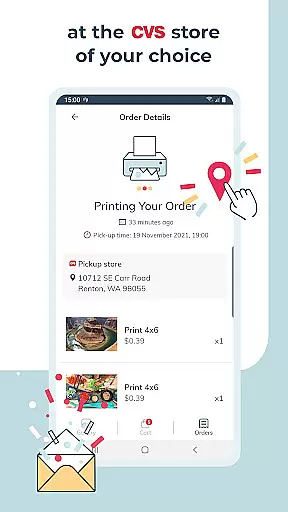
The app stands out with its fast processing time, promising same-day pickup in many cases. It also provides additional features such as creating custom photo products like magnets and greeting cards, making it not just a photo printing app but also a tool for crafting personalized gifts. Whether you're looking to preserve precious memories or need a last-minute gift, Picta x CVS Photo Print delivers both convenience and quality.
Picta x CVS Photo Print offers a comprehensive suite of features that cater to all your photo printing needs. The app supports professional-quality photo printing on glossy paper in various sizes, from standard 4x6 prints to larger 8x10 enlargements. Additionally, it provides creative options such as square prints, perfect for showcasing Instagram photos, and personalized products like magnets and greeting cards.
One of the standout features is the enhanced CVS store locator, which helps users find the nearest store for quick photo pickups. The app also includes a gallery function that organizes photos by date, ensuring easy access and management. Furthermore, the app ensures secure and fast photo transfers, maintaining the privacy and integrity of your images. These features collectively make Picta x CVS Photo Print a versatile and reliable choice for all your photo printing requirements.
Real-time capture and preview functionality is essential for ensuring that users can accurately select and edit photos before printing. Picta x CVS Photo Print offers a seamless experience by allowing users to crop and zoom each picture easily within the app.
This feature ensures that every photo meets the user's expectations in terms of composition and quality before it is sent for printing. The ability to make these adjustments in real time eliminates the guesswork involved in photo editing, providing greater control over the final output.
By integrating real-time capture and preview, the app enhances the overall user experience, making it faster and easier to produce high-quality prints. Users can confidently create personalized gifts such as magnets and greeting cards, knowing their images will look exactly as intended.
AI beauty and enhancement features are crucial for elevating the quality of mobile photos. Picta x CVS Photo Print leverages advanced AI technology to enhance images naturally without compromising their original essence.
The app provides professional-quality photo printing services with options to adjust image settings, ensuring that enhancements like brightness, contrast, and color balance are applied smoothly. This results in glossy photo prints that retain their natural appearance while benefiting from improved clarity and vibrancy.
With AI-powered enhancements, users can transform their digital memories into stunning physical keepsakes. Whether printing standard sizes or creating custom products, the app ensures that every photo reflects the beauty and detail of the original moment captured.
User-friendly interface
Fast same-day pickup
Wide range of print sizes
Customizable photo products
Secure photo transfer
Limited to CVS stores
No advanced editing tools
Occasional delays in pickup
In-app ads may appear
Requires internet connection

Long exposure camera with computational photography
 2.60
2.60
Trendy TikTok time warp scan funny filter app brings you unique photos & videos.
4.40
Photo editor: AI filters, photo enhancer, pic collage maker, AI art generator.
4.80
Be your best in every shot! Fix, edit and retouch your face in selfies & photos.
3.70
Amazing Photo Effects - The most fun you can have with your photos!
4.70
Raw Image Viewer. Gallery with support of raw images (.cr3, .cr2, .nef, .raf).
2.00
USB Storage Access for Photos, Videos, Music and Documents
3.80
Smart, light, and fast photo and video gallery
4.30
Astrophotography with your smartphone, photo live stacking and much more!
3.90
Cartoon and artistic effects for your photos and videos
4.70
HD Camera Pro with HD Video shooting, Panorama, Photo editor , Beauty Camera.
4.50
AI portrait generator and polaroid AI selfie, fun AI generated AI photo creator!
4.30
Create AI Photos, Improve and restore quality of blurry, old or damaged pics.
4.20
AI-powered video creator by MiniMax - Where ideas meet cinema
4.20
Create & Edit with AI: AI Remove, Enhance, Retouch, Filter
4.10
Photo editor: face & body editor, beauty cam, filters and quality enhancer.
4.00
Gallery Slideshow is slideshow maker app for slideshow from your gallery photos.
3.90
Superimpose one photo on top of another using the original Superimpose app!
3.20
Snap photos remotely using your Garmin watch as the camera trigger
4.1


User Reviews