
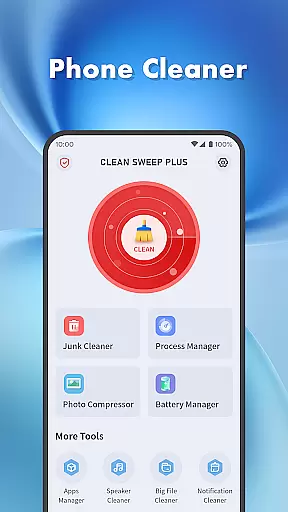
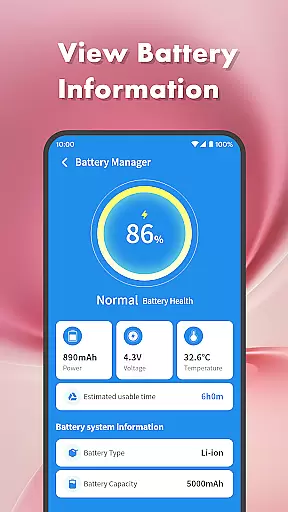
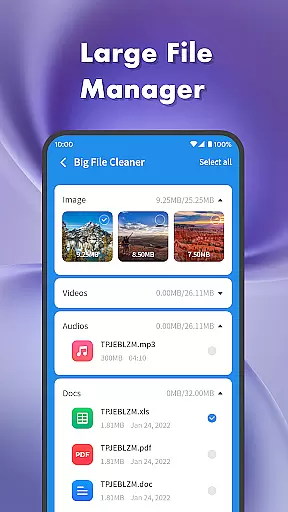
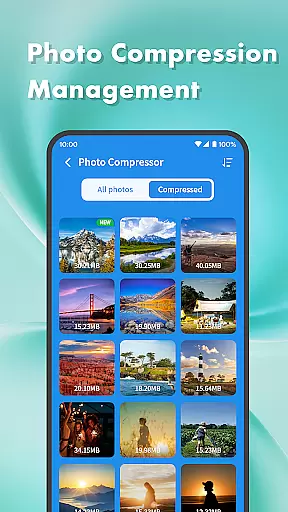
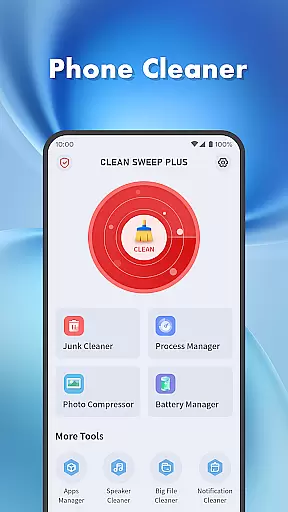
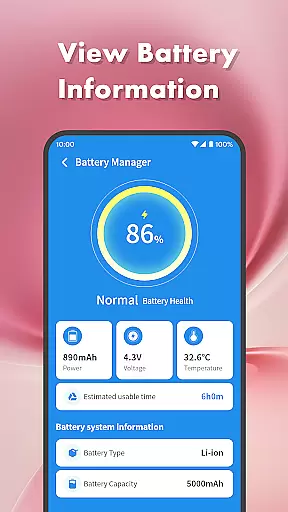
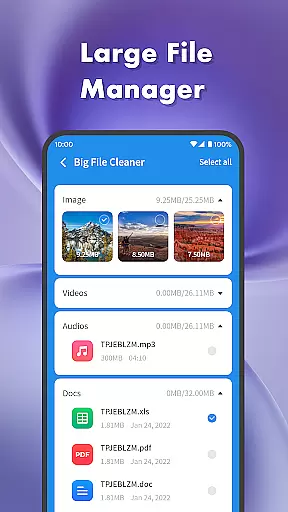
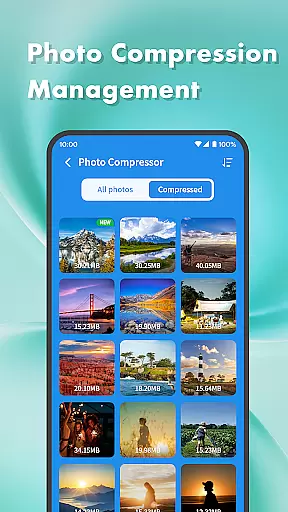
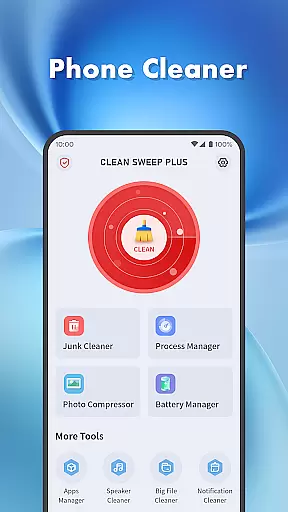
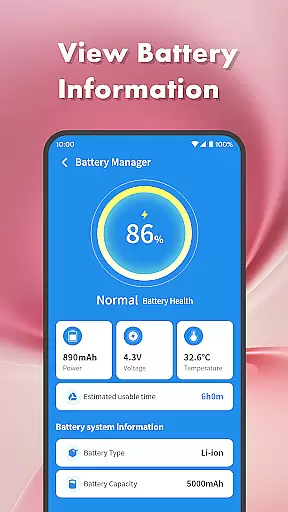
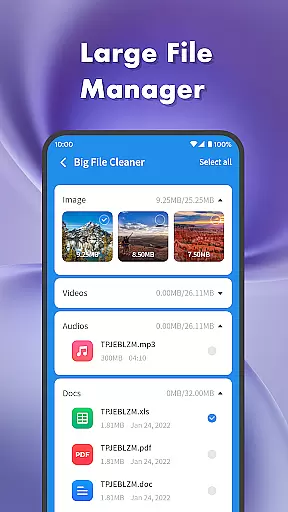
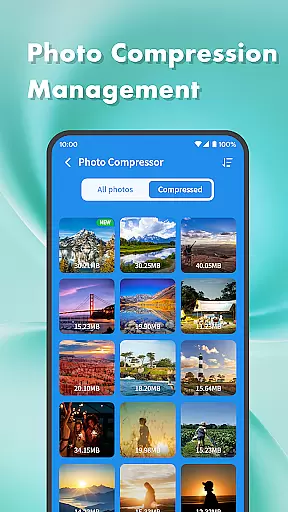
Clean Sweep Plus is a comprehensive phone management tool designed to optimize device performance and simplify daily maintenance tasks. The app offers a suite of practical features including junk file cleaning, large file management, and battery status monitoring.
One of the standout capabilities is its intuitive interface that allows users to easily locate and manage various types of files and applications. Whether you need to uninstall seldom-used apps, compress photos to save space, or check your battery's health, Clean Sweep Plus provides the necessary tools in a clear and organized layout.
This application is particularly useful for individuals who want to maintain optimal device performance without advanced technical knowledge. By offering essential phone management functions in one place, it helps users keep their devices running smoothly while enjoying a refreshing and hassle-free experience.
Clean Sweep Plus stands out with its diverse range of practical features tailored for everyday phone management. The app includes a Junk Cleaner to remove unnecessary files, a Large File Manager to handle bulky media files, and a Photo Compression tool to reduce image sizes without compromising quality.
In addition to file management, the app offers robust application control features. The App Manager provides an easy way to view and uninstall installed applications, while the Process Manager allows users to monitor background processes. These tools ensure that your device remains responsive and free of clutter.
The Battery Management Center is another key feature, offering detailed insights into battery usage and health. With basic system information and estimated usage time, users can make informed decisions about their device's power consumption. The inclusion of a Speaker Cleaner adds an extra layer of utility, making Clean Sweep Plus a versatile tool for maintaining your phone's overall functionality.
When it comes to device management tools, the accuracy and effectiveness of core functions are paramount. Clean Sweep Plus excels in this area by offering a comprehensive suite of features that address various aspects of phone maintenance.
The app's Junk Cleaner precisely identifies unnecessary files, while the Large File Manager helps users locate space-consuming media. Its Photo Compression tool reduces file sizes without compromising quality, and the Notification Cleaner ensures your notification bar remains clutter-free. Each tool is designed with precision to deliver optimal results.
For app and process management, Clean Sweep Plus provides an App Manager for easy uninstallation of unwanted applications and a Process Manager to monitor background activity. These features work seamlessly to enhance device performance and user experience.
By combining practical functionality with an intuitive interface, Clean Sweep Plus ensures that every tool performs its task accurately and efficiently, making daily phone management both effective and effortless.
A well-designed interface can significantly impact user experience, especially for utility apps like Clean Sweep Plus. The app focuses on providing a simple yet powerful interface that makes phone management accessible to all users.
Clean Sweep Plus features an intuitive page layout where each function is clearly labeled and easy to find. Whether you're looking to clean junk files or manage installed apps, the clear structure ensures you can navigate directly to the desired tool without confusion.
The design emphasizes ease of use, ensuring that even those new to device management can quickly get started. With straightforward controls and logical grouping of related functions, the app minimizes the learning curve typically associated with utility applications.
This commitment to simplicity extends beyond just aesthetics; it enhances overall usability. Users can efficiently perform tasks such as cleaning junk files, managing apps, or checking battery status, all within a few taps. Clean Sweep Plus proves that powerful tools don't need to be complicated, offering a refreshing blend of functionality and user-friendliness.
User-friendly interface
Comprehensive toolset
Effective junk cleaning
Intuitive app management
Practical battery insights
Limited advanced features
Basic photo compression
No cloud backup option
Occasional performance lags
Ads in free version

 4.10
4.10
Easily install aab(Android App Bundle) files on your Android device with our app
4.80
This app unlocks the Pro features of the Central for DayZ app
3.60
Enjoy smooth gameplay with Game Booster
4.90
eXtended Permission Manager - a small app to manage permissions and AppOps
4.50
Best leveling tool for your Android device. Hang paintings like a pro.
4.90
A non-root local ADB shell client. READ BELOW!
3.40
Excellent scientific calculator with symbolic algebra, integrals, derivatives
4.80
Navigate with Ease and Style
4.90
Support Fossify apps with a warm thank you!
5.00
Extremely fast, secure, and protects your privacy
4.80
WiFi Signal Strength Meter help you detect WiFi Signal Strength in real time.
4.80
Small and simple app to Verify Root Access and BusyBox Install!
4.70
The Ultimate Flex Drivers Utility App - Convenient Tapping & Block Filters
4.70 4.50
4.50
Just swipe the edge to do something!
4.40
Forza Tuning Calculator App for Forza Horizon 5, Motorsport and Earlier Titles
4.40
Screen Mirroring with sound for Samsung TV, LG TV, Sony TV, Smart TV and Browser
4.20
Download any file easily and quickly with Downloader
4.5


User Reviews