
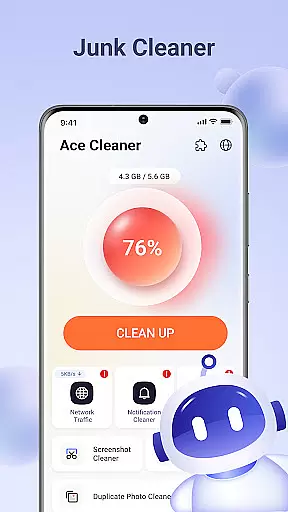

Ace Cleaner is a comprehensive tool designed to help users efficiently manage their device storage while maintaining privacy and control. This app specializes in cleaning junk files, organizing apps, and managing multimedia content such as photos, videos, and documents directly on your device.
One of Ace Cleaner's core features is its ability to scan for and remove temporary files and cached data that accumulate over time, freeing up valuable space. Additionally, the App Organizer provides insights into installed applications, allowing users to monitor storage usage and uninstall unnecessary apps. The Photo & Video Tidy-Up function helps declutter galleries by identifying duplicates and old media, ensuring only meaningful content remains. With its Large File Finder, Ace Cleaner also assists in locating and managing bulky files that consume significant storage space.
All operations are performed locally on the device, ensuring personal data stays private. By combining junk cleaning, app organization, and file management into one intuitive interface, Ace Cleaner offers a transparent and secure solution for optimizing device storage.
Ace Cleaner stands out with its robust set of features tailored for efficient device management. The app's junk cleaning functionality thoroughly scans for temporary files, cache, and other unnecessary data, providing users with a clear overview before deletion. This ensures that only the essential files remain, maximizing available storage without compromising system performance.
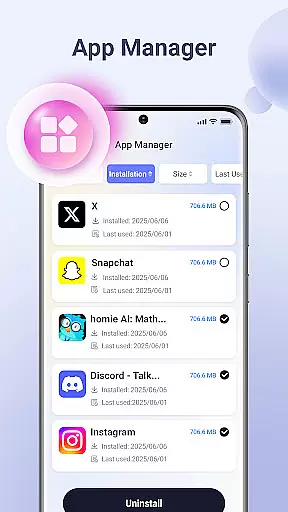
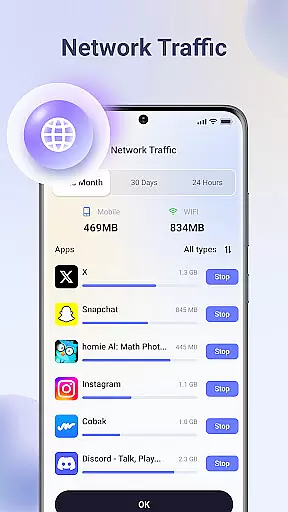
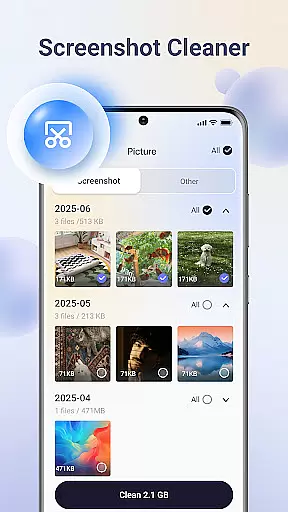
The App Organizer is another highlight, offering detailed insights into each installed application. Users can view storage and data usage statistics, making it easier to decide which apps to keep or remove. This feature simplifies app management, giving users greater control over their device’s resources. Furthermore, the Photo & Video Tidy-Up tool streamlines gallery organization by identifying duplicate images, screenshots, and outdated videos. This allows users to maintain an organized media library while preserving important memories.
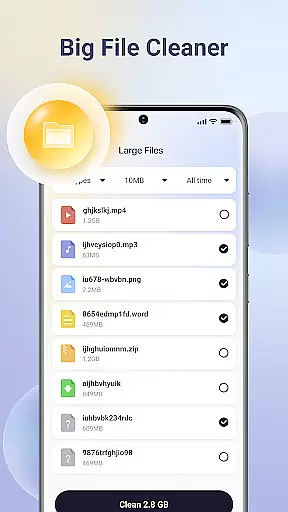
Ace Cleaner also includes a Large File Finder, which pinpoints sizable files that may be consuming excessive space. Users can review these files and choose to delete them if they're no longer needed. Importantly, all these features operate locally on the device, reinforcing the app's commitment to privacy and security. By integrating multiple functionalities into a single platform, Ace Cleaner delivers a seamless and user-friendly experience for managing device storage effectively.
Ace Cleaner excels in delivering precise and effective core functions that users expect from a cleaning and file management tool. The app performs thorough scans to identify junk files, cache data, and temporary files that accumulate over time, ensuring no unnecessary storage is consumed on your device.
With its intuitive App Organizer, Ace Cleaner provides clear insights into app storage usage, empowering users to manage their installed applications efficiently. This feature not only lists all apps but also highlights those consuming excessive space, allowing for informed decisions about uninstallations.
The Photo & Video Tidy-Up functionality ensures that users can review and decide what media to keep or remove, preventing the gallery from being cluttered with duplicates or outdated content. By focusing on user control and privacy, Ace Cleaner guarantees that all actions are transparent and require explicit user approval.
Ace Cleaner boasts an elegantly simple and intuitive interface designed for effortless navigation and operation. The app's layout is crafted to ensure that even users with minimal technical expertise can easily access and utilize its powerful features without feeling overwhelmed.
Every tool within Ace Cleaner, from junk cleaning to large file identification, follows a logical flow that guides users seamlessly through each step of the process. Clear options and straightforward actions make it easy to clean junk files, organize apps, and tidy up media without any confusion.
By combining essential functionalities like storage management and privacy protection into one cohesive platform, Ace Cleaner reduces complexity while enhancing productivity. Its focus on maintaining user privacy and offering transparent operations further enriches the overall user experience, making device management both secure and stress-free.
User-friendly interface
Comprehensive junk cleaning
Effective app management
Privacy-focused design
Multimedia organization tools
Limited advanced features
No cloud backup option
Basic UI design
Occasional slow scans
Few customization settings

Extremely fast, secure, and protects your privacy
 4.80
4.80
A recovery soft,it features photo recovery, video recovery, file recovery.
3.40
Safely recover deleted photos, videos, and files with a single easy tap.
3.70
Excellent scientific calculator with symbolic algebra, integrals, derivatives
4.80
Signal Strength, Mobile, Wifi, Speed Test, Bad Signals, Cellular, 5G, LTE, 4G
4.20
Mirror your screen to Fire TV - Super fast and simple
4.40
The Ultimate Flex Drivers Utility App - Convenient Tapping & Block Filters
4.70
Game Booster, GFX Tool is now compatible with newer game update
4.50
Automate everything from settings to photos, SMS to speech. ADC2 prize winner.
4.10
Connect wirelessly to your computer to watch movies, browse the web, play games
5.00
Remote Play with FSR upscaling, low latency & full controller support
4.80
Connect instantly to a fast, encrypted VPN with one tap
4.60
FV File Manager Pro, Fast and powerful file manager for Android
4.60 4.50
4.50
eXtended Permission Manager - a small app to manage permissions and AppOps
4.50
Forza Tuning Calculator App for Forza Horizon 5, Motorsport and Earlier Titles
4.40
pdf merge, word to pdf, jpg to pdf, edit pdf, convert to pdf and much more!
4.20
Remote for Roku, Fire TV, Samsung TV, LG TV, Android TV, Chromecast and VIZIO TV
4.20
Effortlessly run ADB commands directly on your device without a PC.
4.20


User Reviews