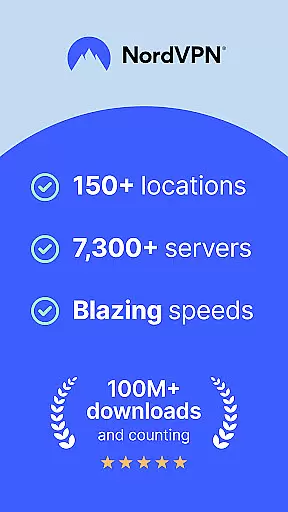
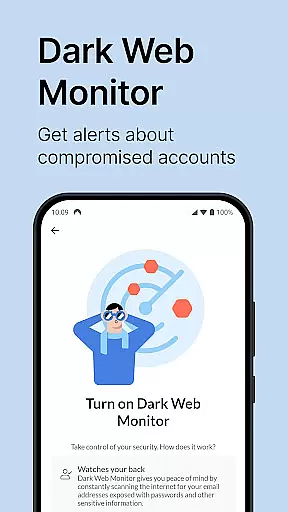
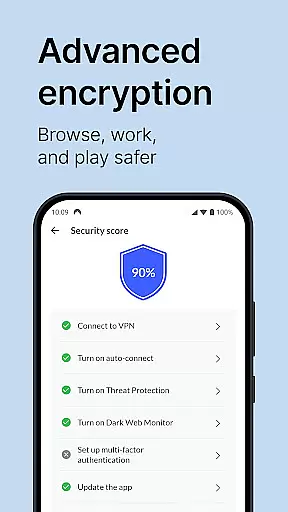

NordVPN is a leading virtual private network solution designed to provide users with enhanced online privacy and security. The app offers military-grade encryption, protecting your internet connection across Android devices including smartphones, tablets, and TVs. With over 7,000 servers worldwide, NordVPN ensures high-speed browsing while safeguarding your data from hackers, ISPs, and other unauthorized entities.
One of the standout features of NordVPN is its unique Threat Protection capability, which blocks access to malicious websites and shields users from potential cyber threats. Additionally, the app supports advanced protocols like NordLynx, built on WireGuard®, ensuring blazing-fast speeds without compromising security. Whether you're streaming content, working remotely, or simply browsing the web, NordVPN keeps your activities private and unrestricted.
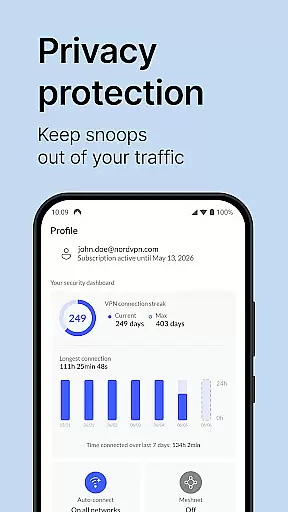
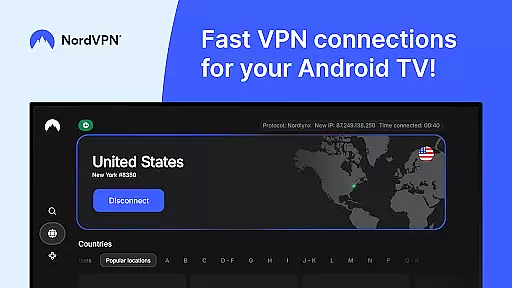
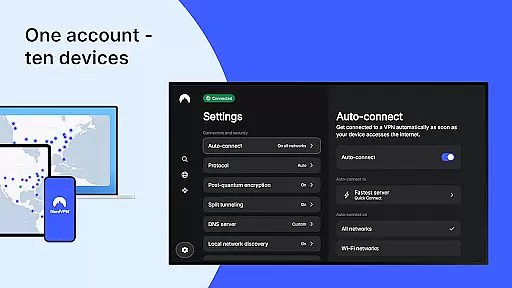
The app also caters specifically to Android TV users, offering benefits such as secure movie streaming, bandwidth throttling prevention, and remote device access via the Meshnet feature. With support for up to 10 devices on a single account and 24/7 customer service, NordVPN is an essential tool for anyone seeking comprehensive digital protection in their daily routine.
NordVPN stands out with its robust set of features tailored to meet diverse user needs. At its core, the app provides powerful encryption protocols, including OpenVPN and NordLynx, which is based on WireGuard® technology. This ensures that your internet traffic remains private and secure, even on public Wi-Fi networks. Furthermore, the extensive server network spanning more than 7,000 locations globally guarantees minimal latency and uninterrupted connectivity.
For users seeking additional layers of security, NordVPN offers specialty servers optimized for specific tasks such as Double VPN, which routes your traffic through two separate servers for increased anonymity. The auto-connect feature simplifies daily usage by automatically connecting to a VPN server when you're on an unknown network. Advanced functionalities like split tunneling allow you to choose which apps bypass the encrypted connection, giving you greater control over your online experience.
Android TV users benefit from exclusive features such as protection against bandwidth throttling and the ability to securely access home devices remotely using Meshnet. With unlimited data, TCP/UDP protocol switching, and customizable DNS settings, NordVPN delivers a versatile and reliable VPN solution suitable for both casual users and tech-savvy individuals.
NordVPN excels in providing accurate and effective core functions that are essential for secure internet usage. The application leverages powerful encryption protocols, including OpenVPN and the innovative NordLynx based on WireGuardu00ae, to ensure your online activities remain private and secure.
With a network of over 7,000 servers worldwide, NordVPN delivers turbo speeds while maintaining top-grade security. This extensive server infrastructure not only enhances user privacy but also facilitates uninterrupted streaming and browsing experiences. Users can confidently access geo-restricted content knowing their connection is both fast and secure.
The app's Threat Protection feature adds another layer of safety by blocking access to malicious websites, protecting users from potential cyber threats. Additionally, specialty servers optimized for individual needs cater to diverse user requirements, ensuring everyone gets the most out of their VPN experience.
NordVPN stands out with its simple and intuitive interface, making it accessible even for those new to virtual private networks. Designed with ease-of-use in mind, the app allows users to connect to a VPN server with just one tap, streamlining the process of securing an internet connection.
Features like auto-connect enhance this intuitiveness by enabling users to set preferences once and forget about them. Whether connecting automatically when joining unknown Wi-Fi networks or keeping the VPN always active, these settings help maintain constant protection without manual intervention.
Moreover, advanced options such as split tunneling and protocol switching between TCP and UDP are presented clearly within the appu2019s settings menu. This thoughtful design ensures that while basic functionalities are straightforward, power users still have control over more technical aspects of their VPN service.
Top-tier encryption
Extensive server network
User-friendly interface
24/7 customer support
Advanced threat protection
Premium pricing
Occasional server drops
Limited free trial
No lifetime subscription
Complex setup for beginners

App that Recover your pictures, videos or files after you delete them.
 4.20
4.20
Optimize your WiFi network, turn your phone into Wifi Analyzer
4.70
An easy-to-use calculator designed to save time calculating and bending conduit
4.30
Making emulation easy for everyone!
4.30
Screen Mirroring with sound for Samsung TV, LG TV, Sony TV, Smart TV and Browser
4.20
NFC Tools can read and write NFC tags.
4.70
Remote Play with FSR upscaling, low latency & full controller support
4.80
Introducing Smart Printer, your ultimate destination for printing solutions!
4.00
A clean app.
4.50
Navigate with Ease and Style
4.90
Easily install aab(Android App Bundle) files on your Android device with our app
4.80
Creation, Learning, Entertainment & More — The All-in-One AI Search Engine
4.70
Canon PRINT is a companion app for your Canon printer.
4.60
Clean up large files and similar photos, fast and easy to use
4.40
Complete kernel toolbox with features to manage and tweak your rooted device
4.30
Effortlessly run ADB commands directly on your device without a PC.
4.20
An open-source APK explorer for Android!
4.10
1-Click close all background apps on Android TV
3.90
Create your own live wallpaper or check out thousands already made presets
3.90


User Reviews