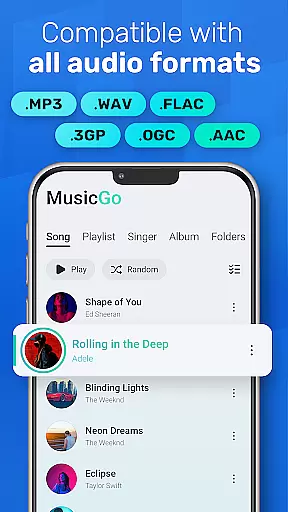
MusicGo is a feature-rich offline music player designed for audiophiles who demand both quality and versatility. This app supports all major audio formats including MP3, FLAC, WAV, and AAC, ensuring optimal playback quality across devices. With over 20 built-in equalizer presets tailored for different music genres, users can customize their listening experience with ease.
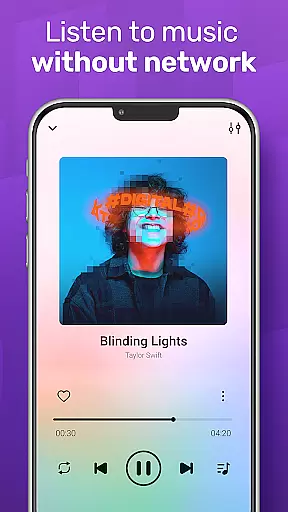
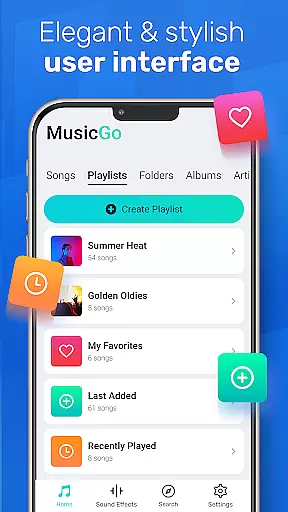
The app's intuitive interface combines functionality with aesthetics, offering customizable themes and player designs. Whether you're managing large music libraries or creating personalized playlists, MusicGo provides seamless navigation and smart features like auto-playlists and background playback. Its compatibility with Bluetooth and wired headphones makes it an ideal choice for enjoying high-quality audio anytime, anywhere.
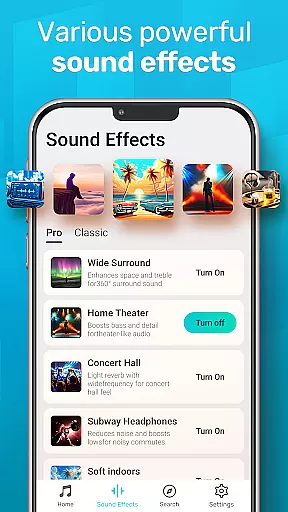
MusicGo stands out with its comprehensive audio format support, accommodating files in MP3, WAV, FLAC, AAC, and more. The app's powerful equalizer offers over 20 presets, including specialized settings for classical, rock, and dance music, along with bass boost and reverb effects that elevate sound quality.
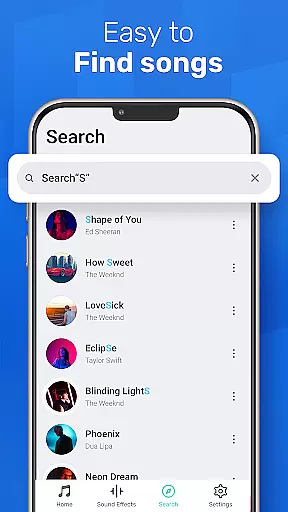
Advanced library management features allow users to organize music by albums, artists, and playlists while smart auto-playlists track listening habits through categories like Most Played and Recently Added. The app maintains elegant design standards with customizable color themes and supports uninterrupted playback through background mode and cross-device compatibility with both Bluetooth and wired audio peripherals.
MusicGo offers an extensive music library that supports all major audio formats including MP3, FLAC, WAV, MIDI, AAC, and APE. This ensures users have access to a wide variety of music genres and styles.
The app's comprehensive format support not only enhances user experience by catering to diverse musical tastes but also guarantees optimal sound quality for every track played within the app.
While MusicGo provides vast musical resources, it emphasizes the importance of copyright authenticity. Users can enjoy their favorite tunes with peace of mind knowing that the app is designed to support legal music consumption.
With over 20 built-in equalizer presets, MusicGo allows users to customize their listening experience according to different music genres such as classical, dance, folk, and rock. This feature elevates the audio quality by enabling bass boosts and reverb effects tailored to personal preferences.
The cutting-edge audio technology integrated into MusicGo ensures an outstanding sound quality. Users can easily adjust settings with a single tap, enhancing their music with professional-grade audio adjustments.
Furthermore, MusicGou2019s equalizer options cater to audiophiles and casual listeners alike, providing a rich auditory experience that meets various expectations and standards for high-quality sound reproduction.
User-friendly interface
Extensive format support
Powerful equalizer options
Smart playlist creation
Customizable themes
Limited online streaming
No lyrics integration
Occasional bugs reported
Ads in free version
Large app size

10-Band Audio Equalizer, Sound / Bass Booster for Spotify Users & Music Players
 4.40
4.40
Remove ads permanently from Music Visualizer
4.0
Gorgeous UI, Powerful music Search and Equalizer, the great choice for you!
4.70
Next generation modular control surface
4.10
AI Music Maker: Generate And Compose AI Tunes & AI Songs & AI Music & AI Melody!
4.60
Learn to play the piano using falling notes!
3.80
No wifi music app. Mp3 offline. Tuner radio, young radio music. Music downloader
4.20
Play KORG’s revolutionary touch-based instrument on a variety of devices.
4.40
Manage your Sonos system directly from your home-screen!
4.40
Your song collections with lyrics and chords on Android smartphones and tablets.
4.80
Walkout Song DJ is the most intuitive app to manage your sports music.
4.70
Let your Android device with the sound effects you want
4.50
Time Guru will strengthen your internal sense of musical time via random muting.
4.30
The Music Journey in Your Hands
4.30
Bass Booster Pro takes auto-equalizing to the next level!
4.30
VB-AUDIO Software / VBAN-Receptor allows listening to any VBAN Streams
4.10
Permanently backup Now Playing. Maps, filters & listening stats.
4.00
Simply convert wav to mp3. Clear. Reliable. Safe.
4.1
Music Streaming suite for Ampache, Nextcloud Music and compatible backends.
4.3


User Reviews