Google Translate is a versatile translation tool that supports text translation between 108 languages. The app offers multiple translation methods including tap-to-translate, offline mode, and instant camera translation, making it an essential companion for international travel or cross-language communication.
The application stands out with its robust set of features such as photo translations, real-time conversation mode, handwriting recognition, and phrasebook functionality. These capabilities ensure users can communicate effectively in various scenarios, from casual conversations to professional settings. With support for major languages and specialized features like transcription, Google Translate delivers significant value to its users.
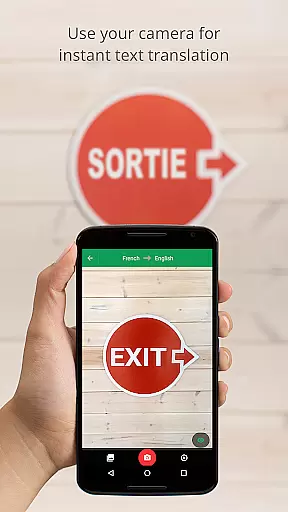
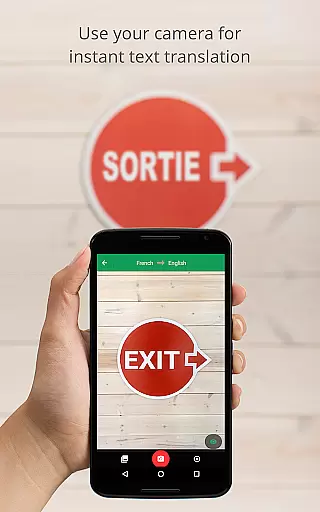
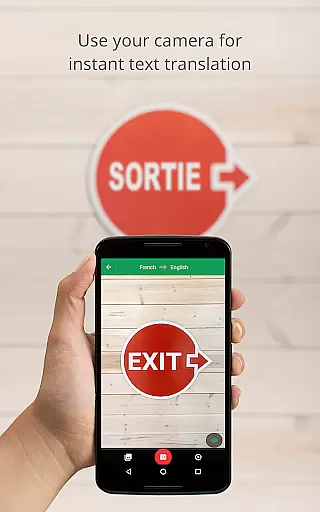
Google Translate provides diverse translation options tailored to different user needs. The instant camera translation feature allows users to translate text in images by simply pointing their camera, supporting 94 languages. This makes navigating foreign environments more manageable.
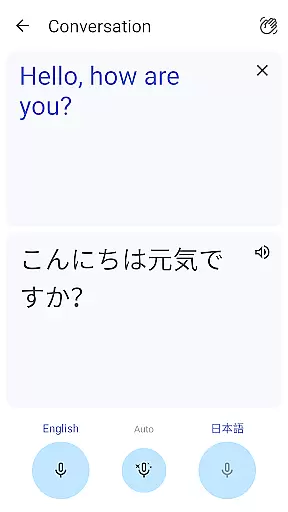
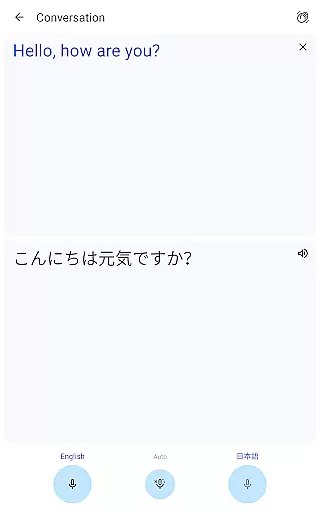
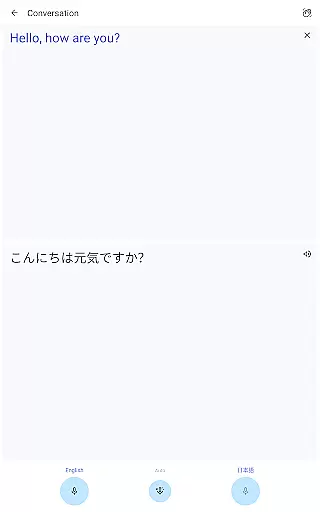
In addition to visual translation, the app includes a conversation mode that facilitates real-time bilingual communication in 70 languages. The offline translation capability ensures functionality even without an internet connection, while the phrasebook feature lets users save important translations for future reference. These comprehensive features make Google Translate an indispensable tool for global communication.
Google Translate's core functionality lies in its ability to deliver accurate translations across multiple languages and mediums. The app supports text translation between 108 languages, ensuring users can communicate effectively regardless of linguistic barriers.
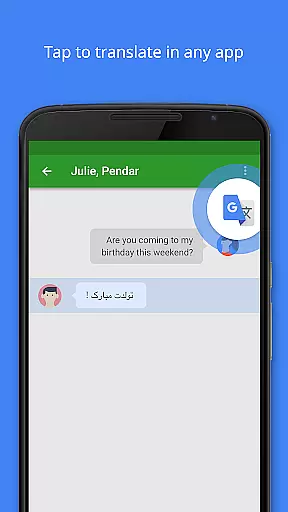
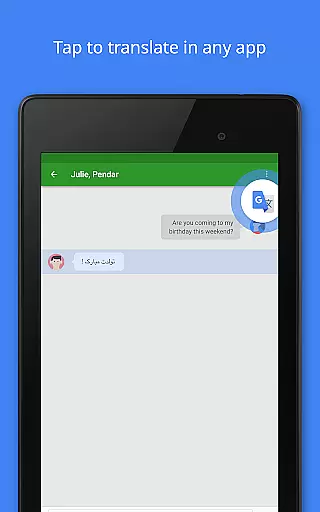
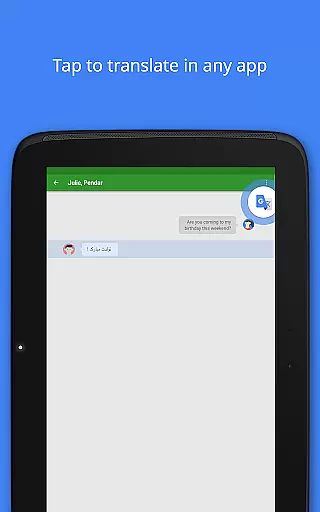
The application goes beyond basic text translation by offering features like Tap to Translate, allowing users to translate copied text from any app instantly. This seamless integration enhances the overall user experience by providing quick access to translations without disrupting the workflow.
For travelers and those in areas with limited connectivity, Google Translate offers offline translation capabilities in 59 languages. This ensures that users can rely on the app even without an internet connection, making it a versatile tool for both casual and professional use.
Furthermore, the instant camera translation feature supports 94 languages, enabling users to translate text in images simply by pointing their camera. This real-time translation capability demonstrates the app's commitment to accuracy and effectiveness in diverse usage scenarios.
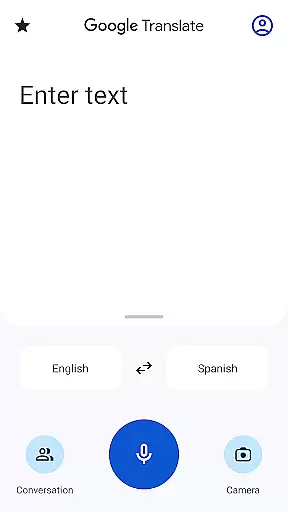
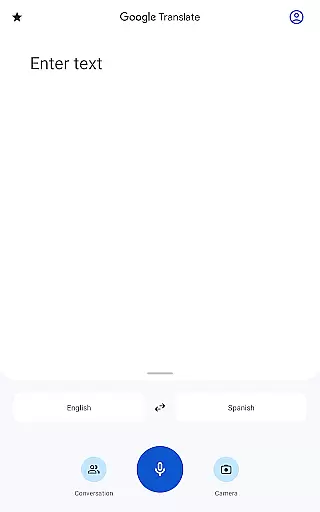
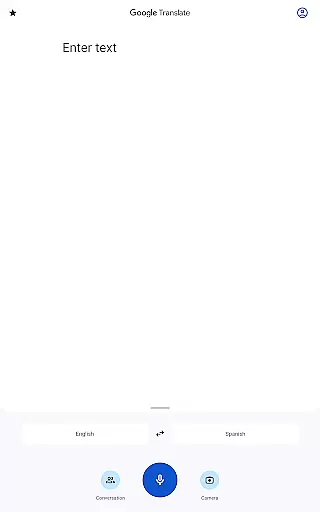
The interface of Google Translate is designed to provide a straightforward and intuitive user experience. Upon opening the app, users are greeted with a clean layout that prioritizes essential functions such as text input and language selection, making it easy for first-time users to navigate.
One of the standout features contributing to its simplicity is the Tap to Translate functionality. Users can copy text in any app and simply tap the Google Translate icon to get immediate translations. This eliminates the need to switch between apps or manually input text, streamlining the translation process.
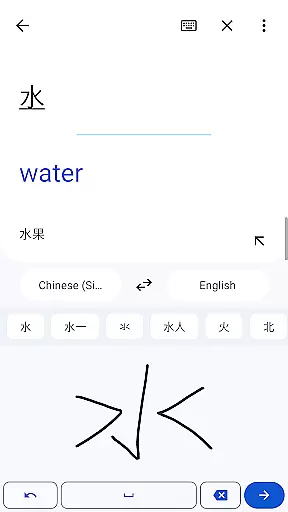
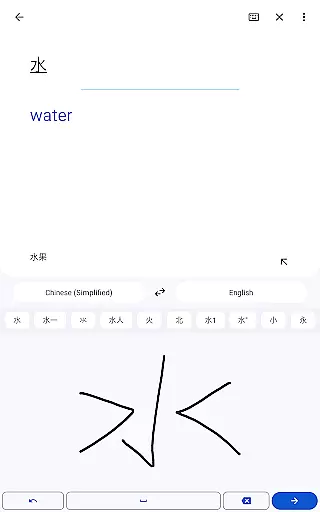
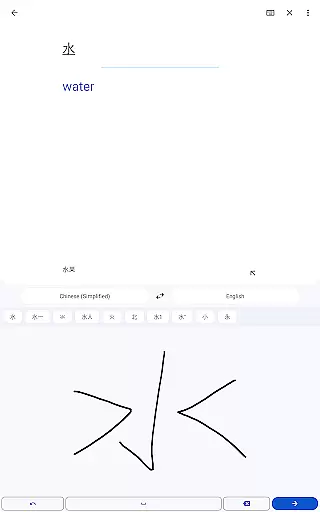
Additionally, the app offers handwriting recognition in 96 languages, allowing users to draw characters instead of typing. This feature caters to languages with complex scripts and provides an alternative input method that maintains the app's intuitive nature.
Google Translate also includes a conversation mode that facilitates bilingual dialogues in 70 languages. By speaking directly into the app, users can engage in fluid conversations with others who speak different languages, further emphasizing the app's focus on maintaining an accessible and user-friendly interface.
Wide language support
Offline functionality
Real-time translation
User-friendly interface
Free to use
Limited offline languages
Occasional accuracy issues
Requires storage space
Ads in free version
Advanced features need account

Complete kernel toolbox with features to manage and tweak your rooted device
 4.30
4.30
VESC Tool can monitor and configure VESC-compatible devices over BLE and Wifi
4.20
Smart and comfortable browsing experience.
3.80
Navigate with Ease and Style
4.90
WiFi Signal Strength Meter help you detect WiFi Signal Strength in real time.
4.80
The Ultimate Bluetooth Keyboard & Mouse. Securely control your PC, Mac, and more
4.50
Planner and Tracker for Stardew Valley
4.60
Fast Video Downloader, Movie Downloader, Torrent Downloader & Adblock Browser
4.70
Play your X-Box games remotely in 1080p with any controller and zero latency
4.60
Powerful collection of electronics tools and reference.A must for any enthusiast
4.90
Easily install aab(Android App Bundle) files on your Android device with our app
4.80
ADB support Android 4.X-Android 13(Support wireless pair mode).No root required!
4.70
NFC Tools can read and write NFC tags.
4.70
Mirror your screen to Fire TV - Super fast and simple
4.40
PC precision for mobile gaming: dominate with keyboard and mouse!
4.30
An open-source APK explorer for Android!
4.10
Family Locator, Share location, StayConnect with your family in real time
3.90
Clean the junk files on your device
3.40
Transfer Files, APK from Phone to Watch & Install.
4.5


User Reviews